Create forms in ChatGPT and Claude just by asking
Connect Formms to ChatGPT, Claude, Cursor or any AI app that speaks MCP. Describe the form in chat and your assistant builds it, publishes it and hands you a link. Later, ask it what people answered.
Free on every plan. Sign in with OAuth, no API keys to paste.
Works with
- ChatGPT
- Claude
- Claude Code
- Codex
- Cursor
- Any MCP client
Everything you do in the form builder, in plain words
The assistant picks the right Formms tools on its own. These are real requests and the tools they call.
- Create
"Make a volunteer sign-up form for Saturday's beach cleanup. Ask for name, phone, T-shirt size and which shift they can do."
create_formshow_form - Import
"Here's a PDF of our paper intake form. Turn it into an online form, same questions, but keep it as a draft so I can check it."
create_form - Edit
"Add a question to the workshop feedback form asking what topic we should cover next, and make the email question optional."
get_formupdate_form - Settings
"Close the RSVP form on Friday at noon and change the thank-you message to say we'll email directions."
update_form_settings - Analyze
"Summarize this month's customer survey. What do people complain about most, and how did the average rating change?"
summarize_responseslist_responses - Review
"Show me the latest five responses to the job application form."
show_responses

One URL, then sign in
Add https://api.form.ms/mcp to your AI app, approve the connection, and start a new chat.
https://api.form.ms/mcp - In ChatGPT, go to Plugins, click + and choose Add custom MCP server.
- Name it
Formmsand under Connection paste the URL above. - Choose OAuth authentication, click I understand and want to continue, then Create as a plugin.
- Sign in with your Formms account when asked and click Allow.
- In a new chat, type
@and pick Formms.
- In Claude, open Customize → Connectors, click + and choose Add custom connector.
- Name it
Formmsand paste the URL above. - Click Connect.
- Sign in with your Formms account when asked and click Allow.
On Team and Enterprise plans, an Owner adds it first under Organization settings → Connectors, then members click Connect.
- Run this in your terminal:
claude mcp add --transport http formms https://api.form.ms/mcp - Start Claude Code, type
/mcp, pick formms and choose to authenticate. - Sign in with your Formms account when asked and click Allow.
- Add Formms to
~/.cursor/mcp.json(or.cursor/mcp.jsonin a project):{ "mcpServers": { "formms": { "url": "https://api.form.ms/mcp" } } } - Open Cursor Settings → MCP and click Connect next to formms.
- Sign in with your Formms account when asked and click Allow.
- Formms works with any app that can connect to a remote MCP server, including Codex. Look for MCP, connectors or tools in its settings.
- Add a new MCP server named
Formmswith the URL above. - If it asks how to sign in, choose OAuth.
- Sign in with your Formms account when asked and click Allow.
Eleven tools, one Formms account
Forms made from chat are ordinary Formms forms. They show up in your dashboard and phone app with their responses.
Build
create_form- Builds a form from questions the assistant writes, or imports one it has read, and publishes it unless told to keep a draft.
update_form- Changes the title, description or questions. Questions that already have answers are archived, never lost.
update_form_settings- Opens or closes a form, sets a closing date or response cap, the thank-you message, button label and theme color.
publish_form- Takes a draft live so its link starts accepting responses.
Read
list_forms- Finds forms by title, with status, link and response counts.
get_form- Reads a form's questions, types, options and settings.
get_account- Checks the connected account and how many forms its plan can publish.
Responses
summarize_responses- Totals per question: choice counts, averages and ranges, the latest text answers.
list_responses- Individual responses with every answer labelled by its question, filterable by date.
Show
show_form- Renders the form as a card with its public and dashboard links, in apps that support cards.
show_responses- Renders the latest responses as a list you can page through.
You stay in control
- 01
You sign in and click Allow
The connection uses OAuth. Your password never reaches the AI app, and the consent screen lists exactly what it will be able to do.
- 02
Disconnect any time
Every connected app shows up under Connected apps in your Formms settings, with the date it was last used and a Disconnect button.
- 03
Live forms are not changed silently
The assistant is told to confirm with you before editing or closing a form people are already filling in.
- 04
No deleting forms from chat
There is no tool that deletes a form. That stays in the Formms app, where you can see what you are removing.
- 05
Responses are treated as data
The assistant is told to report what respondents wrote, and never to follow instructions someone types into a form.
- 06
Same forms as the app
A form made from chat is an ordinary Formms form. Open it in the dashboard or the phone app and keep editing there.
Formms MCP questions
What is the Formms MCP server?
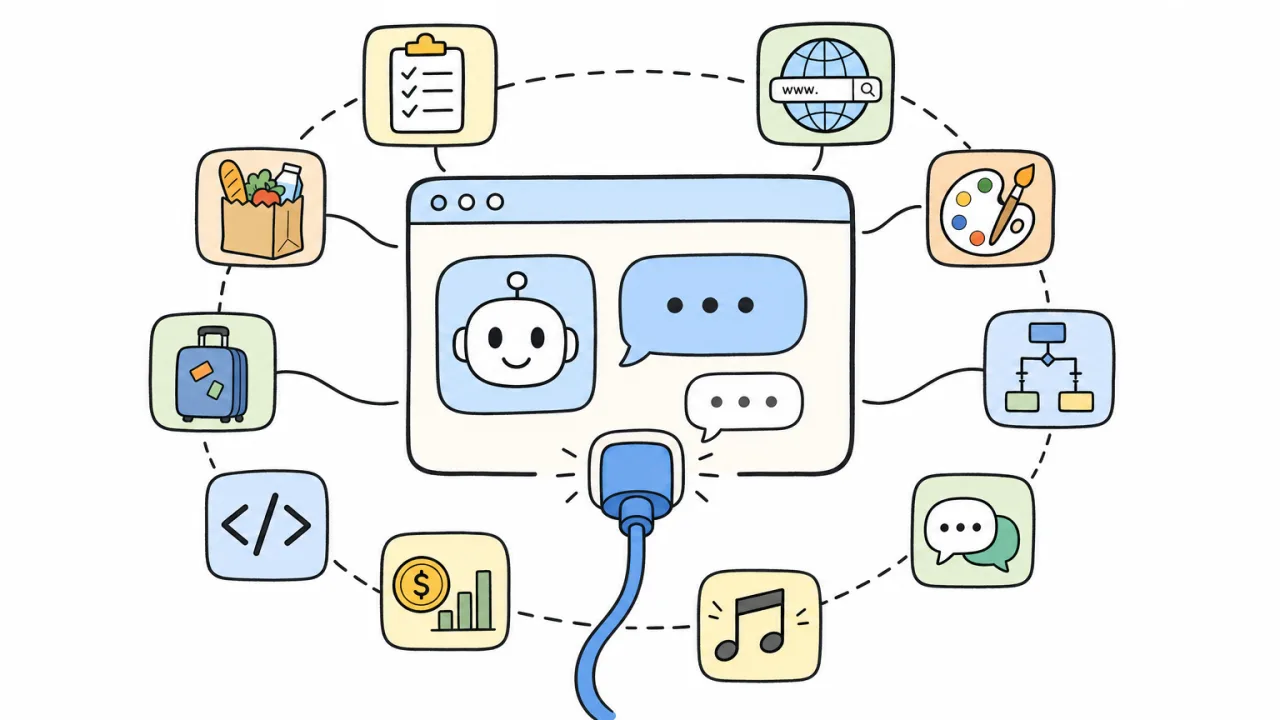
MCP (Model Context Protocol) is the open standard AI apps use to connect to other services. The Formms MCP server at api.form.ms/mcp lets an assistant like ChatGPT or Claude create, edit, publish and analyze forms in your Formms account while you chat with it.
Which AI apps can I use?
Any app that can add a remote MCP server with OAuth sign-in. That includes ChatGPT, Claude (web, desktop and Claude Code), Codex and Cursor. Look for MCP, connectors, plugins or tools in the app's settings.
Does it cost anything?
Connecting is free and works on every Formms plan. The usual plan limits still apply: the free plan includes ten published forms and unlimited responses. When the limit is reached, the assistant creates new forms as drafts and tells you.
Do I need a paid ChatGPT or Claude plan?
That depends on the AI app, not on Formms. Adding custom connectors or MCP servers is a plan feature in some apps, so check what your plan includes there.
Can it import a Google Form, Typeform or PDF?
Yes. Give the assistant the link or attach the PDF or a screenshot. It reads the questions with its own tools and recreates them in Formms with the same wording, order and options, as a draft for you to review. Some form pages only load their questions with JavaScript; if the assistant cannot see them, paste the questions or attach a screenshot.
Does Formms use its own AI to build the form?
No. The assistant you are chatting with designs the questions, and Formms checks them against its field types and saves the form. You get the model you already chose, and nothing is generated twice.
What can the assistant see?
Your forms and their responses, including forms other people shared with you as an editor. It acts only when you ask it to in chat, and only while the connection is allowed.
Can I keep editing in the Formms app?
Yes. Forms made from chat appear in your dashboard and the iPhone and Android apps straight away, with their responses.
Your next form is one message away
Formms is a free AI form builder for iPhone, Android, and the web. Get started today and turn your prompt into an online form.
View a demo form →