
Blog / How-To Guides
How to Create Surveys with AI (Essential Guide)
Context
Learn how an AI survey generator can help you create surveys, generate effective questions faster, and streamline the survey creation process.
On this page
Blank survey builders ask you to invent structure before you are clear on the decision. That is why a lot of surveys stall: too many fields, vague goals, and a form that never gets shared.
AI helps you create better surveys faster by flipping that order. You describe the job in plain language. An AI survey generator drafts questions and field types. You cut what you do not need, publish a link or QR code, and start collecting answers.
This guide is the practical path. You will see how to write prompts that produce usable drafts, which question types to pick, common mistakes to avoid, and a full walkthrough in Formms from prompt to live survey. For the broader prompt-to-form craft, pair this with how to turn a prompt into a shareable form.
What Is an AI Survey Generator?
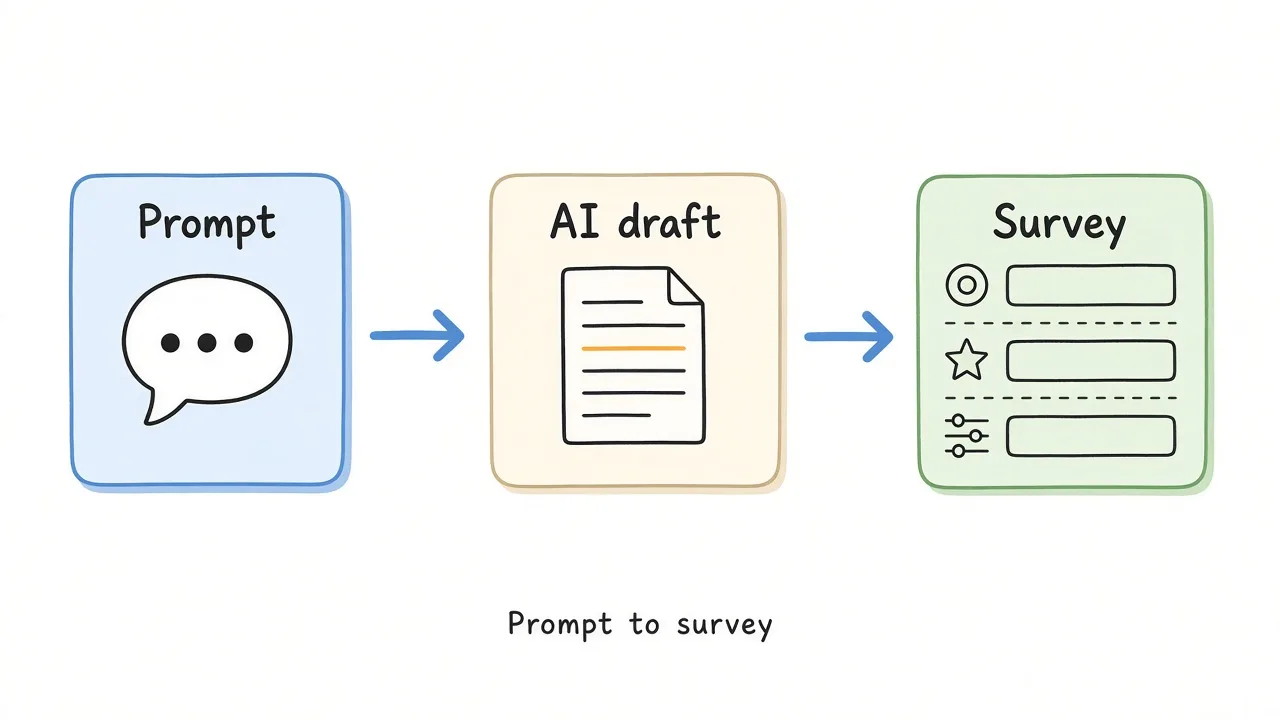
An AI survey generator turns a plain-language brief into an editable survey draft.
An AI survey generator is a form builder that drafts survey questions from a prompt. You say who should answer, what you need to learn, and any limits (length, tone, required fields). The tool proposes questions and response formats. You edit, then share.
It is not the same as a chat that only dumps a question list into a document. The useful output is a live survey: structured fields, a public URL, and a place where responses are stored.
| Output | What you get | What you still need |
|---|---|---|
| Chat question list | Text ideas | Rebuild the survey in a real tool |
| AI survey draft | Editable fields and types | Review, cut, then publish |
| Shareable survey | Public link (and often a QR) plus stored answers | Distribution and follow-up |
Generators speed up the blank-page problem. They do not replace judgment. You still decide the goal, cut vanity questions, and act on the results.
Why Faster Survey Creation Matters
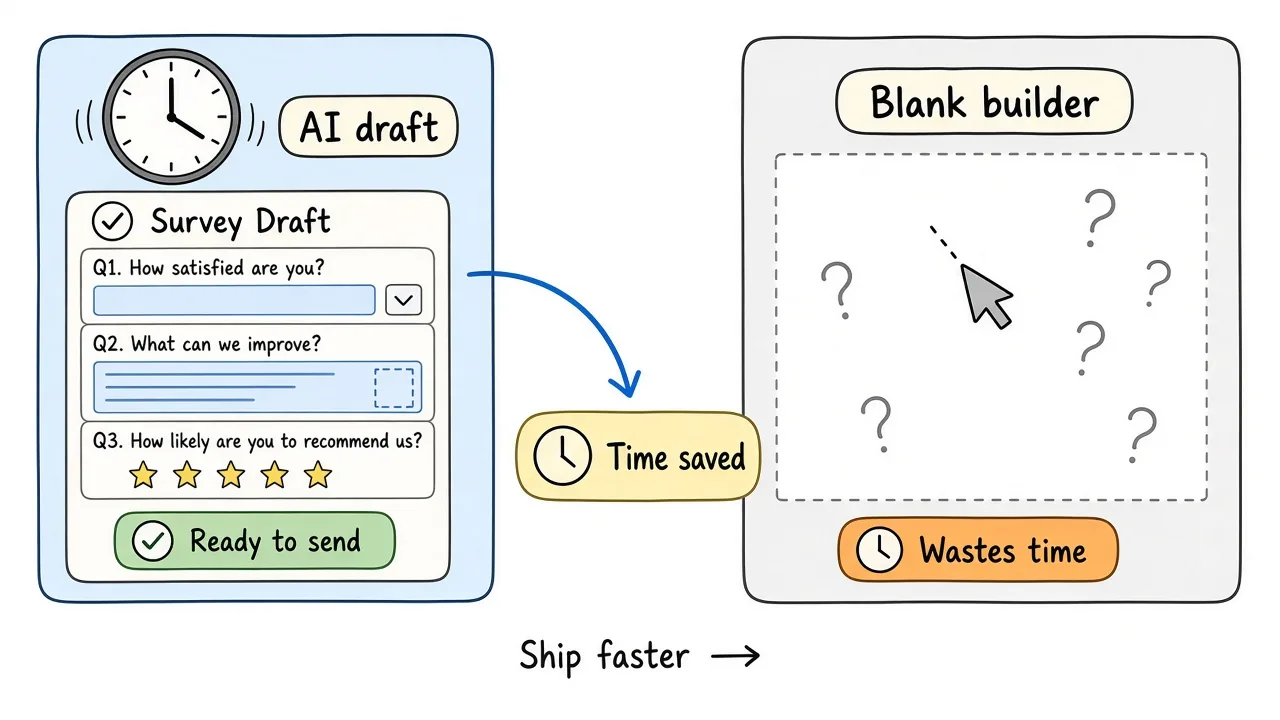
Speed matters when feedback has a short shelf life.
Survey needs show up with deadlines: after a visit, after a launch, before the next standup, before dismissal. If building the form takes longer than the feedback window, you skip it or ship something too long.
Faster creation helps in three ways:
- You ask while the experience is fresh. Post-visit CSAT beats a monthly email that people ignore.
- You keep the form short. A quick draft is easier to trim than a fifteen-field masterpiece you built by hand.
- You actually publish. The survey only helps if someone can open it.
Length still matters after you generate. In a European Social Survey self-completion experiment in Austria, a shorter questionnaire raised the response rate by about 4 percentage points compared with a longer version (roughly 35 minutes vs 50 minutes estimated completion). The effect was real but modest, and sample quality looked similar either way. See the Survey Research Methods write-up. For day-to-day pulses, treat that as a reminder: cut what you will not use, especially when people are answering on a phone between other tasks.
How an AI Survey Generator Works
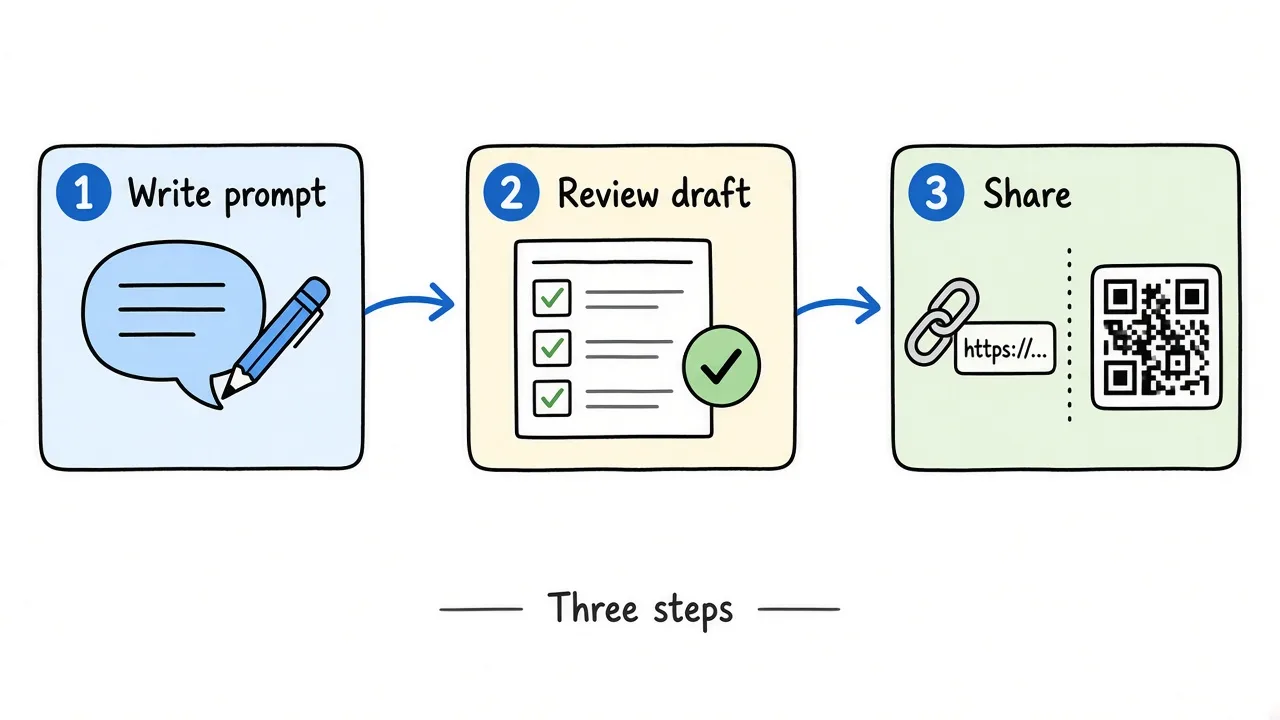
Write the brief, review the draft, then share one link.
The useful loop is short:
- Describe the survey. Purpose, audience, what to collect, constraints.
- Review the draft. Check field types, required marks, and whether each question supports a real decision.
- Publish and share. Copy a link, download a QR, or embed on a site.
- Read responses. Skim themes, export CSV when you need a sheet, close the form when the window ends.
On Formms, that path is New form → Chat, then Build this form, then Publish and Share. Respondents open the public page in a browser. They do not need an account.
Anatomy of a Strong Survey Prompt
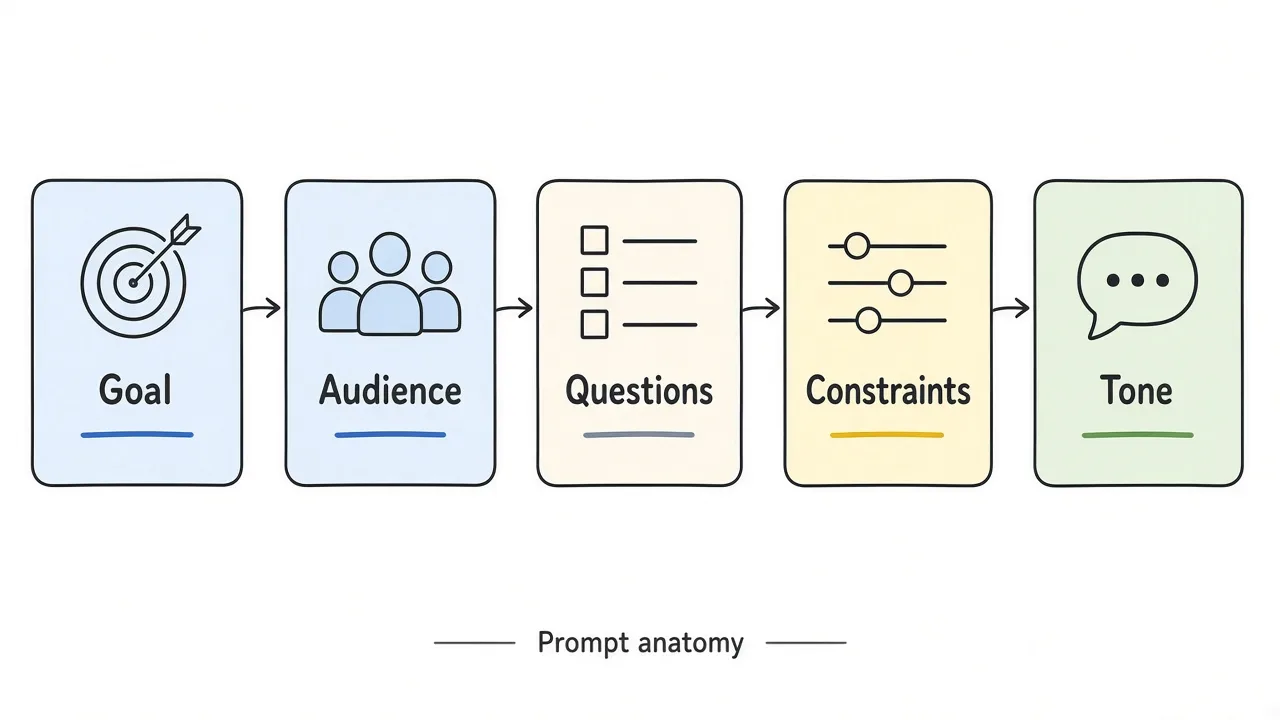
Goal, audience, questions, constraints, and tone shape a usable first draft.
Vague prompts create generic surveys. Specific prompts create drafts you can ship after a quick edit.
The five parts worth including
- Goal - What decision will the answers support?
- Audience - Who is filling it in, and on what device?
- Questions needed - The must-have topics, not a wish list.
- Constraints - Length, required fields, close date, optional anonymity.
- Tone - Friendly cafe copy, neutral HR, short classroom language.
A reusable prompt formula
Create a [survey type] for [audience] to [goal]. Include about [N] questions. Prefer [field types]. Required: [list]. Optional: [list]. Tone: [tone]. Constraints: [mobile-first / close date / no PII you do not need]. Avoid collecting [data you will not use].
Weak vs strong
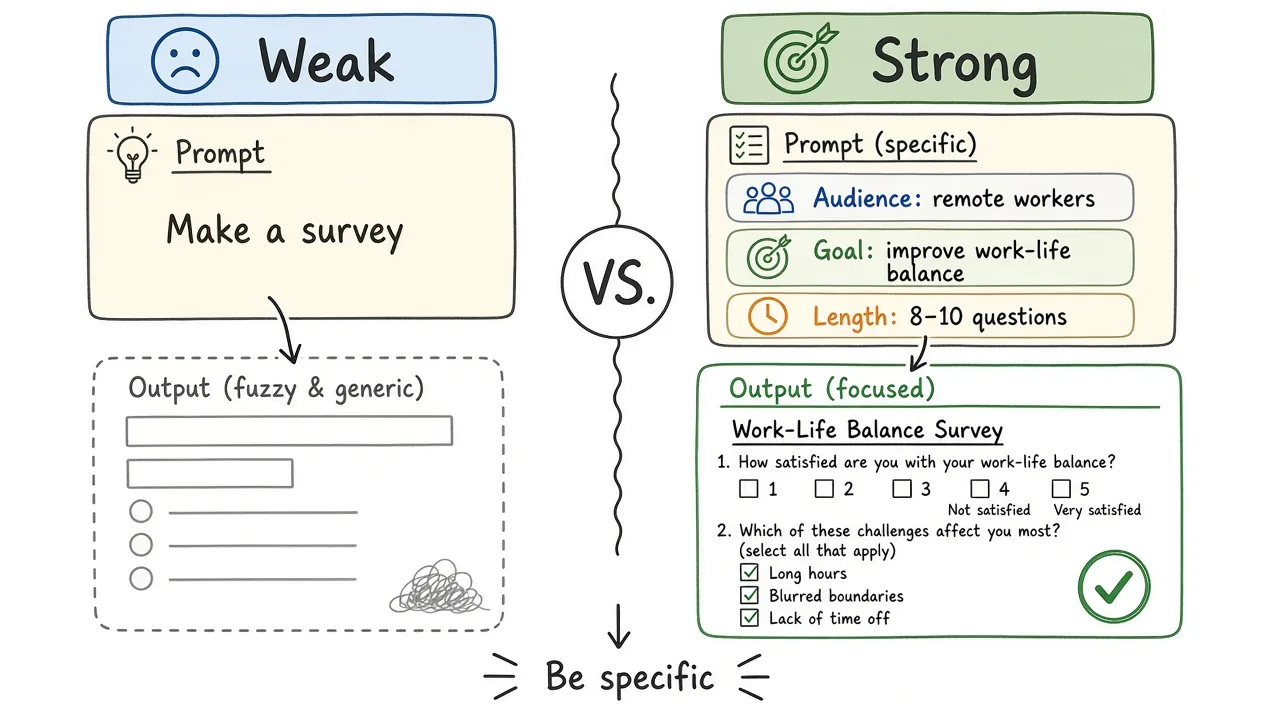
A strong prompt names the decision, the audience, and the fields.
Weak: “Make a customer survey.”
Strong: “Create a mobile-friendly customer satisfaction survey for Harbor & Rye Cafe. Five questions max: overall star rating, what they ordered (short text), speed of service (1 to 5), one thing to improve (long text), optional email. Friendly tone. Do not ask for phone number or birthday.”
Weak: “Employee survey.”
Strong: “Create a five-question employee pulse for a 20-person studio. Ask how supported people feel this week (1 to 5), workload manageability (1 to 5), one blocker (long text), one thing going well (short text), and optional name. Neutral tone. Keep it under two minutes.”
If you can paste the prompt to a colleague and they would know what to build, the generator probably will too.
Survey Question Types That Work Well
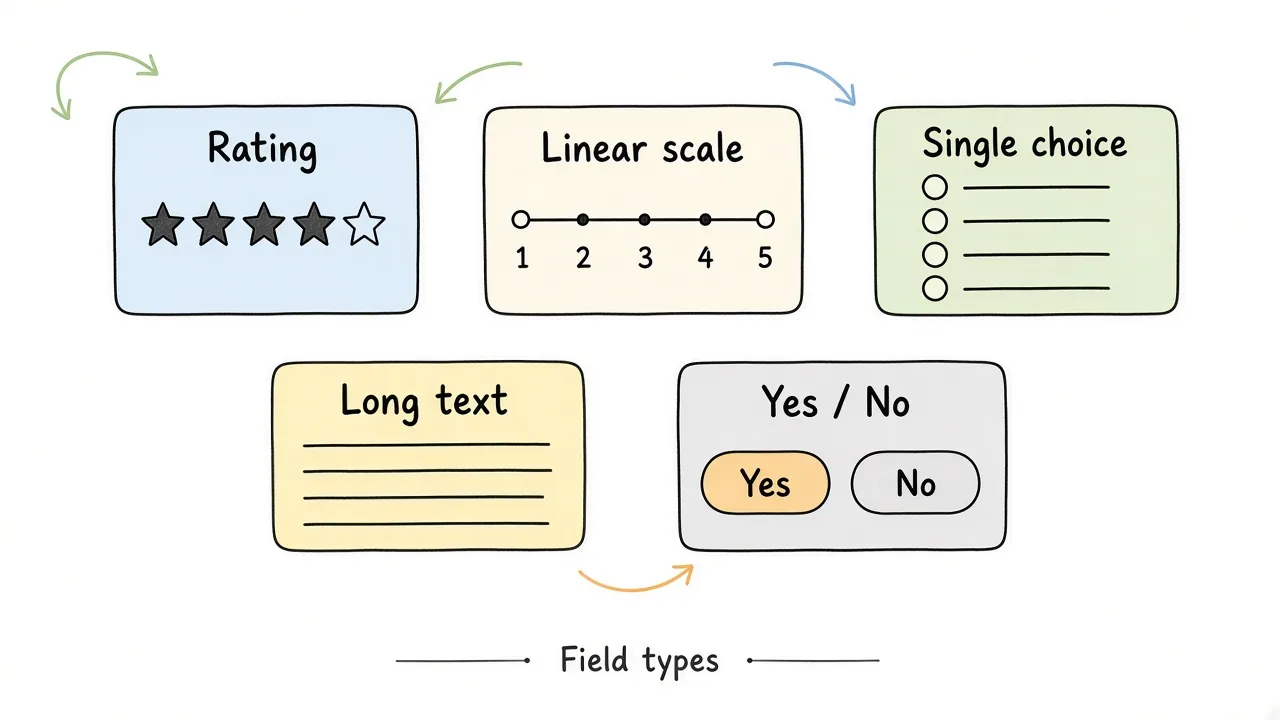
Match the format to the decision, not to what looks fancy.
| Type | Use when | What you get |
|---|---|---|
| Rating (stars) | Quick overall quality | Fast mobile answers |
| Linear scale | Degree of agreement, clarity, likelihood | Trends if you keep the same scale |
| Single choice | One option from a known list | Easy tallies |
| Multiple choice | Several options can apply | Theme counts |
| Yes / no | A clean binary | Simple counts |
| Short text | One phrase or example | Themes you can skim |
| Long text | Reasons and stories | Rich detail, slower to analyze |
Closed questions make comparison easy. Open questions explain why. If every item is open-ended, analysis gets slow. If nothing is open-ended, you may never learn what you failed to ask.
In Formms, common survey mixes use Rating, Linear scale, Single choice, Long text, and optional Email or Name. There is no branching logic in the builder, so keep the path linear and short.
Review Checklist Before You Share
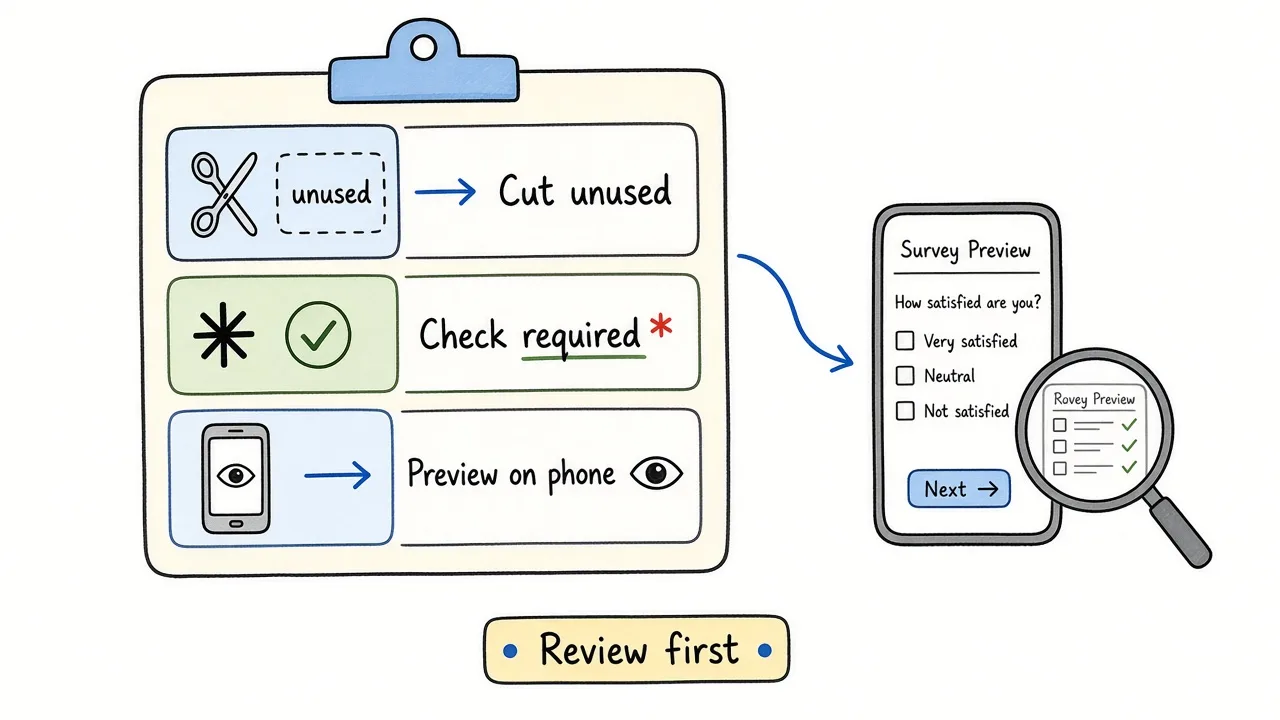
Cut unused fields, check required marks, and preview on a phone.
Generators draft quickly. Review still protects response quality.
- Does every question support a decision you can act on?
- Can you cut two fields without losing the goal?
- Are required marks only on fields you truly need?
- Is name or email optional when honesty matters more than follow-up?
- Does the title and description tell people how long it takes?
- Did you preview on a phone before you shared?
AAPOR’s best practices for survey and public opinion research stress clear purpose, appropriate design, and honest reporting. That still applies when AI wrote the first pass.
Prompt Recipes You Can Copy
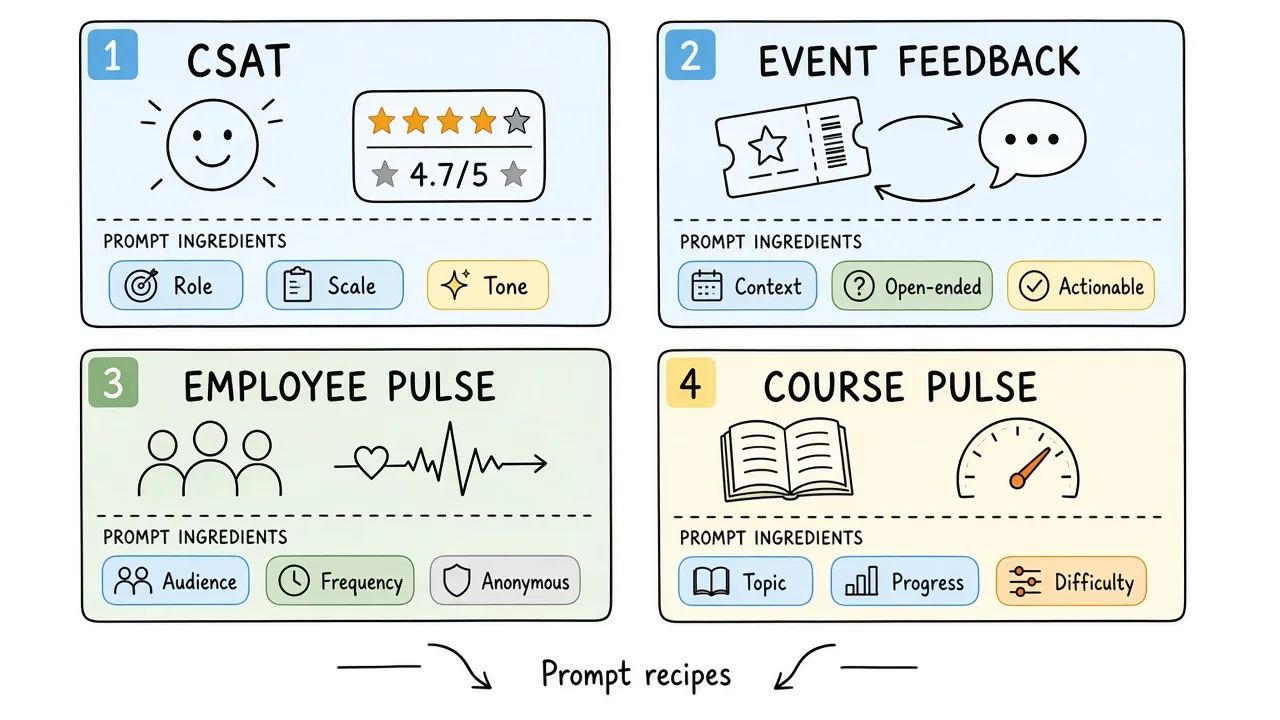
Steal a recipe, then swap names and fields for your case.
Paste these into an AI survey generator, then edit the draft.
Customer satisfaction (CSAT)
Create a customer satisfaction survey for [business name] after [visit / order / support ticket]. Audience: customers on their phones. Five questions: overall star rating (required), what they bought or which service (short text), speed or wait time (1 to 5), main reason for the score (long text), optional email. Friendly tone. Do not ask for phone or address.
For deeper CSAT wording and analysis habits, see customer satisfaction survey.
Event feedback
Create an event feedback survey for [event name] on [date]. Audience: attendees leaving the venue. Four to six questions: overall rating, which sessions they attended (checkboxes), what worked, what to change, likelihood to attend again (1 to 5), optional name. Keep it under two minutes.
Employee pulse
Create a weekly employee pulse for a small team. Audience: staff on phones. Five questions: energy this week (1 to 5), workload (1 to 5), one blocker, one win, optional name. Neutral tone. Do not ask for salary or performance ratings.
Course or class pulse
Create a student feedback survey for [class / workshop]. Audience: students before dismissal. Six questions: overall rating, clarity of explanations (1 to 5), pace (too slow / about right / too fast), what helped, what to change, optional name. Plain language. See also the student survey guide.
Product or SaaS feedback
Create a product feedback survey for [product]. Audience: users who just finished [onboarding / a key task]. Ask overall satisfaction (stars), which feature they used (single choice), what almost made them quit (long text), what to improve next, optional email. Keep it short. For SaaS-specific timing tips, see how to collect better SaaS user feedback.
Post-support survey
Create a support follow-up survey after a ticket closes. Audience: customers who contacted support. Ask whether the issue was resolved (yes/no), satisfaction with the agent (1 to 5), clarity of the answer (1 to 5), anything still unclear (long text), optional email for a callback.
Common Mistakes With AI Survey Generators
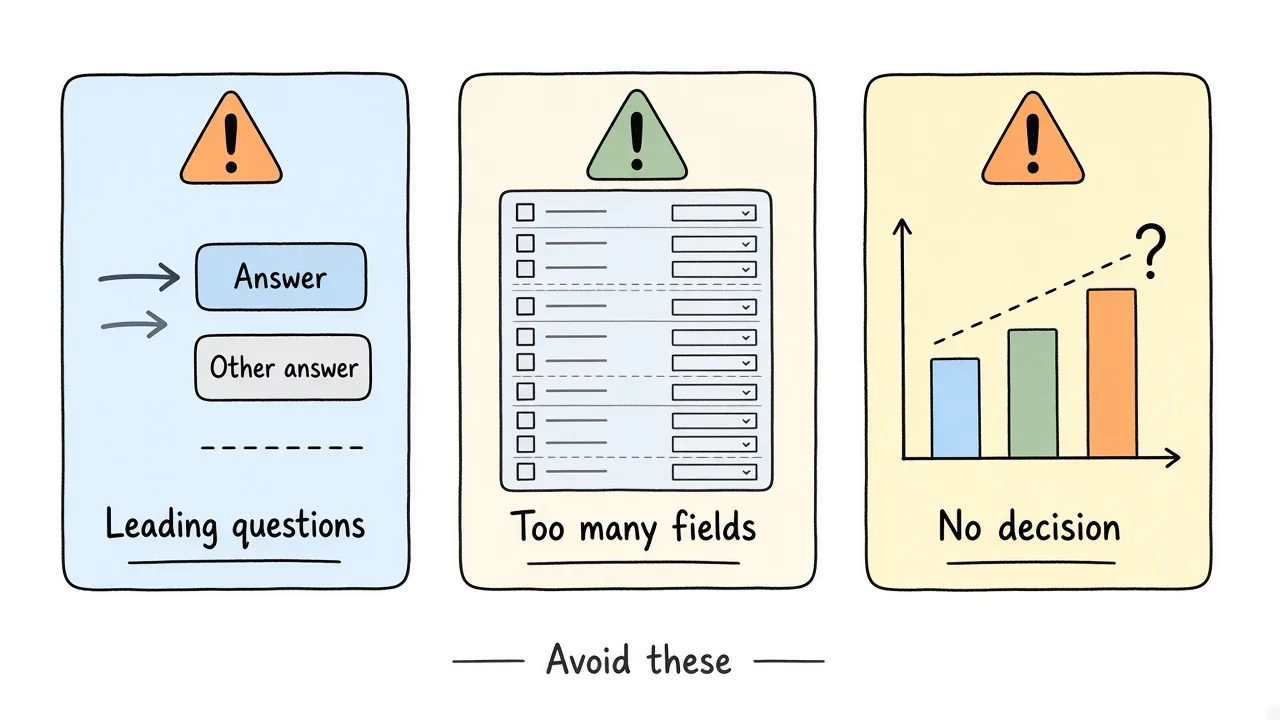
Leading wording, too many fields, and no decision are the usual failure modes.
Accepting the first draft without editing
AI will invent plausible questions you do not need. Delete them.
Asking without a decision
If you cannot say what you will change based on the answer, cut the question.
Leading wording
Weak. How amazing was our excellent new checkout?
Better. How easy was checkout today?
Stacking too many open boxes
Two open questions are usually enough. Five essays become homework.
Collecting PII you will not use
Phone, birthday, and address are common extras. Skip them unless follow-up requires them.
Never closing the loop
If people answer and never see a result, the next survey looks optional. Tell them what you learned and what will change.
Best Practices
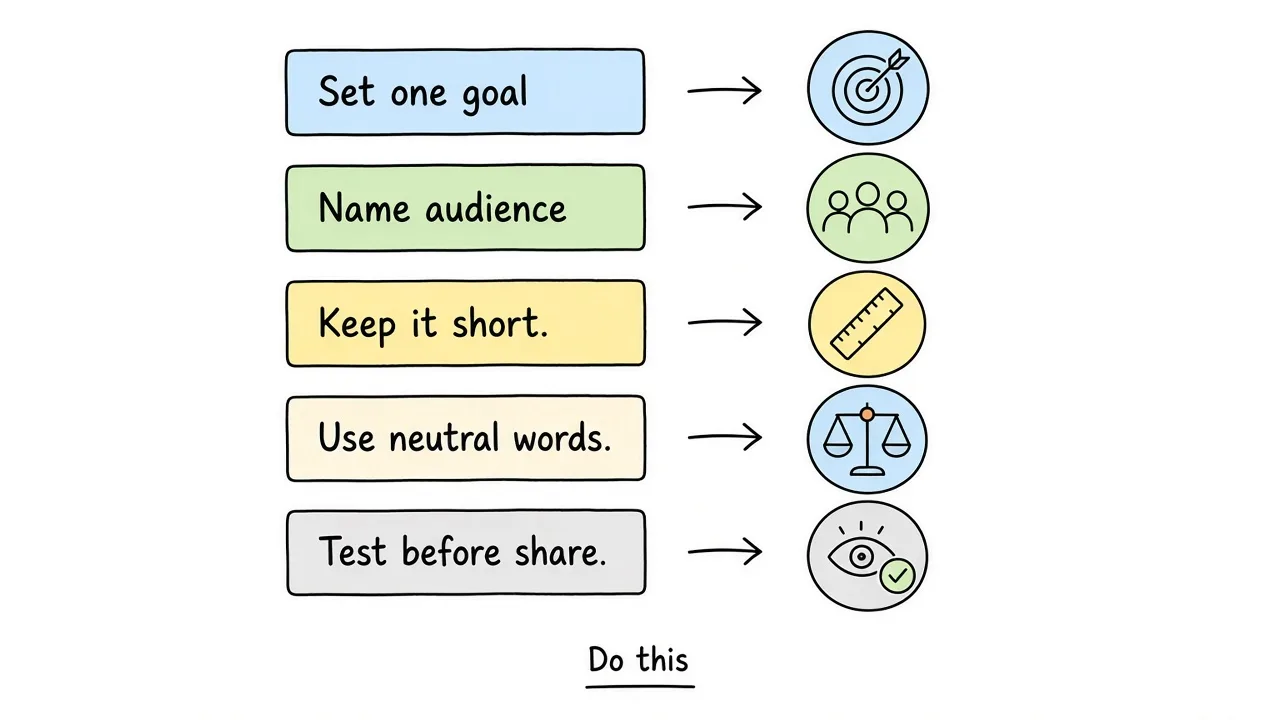
A short checklist beats a long survey you never analyze.
- Write the decision in one sentence before you open the generator.
- Cap the first draft at five to seven questions for most pulses.
- Prefer one idea per question.
- Mix scales for comparison with one or two open “why” fields.
- Preview on a phone.
- Share while the experience is fresh (QR at the counter, link in the receipt email, board before dismissal).
- Close responses when the window ends so batches stay clean.
- Act on themes you control, then tell respondents what changed.
For counter and print distribution, how to collect customer feedback with a QR code covers scan-to-survey timing.
When an AI Survey Generator Is the Right Tool
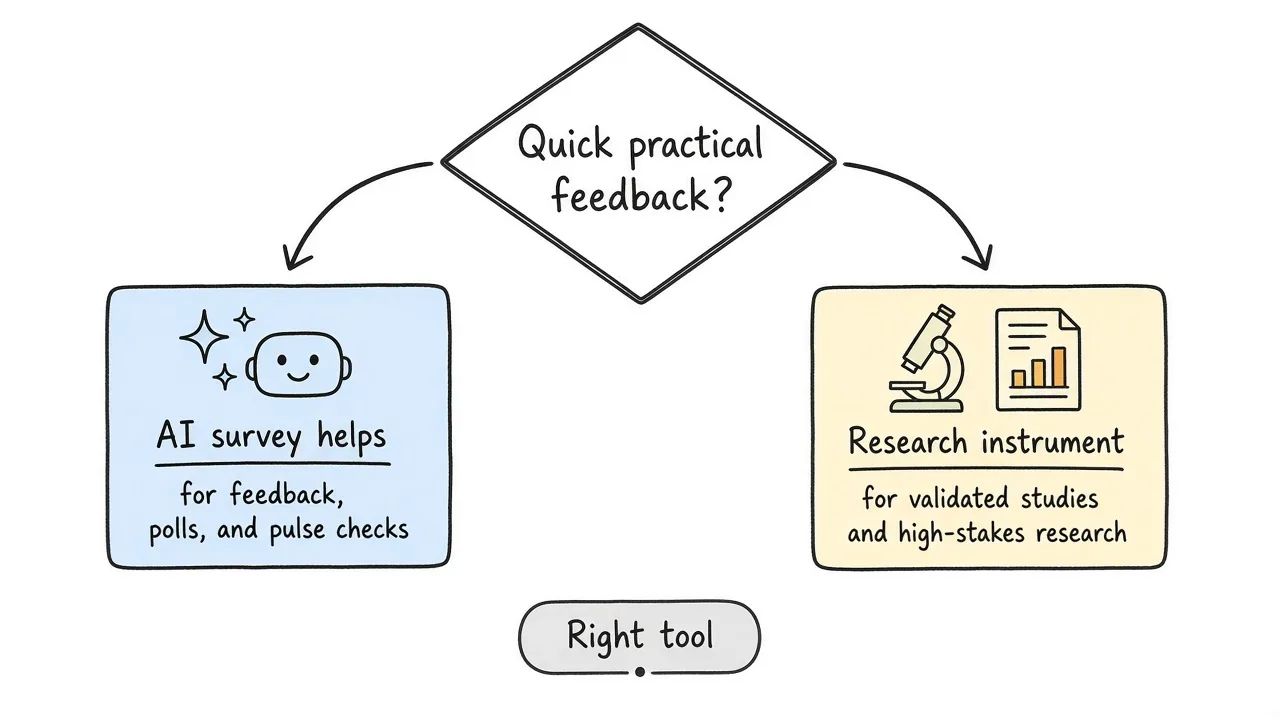
Use AI for fast operational pulses. Use research methods for high-stakes instruments.
Good fit
- CSAT after a visit or ticket
- Event and workshop feedback
- Short employee or class pulses
- Product feedback after a key task
- Anything you need live the same day
Wrong fit (or needs extra care)
- Validated clinical or school climate instruments you must not rewrite
- Politically sensitive polls that need sampling plans
- Graded quizzes that need answer keys and LMS grade import
- Anything where you need branching logic Formms does not offer
Federal survey standards such as the OMB Standards and Guidelines for Statistical Surveys exist for a reason when the stakes are official statistics. A cafe CSAT prompt is a different job. Match the tool to the risk.
Start From a Survey Template
Creating every question from scratch can take time. A template gives you a prompt and a question shape you can adapt.
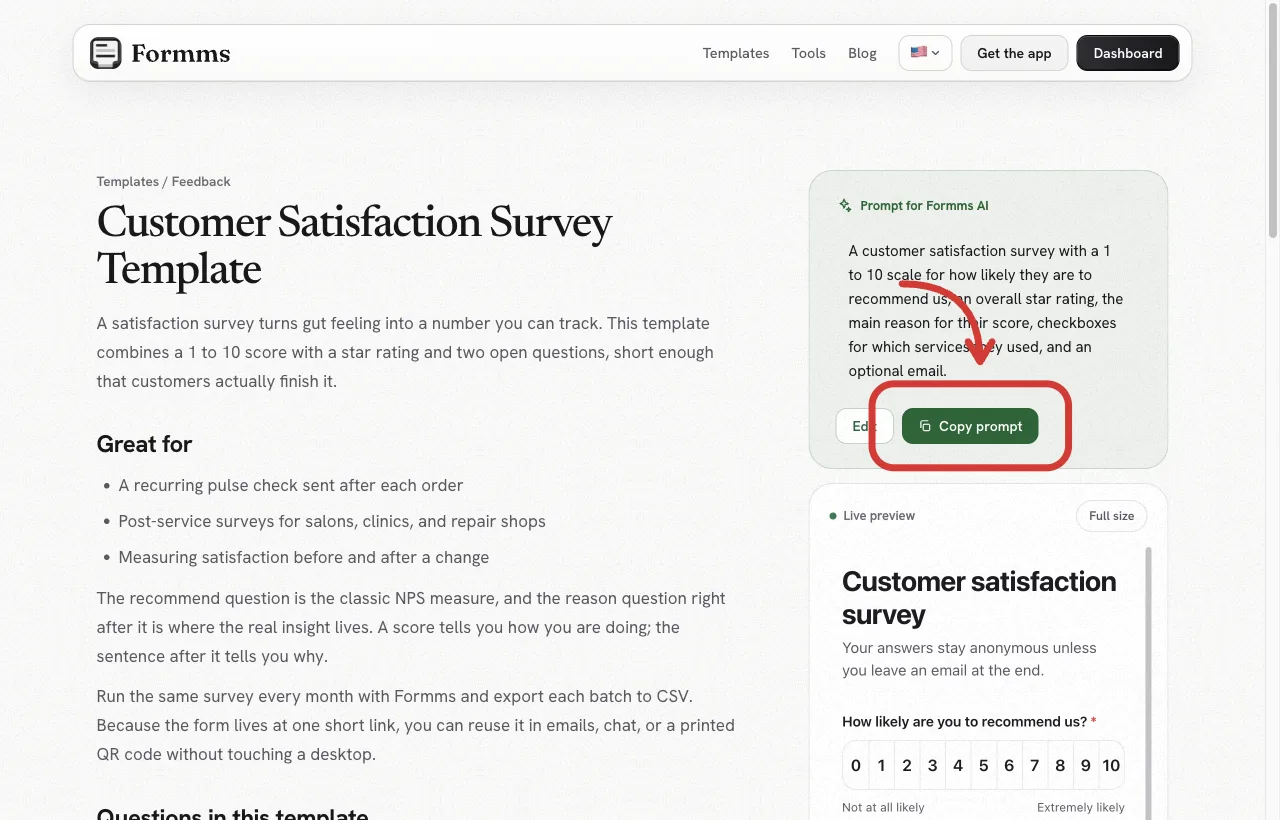
The template page includes the prompt, the question list, and a live preview you can try before signing up.
Formms publishes a ready Customer Satisfaction Survey template. It pairs a recommend-style scale with an overall rating and a reason question, short enough that people finish it.
Other useful starting points:
You can copy the prompt into Formms Chat, edit any field, then share a form.ms link or QR. Respondents do not need an account.
How to Create a Survey With an AI Generator on Form.ms
The steps below use the Formms web app. The same labels (New form, Publish, Share, Responses) appear in the iPhone and Android apps. Stick to features that exist in the product (AI draft, edit on Build, share link or QR, response settings, CSV export). There is no branching logic or payments.
1. Start with a template prompt or your own brief
Open form.ms/dashboard, sign in, and click New form. Choose Chat. Paste a template prompt, or answer the helper’s questions about purpose, audience, and what to collect.
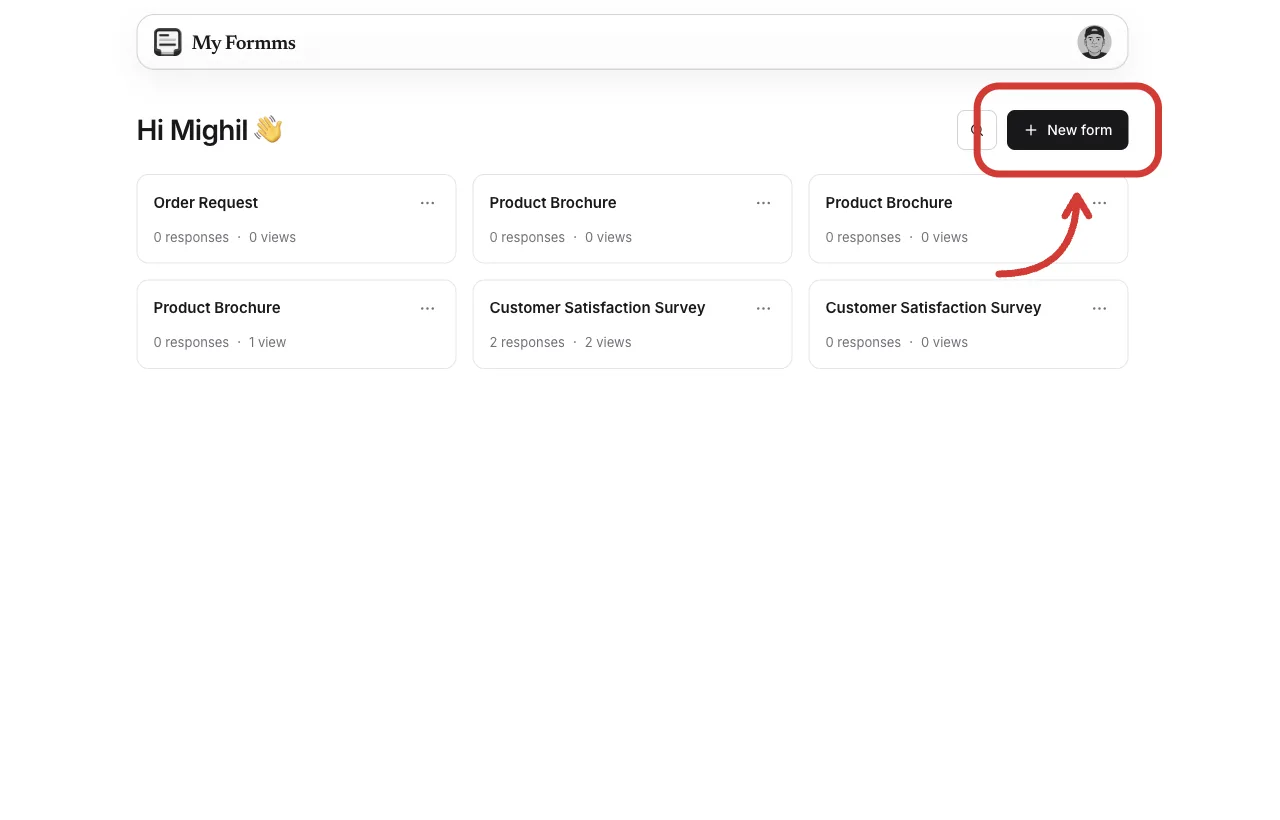
Start from New form, then open Chat to describe the survey.
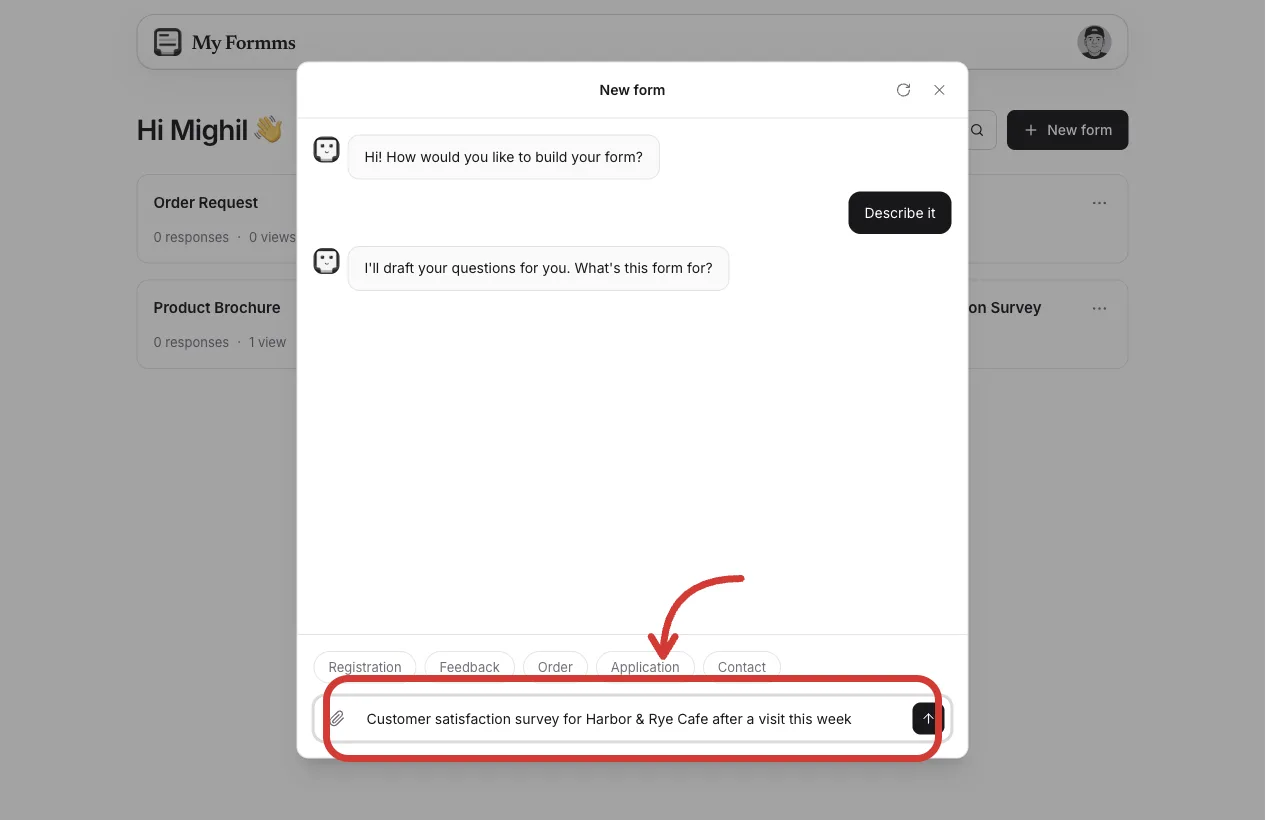
Name the business, who answers, and the exact fields you want.
2. Review the AI draft
When the draft card appears, check the title, question types, and required marks. Click Build this form when it looks close. Use Continue chatting if you want a rewrite first.
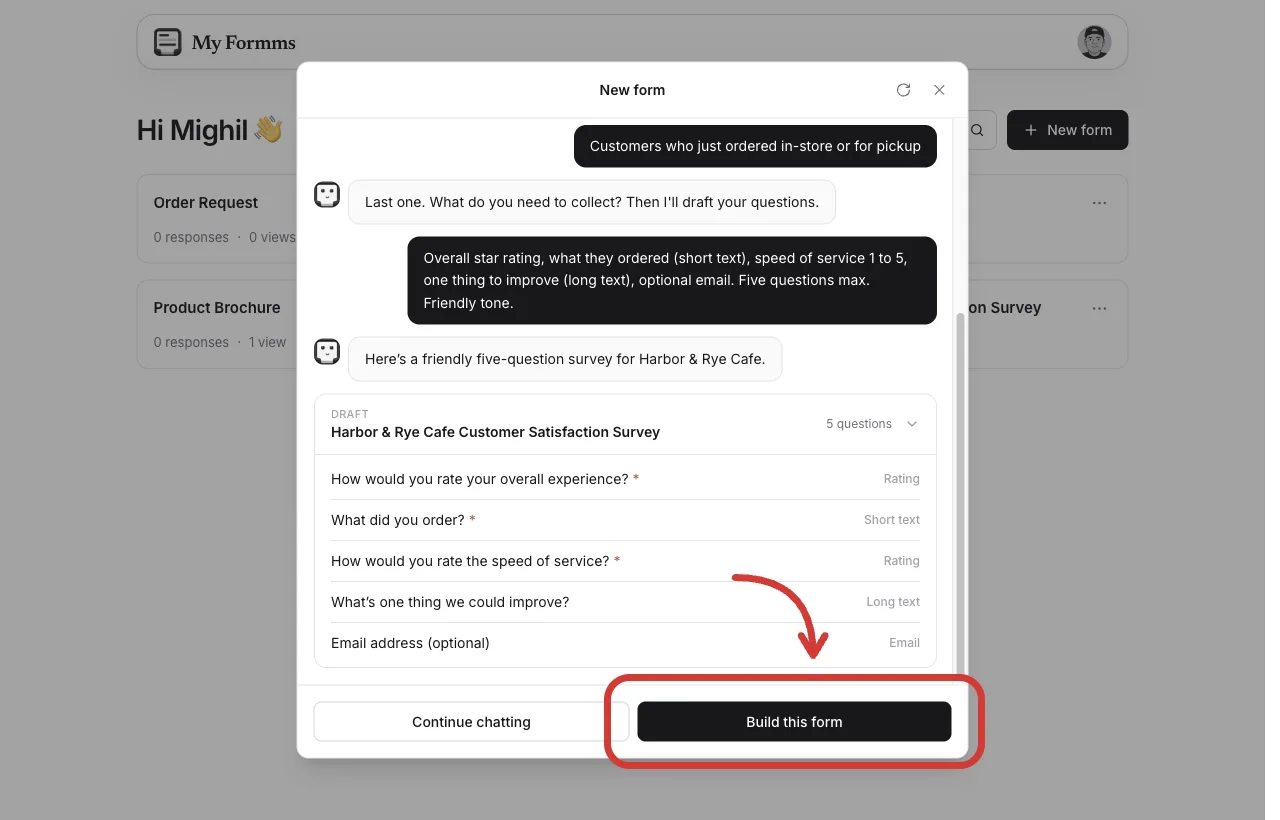
Confirm ratings, open boxes, and optional email before you create the form.
3. Edit on Build
On Build, change labels, options, and required settings. Remove questions that do not serve your decision. Use Add a question if a gap is obvious. Preview once as a respondent on a phone.
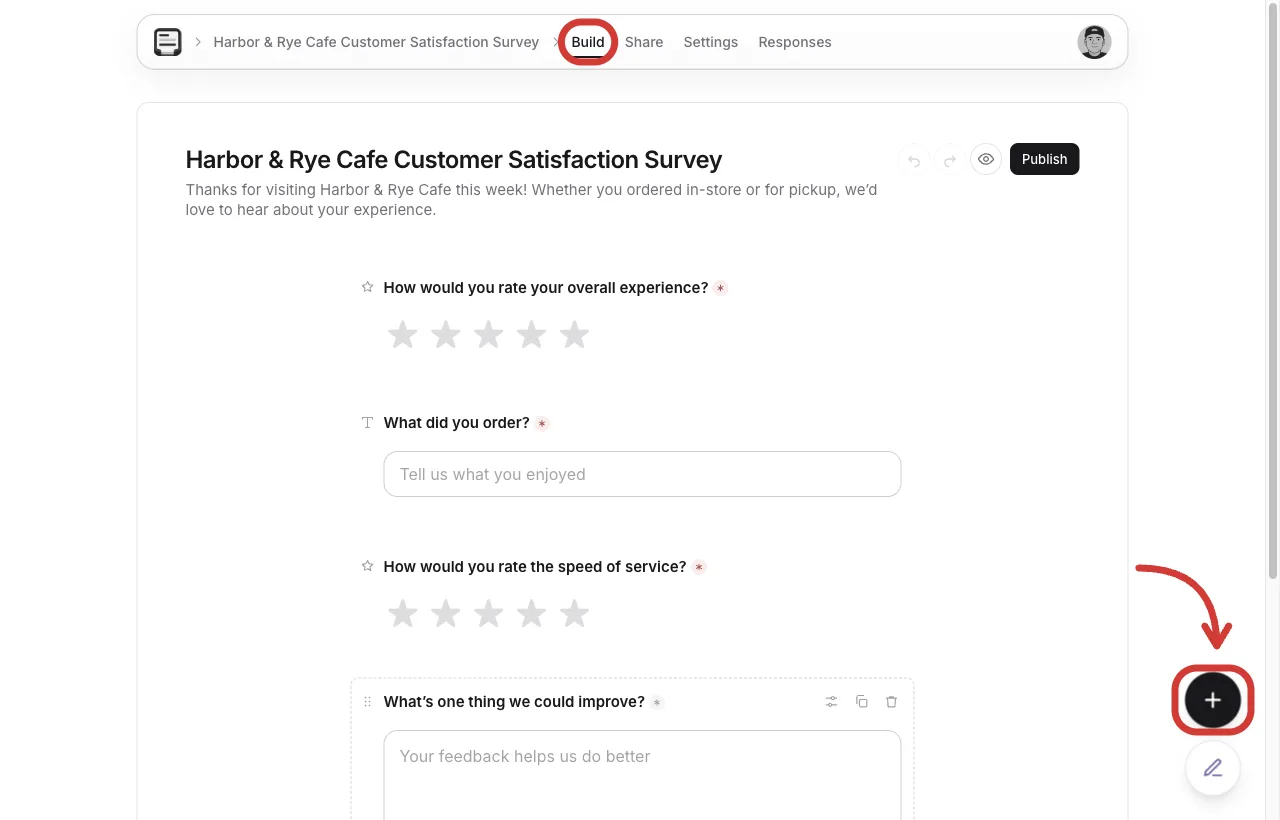
Use Add a question when you need another rating, choice, or text field.
4. Publish and share
Click Publish, open Share, then Link. Copy the form.ms URL into email, SMS, or your site. Download the QR code for a counter, door, or projector.
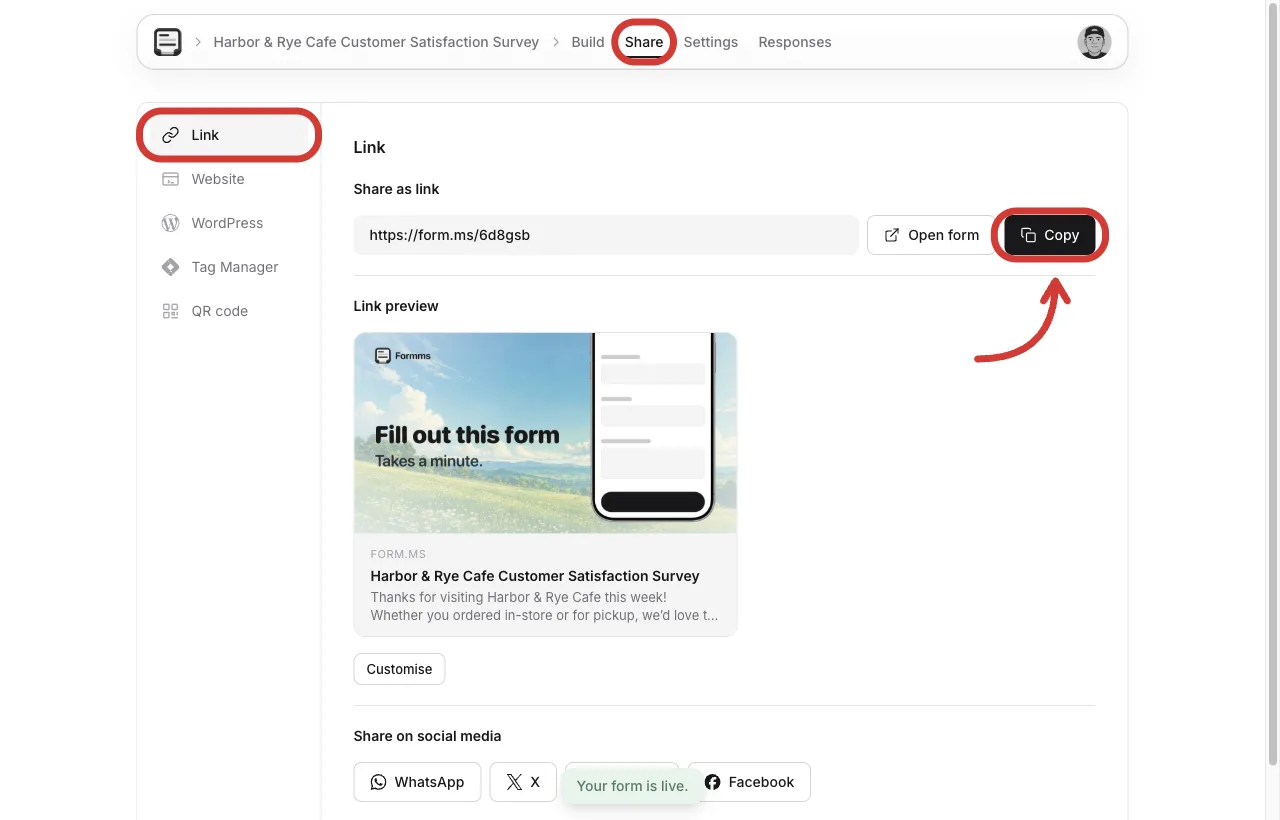
Respondents open the link in a browser. They do not create a Formms account.
5. Control the response window
Under Settings → Responses, leave Accept responses on while the window is open. Set a close date when the campaign ends so late replies do not mix with the next batch.
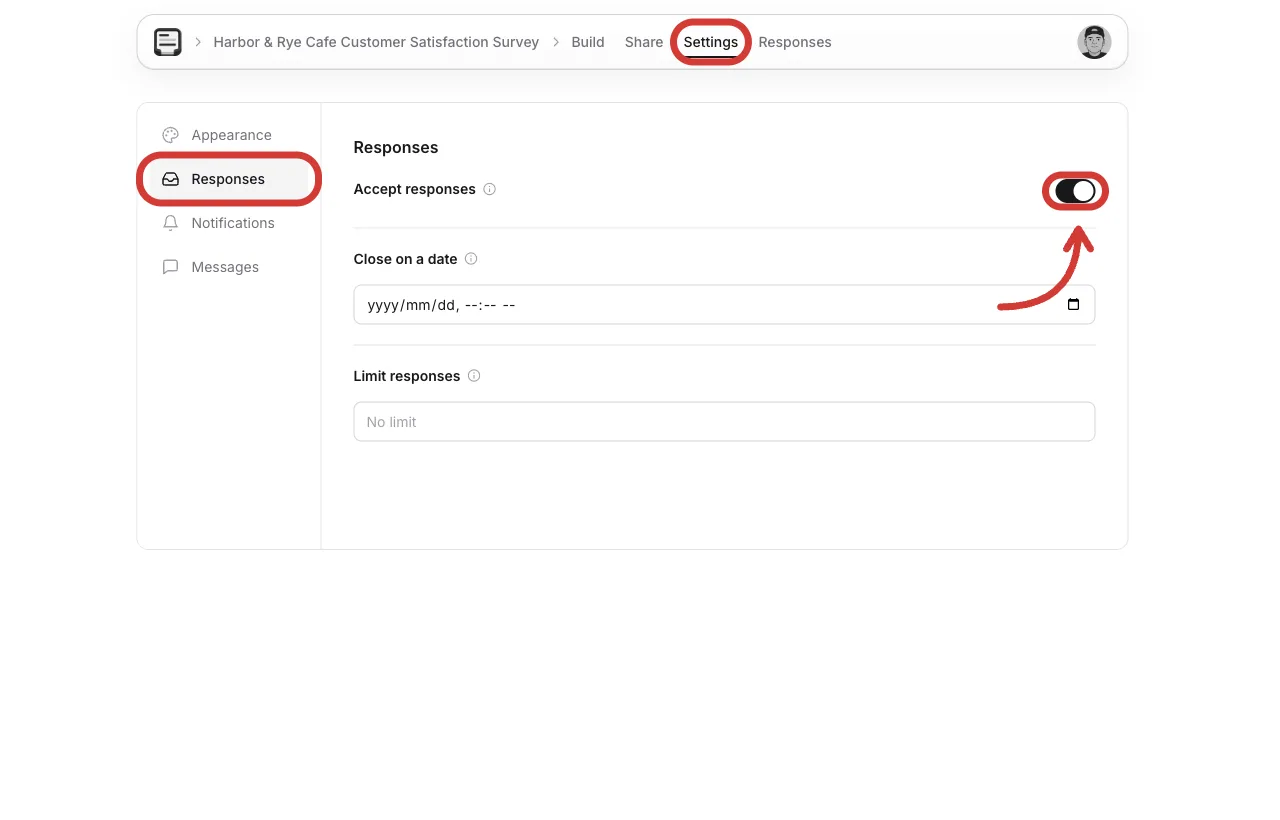
Close the survey when the feedback window ends.
6. Collect and review
Open Responses as answers arrive. Export CSV when you want to sort themes. For the free unlimited-response path in more detail, see how to create a free form with unlimited responses.
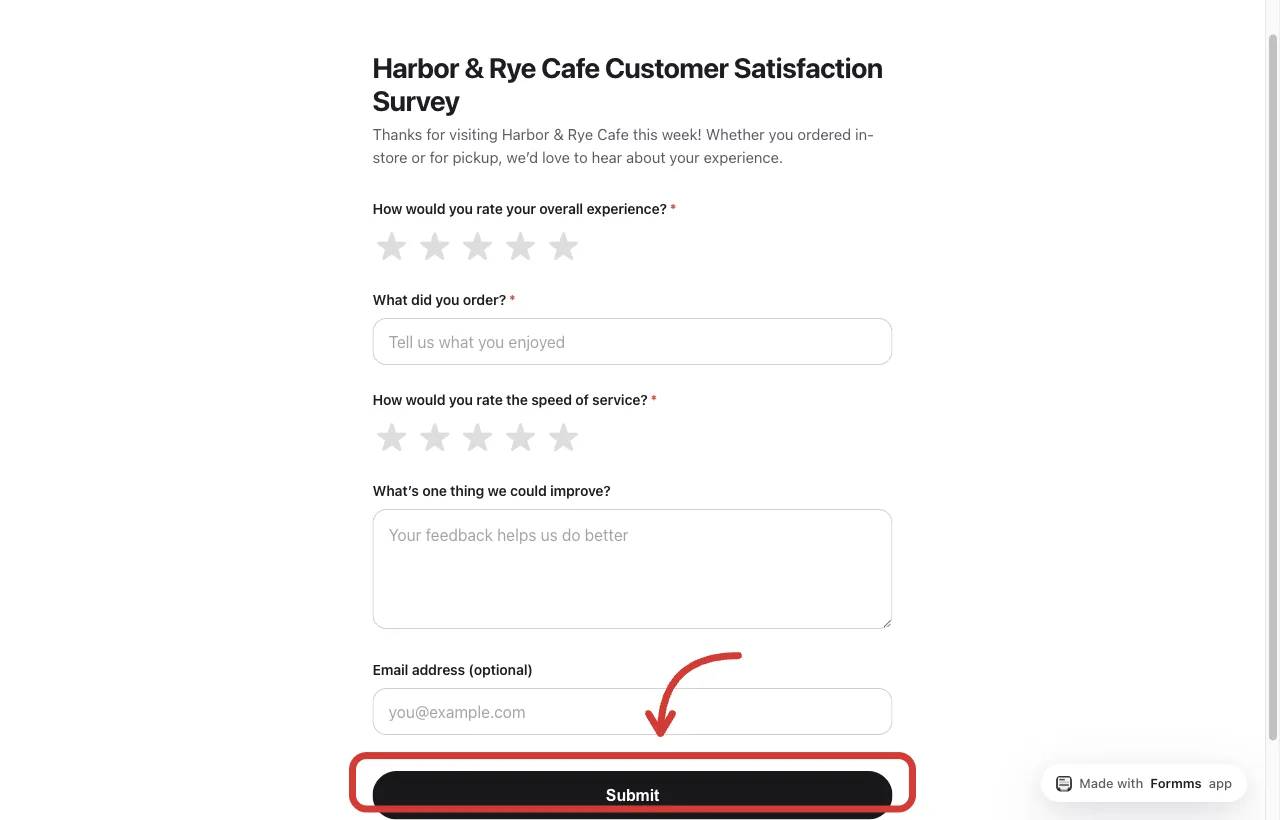
This is what respondents see. Questions and Submit, not the builder.
A worked example from this workflow is live at form.ms/6d8gsb (Harbor & Rye Cafe satisfaction pulse). Fill it once yourself before you send your own link.
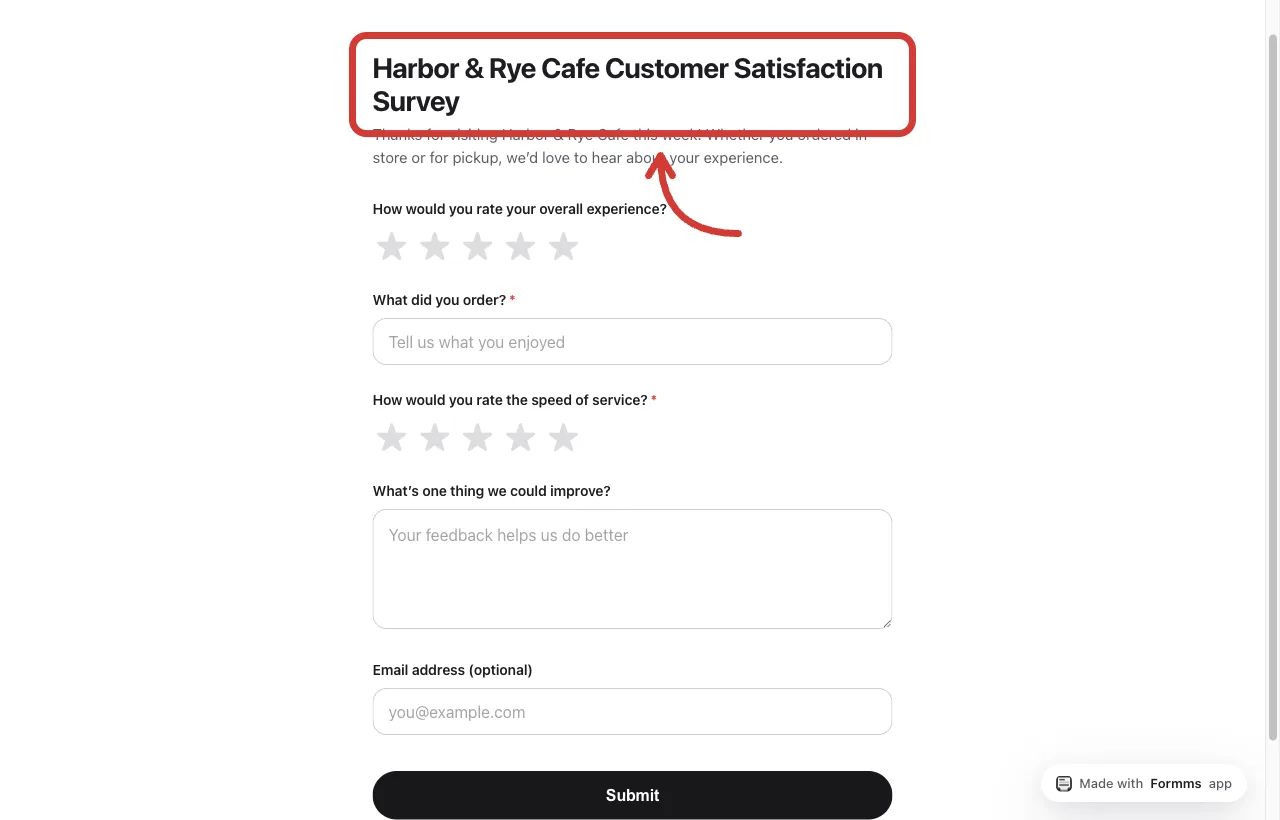
A short cafe pulse people can finish before they leave the counter.
Close the Loop After Responses Arrive
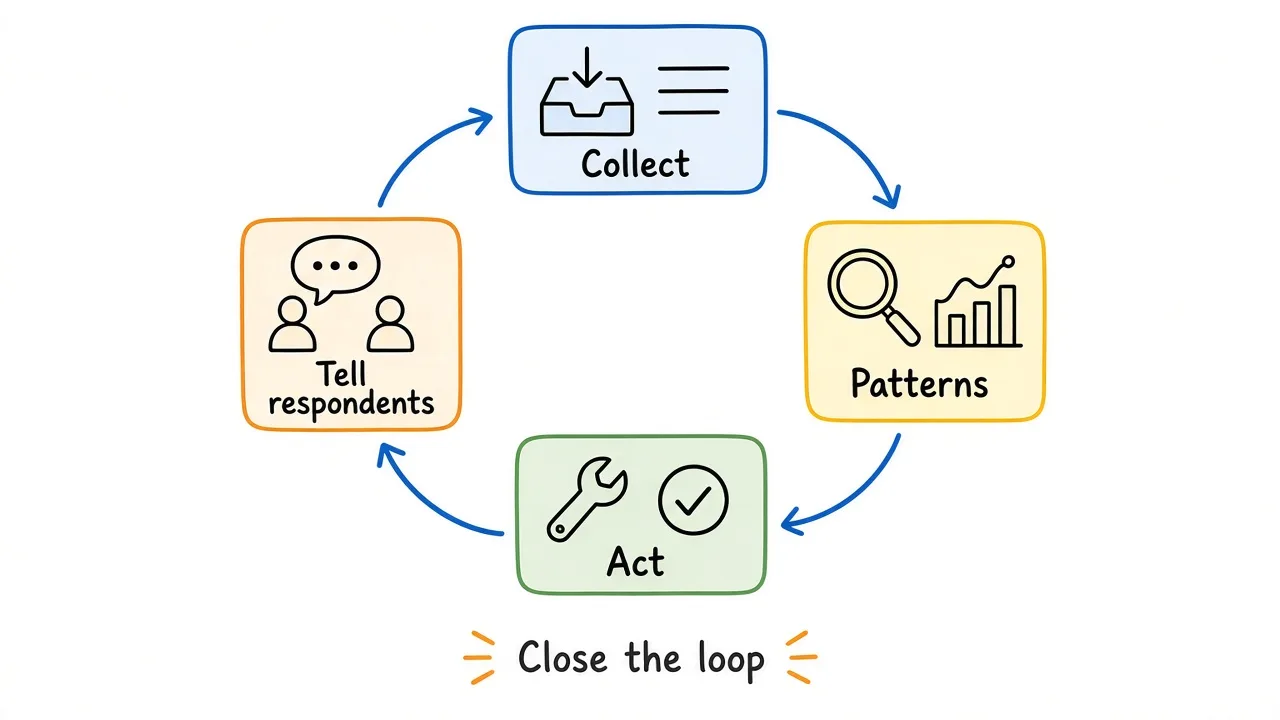
Patterns only help if someone acts and tells respondents what changed.
- Look for recurring ratings and comment themes.
- Separate one-off comments from patterns that repeat.
- Pick changes you can own this week.
- Tell customers, students, or teammates what you heard and what you will try.
- Run a short follow-up pulse later if you need to check whether the change helped.
Collection without follow-through trains people to ignore the next survey.
Frequently Asked Questions
What is the difference between an AI survey generator and a normal form builder?
A normal builder starts blank. An AI survey generator drafts questions from a prompt, then you edit. You still need review, publishing, and distribution either way.
How many questions should an AI-generated survey have?
Enough to answer one decision, and few enough to finish on a phone. Many operational pulses work well at three to seven questions. Longer instruments need a clearer research plan and more analysis time.
Can I use an AI survey generator for NPS?
You can ask a 0 to 10 recommend question with a linear scale, then ask for the main reason. Treat it as a useful pulse, not a full enterprise NPS program with cohort tracking unless you add that process yourself.
Do respondents need an account?
On Formms, no. They open the public link in a browser and submit.
How do I write better survey prompts?
Name the goal, audience, field list, length, and tone. Avoid “make a survey.” Use the recipes above, or start from how to turn a prompt into a shareable form.
Is AI survey generation accurate enough to skip editing?
No. Always review field types, required marks, leading wording, and whether each question supports a decision you can act on.
Closing thoughts
An AI survey generator removes the blank page. It does not remove the hard parts: knowing the decision, cutting questions you will not use, and acting on what people say.
Write the goal in one sentence first. Generate a short draft. Edit it like you would edit a colleague’s work. Share while the experience is still fresh, then close the loop when answers arrive.
If you want a ready starting point, use the customer satisfaction survey template or open form.ms/dashboard and paste one of the prompts above. Speed gets you to a live link. Judgment is what makes the survey worth answering.