
Blog / How-To Guides
Restaurant Feedback: A Complete Guide for Restaurants
Context
Learn how to collect useful restaurant feedback with effective survey questions, feedback examples, and practical tips to improve food, service, and customer experience.
On this page
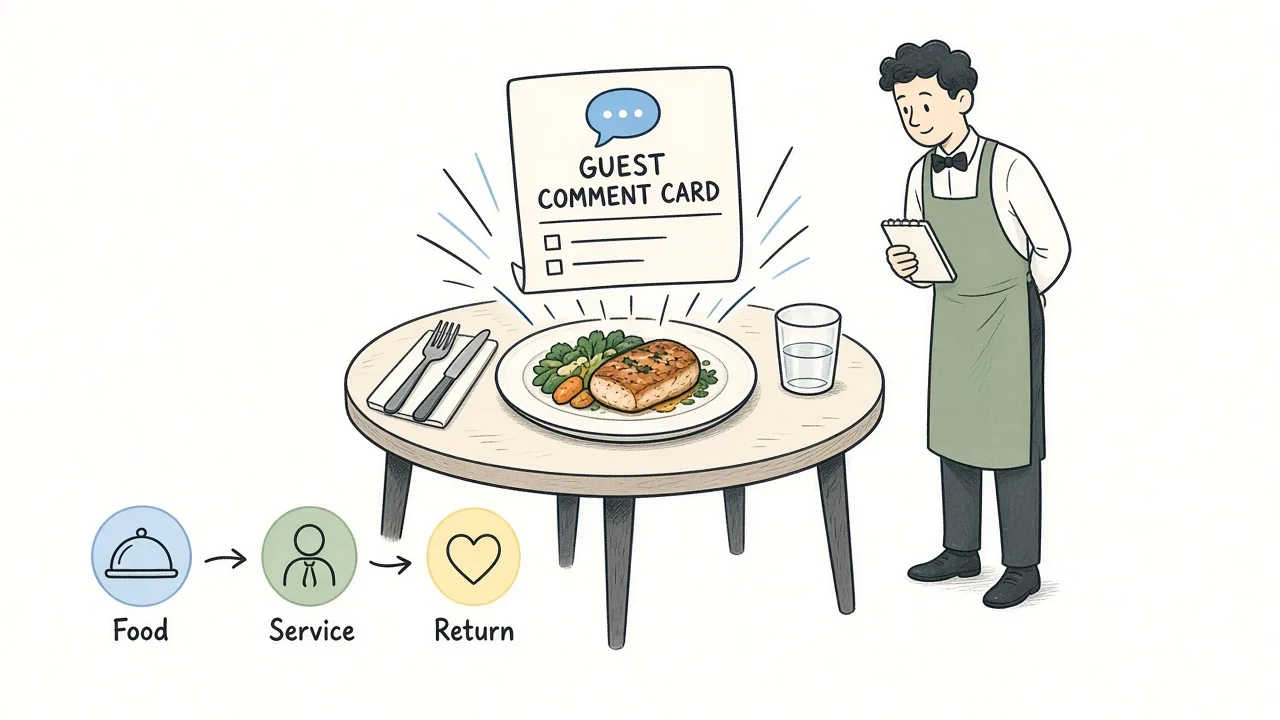
Every restaurant hears guest opinions, at the table, on review sites days later, or never in a form the kitchen and floor can use. What most dining rooms need is a short, timely way to collect restaurant feedback while the visit is fresh: food quality, waitstaff service, wait time, atmosphere, and whether someone would return, usually through a brief survey on a QR code or short link with the bill.
This guide covers what restaurant customer feedback is, why it matters, what to measure, how to ask guests, question banks, channels (including QR codes and short links), how to create a survey, how to analyze and automate a simple feedback loop, and how guests can give useful comments.
You can build everything from scratch, or start from a Formms restaurant feedback form template once you know what you want to learn.
What Is Restaurant Customer Feedback?
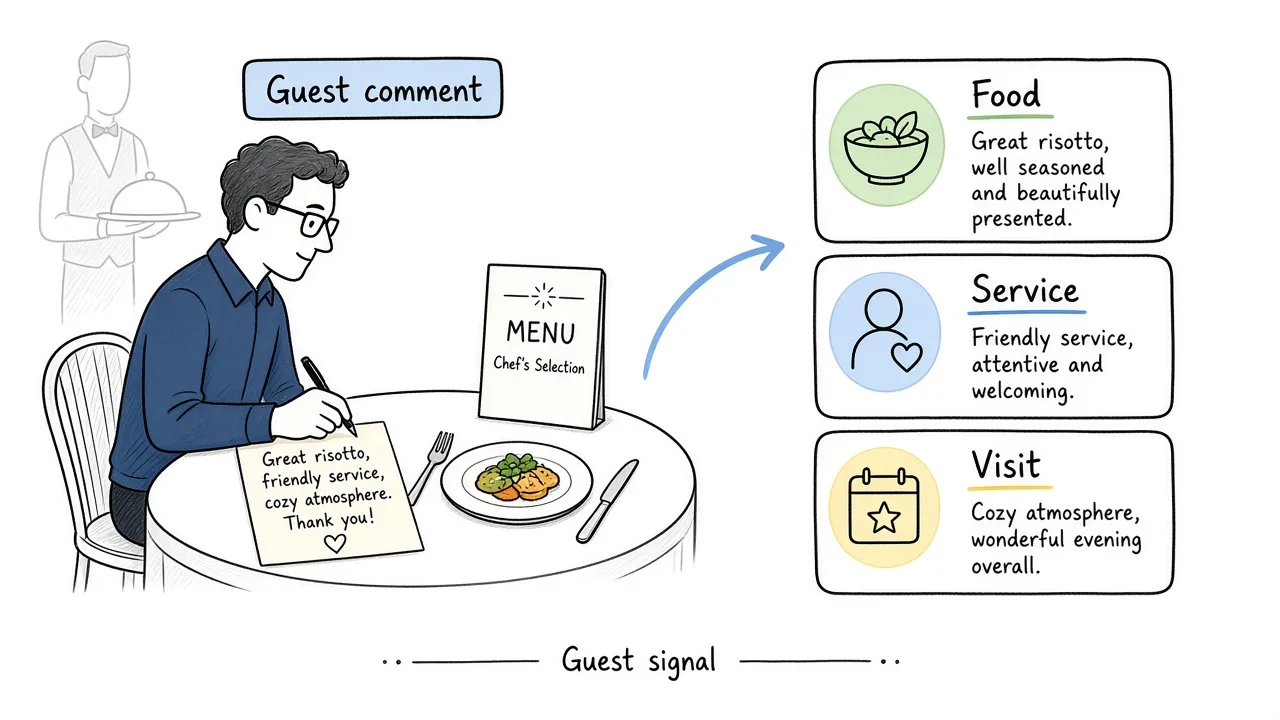
Restaurant feedback turns table talk into decisions for the floor and the kitchen.
Restaurant customer feedback is what guests tell you about a dining experience: the food, the service, the wait, the room, the value, and whether they would come back.
It can arrive as:
- A short post-meal survey on a phone
- Comments to a server or manager
- Public reviews on third-party sites
- Private notes after a reservation or delivery
For operators, the useful kind is structured guest feedback: the same core questions across many tables, captured while the visit is fresh, stored in one place you can skim after service.
It is not the same as a marketing quiz, and it is not a substitute for health inspections or mystery dining programs. It is a practical signal from people who just ate in your dining room.
Why Is Feedback Important in a Restaurant?
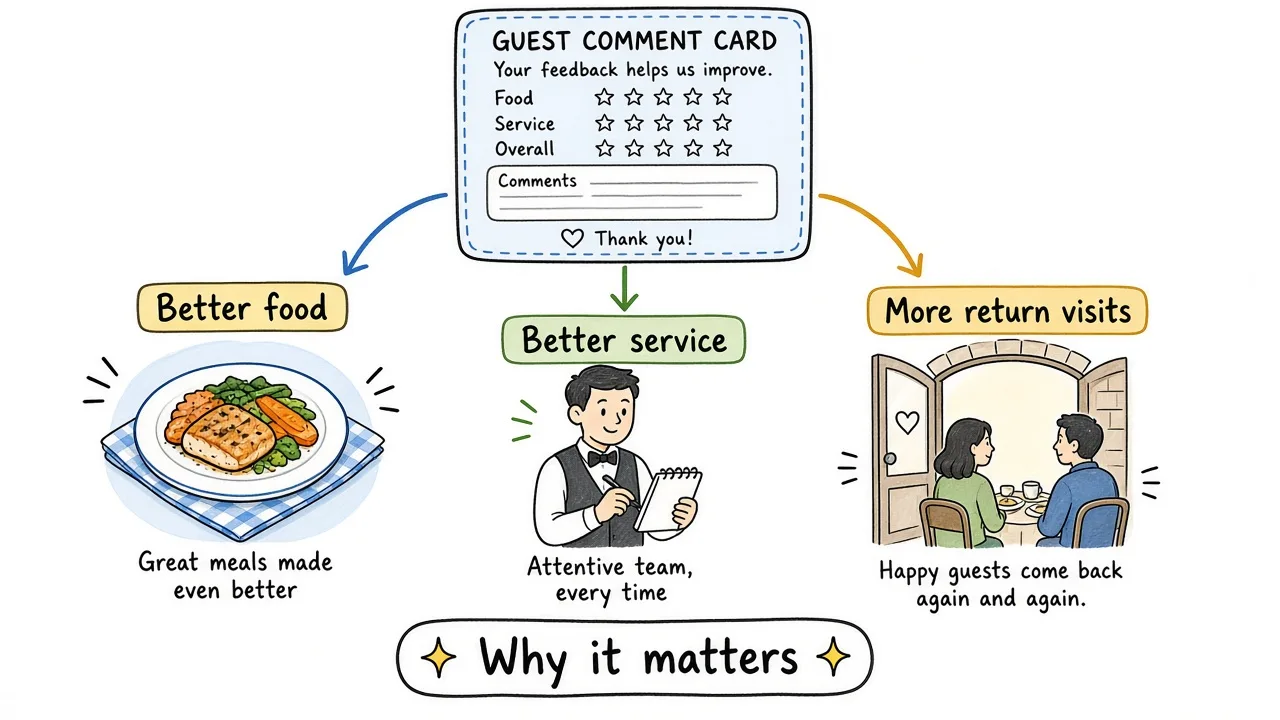
Fresh guest signals help you fix food, service, and pacing before the next seating.
Catch problems before public reviews
If the steak is overdone or the wait for mains stretches past what guests will tolerate, a private survey that night is kinder than a public review next week. You still hear the issue. You get a chance to fix it first.
Separate food from service
A guest can love the pasta and dislike how long water refills took. Ratings that split food quality and waitstaff service make coaching and kitchen changes clearer than a single vague star score.
Protect return visits when spending is careful
Industry benchmarks still treat dining satisfaction as a competitive lever. In the ACSI Restaurant and Food Delivery Study 2024, full-service restaurants scored 84 and limited-service (fast food) 79 on the 0 to 100 index, based on more than 14,000 surveys. The same release notes that many households are choosing visits more carefully as prices rise. When guests are pickier, quiet failures in accuracy, courtesy, and wait time cost more.
Train the floor with real examples
Comments like “server checked in once and vanished” or “runner brought the wrong side” are coaching material. Aggregate stars alone are not.
Show guests you listen
If regulars see a change after they wrote “too loud near the bar,” they answer the next survey. If nothing ever changes, they stop.
What Should a Restaurant Feedback Survey Measure?
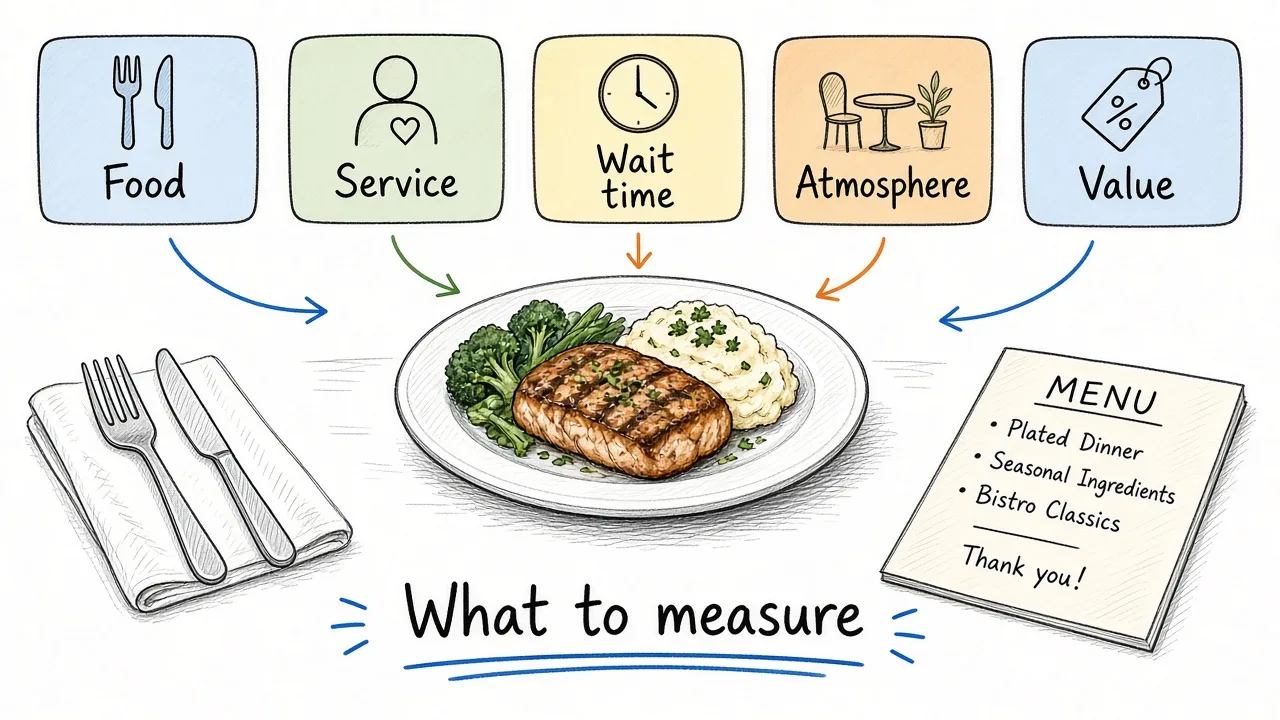
Pick the few dining attributes that match a decision you can make this week.
Do not try to measure everything in one form. Choose categories that match a real decision for the kitchen, the floor, or the host stand.
| Category | When it is useful |
|---|---|
| Overall experience | End-of-meal pulse when you need a high-level read |
| Food quality | Taste, temperature, presentation, portion |
| Order accuracy | Wrong items, missing sides, allergy mishaps |
| Waitstaff service | Courtesy, check-ins, knowledge of the menu |
| Wait time | Host wait, time to order, time to mains |
| Atmosphere | Noise, lighting, cleanliness, comfort |
| Value for price | Whether the check felt fair for what they got |
| Likelihood to return | Yes/no or a short scale for loyalty signal |
| What to improve | One open box for specifics you did not ask |
The National Restaurant Association’s 2025 State of the Restaurant Industry research highlights that value now includes more than price: welcoming environments, cleanliness, and a friendly staff sit alongside affordability. Use that as a reminder: ask about the plate, the people, and the room first, then value.
How to Ask for Feedback in a Restaurant
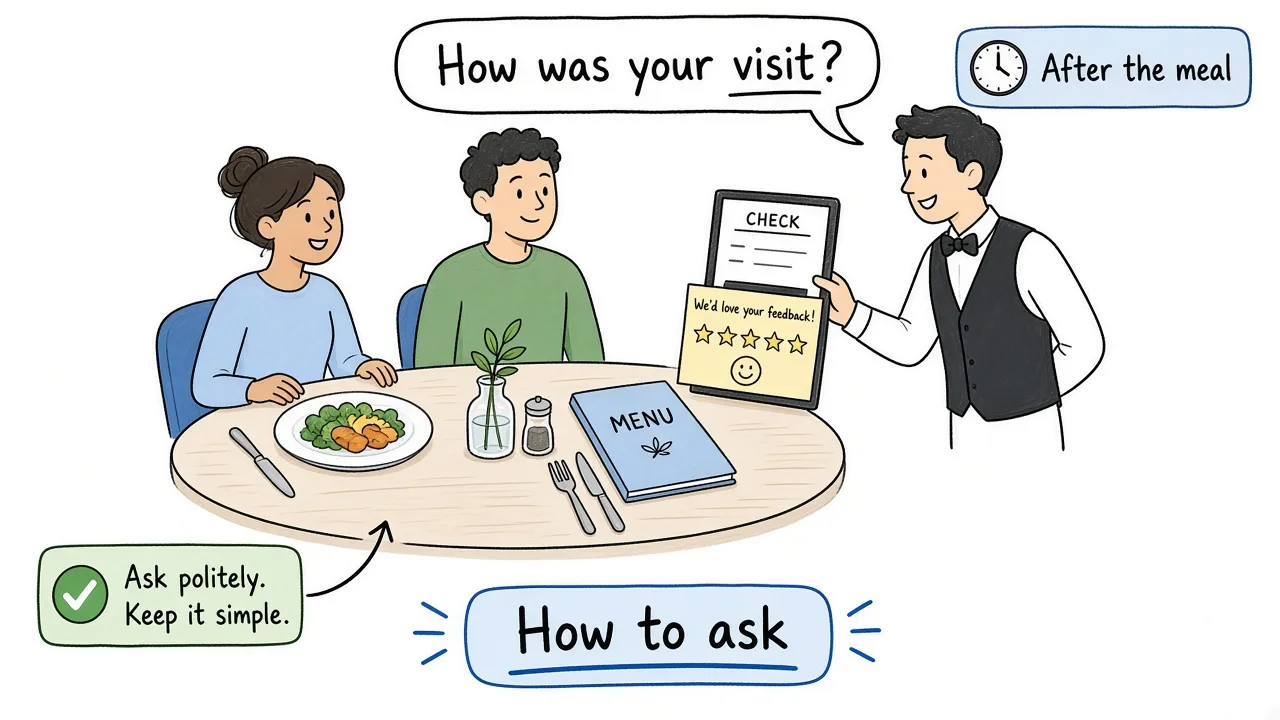
Ask once, keep it short, and make the path obvious on a phone.
Pick the moment
Best windows:
- After the main course, before dessert pressure
- With the check (QR on the bill or a table tent)
- In a follow-up text or email within a few hours of the visit
Avoid asking while guests are still deciding what to order, or only after they have left and forgotten the details.
Keep the ask short
Tell them it takes about a minute. Five to seven questions is enough for most dining-room pulses. Longer forms belong to research projects, not a Tuesday night service.
Make the path phone-first
Guests will scan a QR or tap a short link. If the form is slow or asks for an account, many will skip it. For QR design and placement, see how to collect customer feedback with a QR code.
Train the ask
Servers and hosts should use the same line, for example: “If you have thirty seconds, this short link helps us improve dinner service. Totally optional.” Do not pressure a table that is clearly unhappy mid-meal; offer a manager conversation instead.
Offer a private channel
Public review sites matter, but private feedback is where you hear fixable issues first. Say so briefly: “Private to our team, not a public review.”
Restaurant Feedback Questions
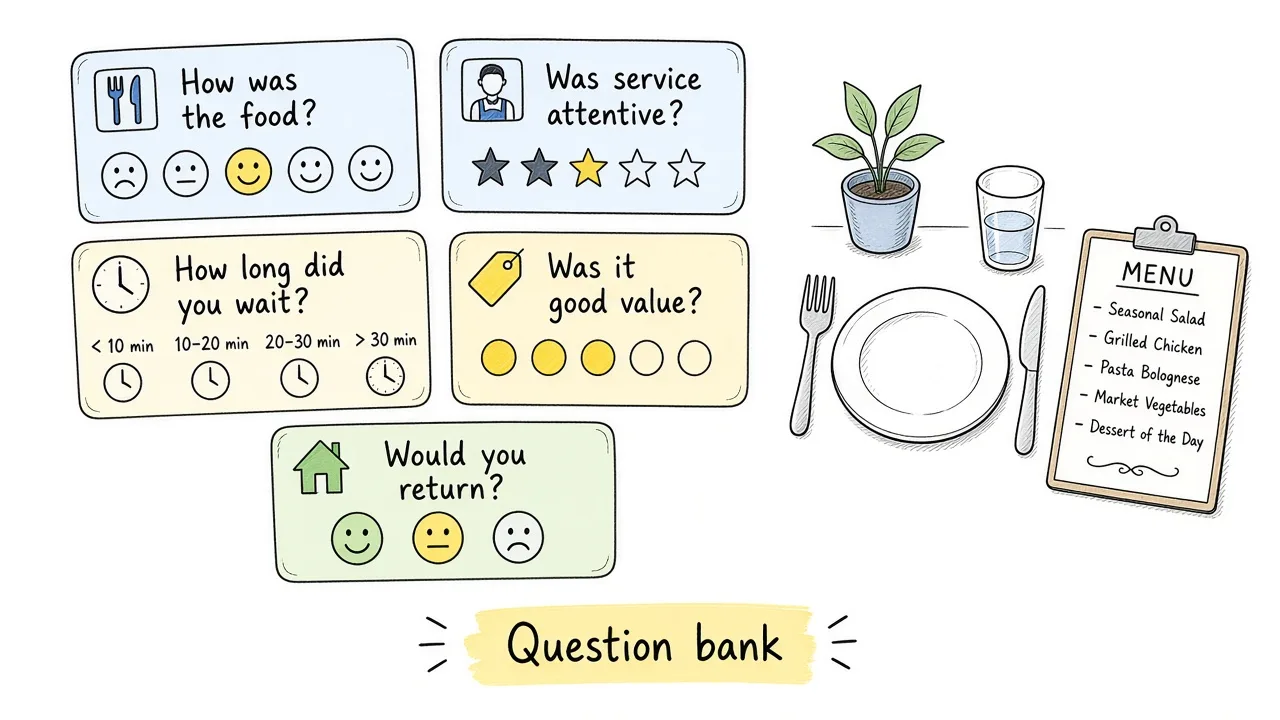
Steal questions that match tonight’s decision. Delete the rest.
Use these as a bank. Pick a small set for one goal.
Overall experience
- Overall, how was your visit tonight?
- Would you dine with us again?
- Would you recommend us to a friend?
Food
- How would you rate the food quality?
- Was your order accurate?
- How was the temperature and presentation of your dishes?
- What dish should we keep exactly as it is?
Service
- How would you rate the waitstaff service?
- Did your server check in at the right times?
- How knowledgeable did the staff feel about the menu?
Timing and flow
- How long did you wait to be seated?
- How was the wait time for your food?
- Did the pacing of courses feel right?
Atmosphere and value
- How was the atmosphere (noise, comfort, cleanliness)?
- Did you get good value for the price?
Open-ended close
- What is one thing we should keep doing?
- What is one thing we should change?
- Is there anything else we should know about your visit?
That is enough for most restaurant guest surveys. A longer bank is not better if guests never finish.
How Restaurant Feedback Channels Work
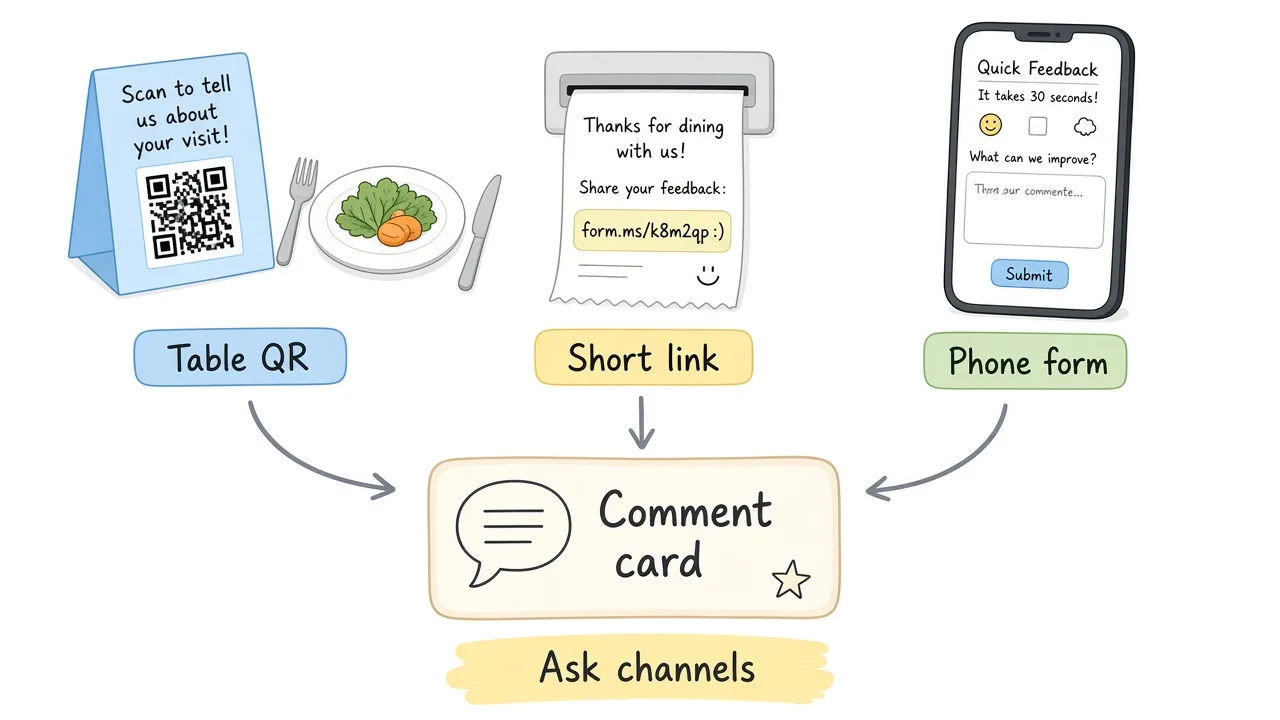
Meet guests where they already are: table, check, or post-visit message.
| Channel | Best for | Watch-outs |
|---|---|---|
| QR on table tent or check | Same-night dine-in feedback | Print size, glare, dead links |
| Short link in SMS / email | Follow-up after reservation | Delay cools memory; keep form short |
| Server tablet / verbal ask | High-touch service recovery | Feels pushy if overused |
| Public review sites | Reputation | Late, public, harder to coach privately |
| Comment card (paper) | Low-tech dining rooms | Transcription lag; easy to lose |
A simple restaurant feedback system is usually: one short form, one primary channel (QR or link), notifications when responses arrive, a weekly skim for themes, and a habit of telling the team what changed.
You do not need enterprise software to start. You need a shareable form, a clear ask, and an owner who reads the answers.
How to Create a Restaurant Feedback Survey
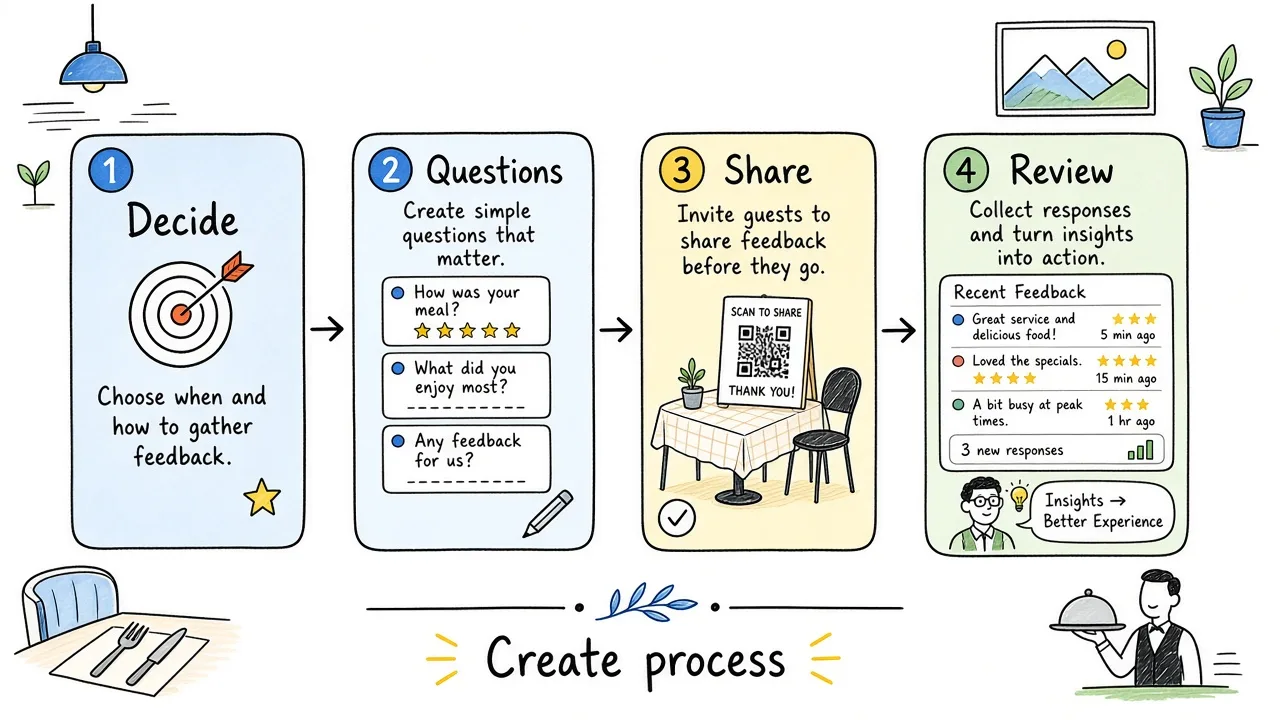
Start with the decision. The form is only the delivery method.
1. Define what you want to learn
Write one sentence such as “I need to know whether food quality and wait time are working on Friday dinner so we can adjust staffing and ticket times.” That sentence filters every question.
2. Choose the questions
Keep only items that feed that decision. Cut vanity demographics unless you will segment by them.
3. Choose response types
Use stars or 1 to 5 scales for comparison. Use yes/no for return intent. Use one or two open boxes for specifics.
4. Keep it focused
A three-to-seven question pulse is easier to finish between dessert and departure than a fifteen-item instrument.
5. Test on a phone
Have a staff member complete it standing up. Check unclear wording and whether required fields block honest skips.
6. Share where guests already look
Table tent, check presenter, receipt QR, or a short link in a post-visit message.
How to Create Restaurant Guest Feedback With Form.ms
The steps below use the Formms web app. The same labels (New form, Publish, Share, Responses) appear in the iPhone and Android apps. Stick to features that exist (AI draft, edit on Build, share link or QR, response settings, CSV export). There is no branching logic or payments.
1. Start with a prompt or template
Open form.ms/dashboard, sign in, and click New form. Choose Chat. Describe a restaurant guest survey for your dining room, or paste a prompt like the one below. For stronger prompt craft, see how to create better surveys faster with AI and how to turn a prompt into a shareable form.
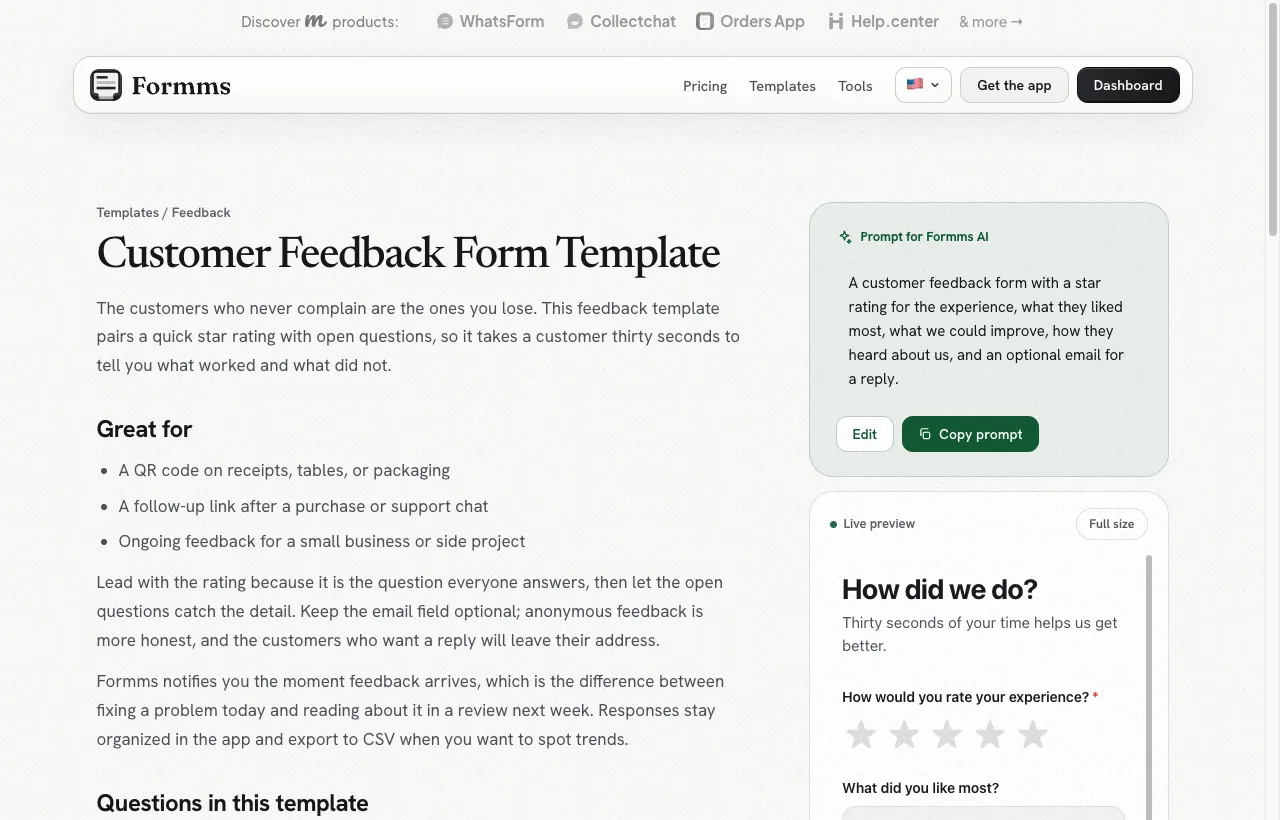
Templates give you a prompt and question shape you can adapt for the dining room.
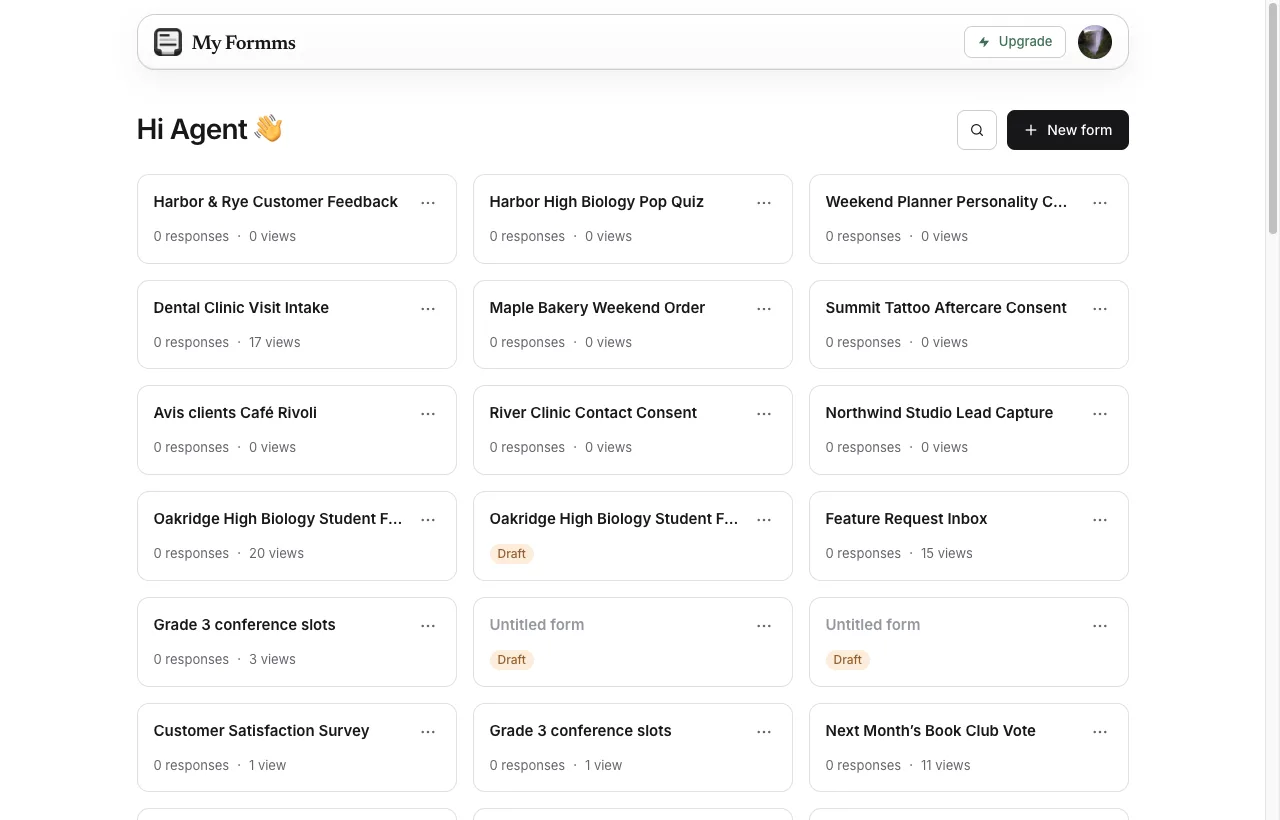
Start from New form, then open Chat to describe the restaurant survey.
Example prompt (restaurant, not cafe):
Restaurant guest feedback survey for Maple Table Bistro after a dine-in visit. Audience: guests who just finished dinner. Collect overall star rating, food quality 1 to 5, waitstaff service 1 to 5, wait time for food 1 to 5, atmosphere 1 to 5, one thing to improve, would they return (yes/no), optional email. About seven questions. Warm restaurant tone. Do not ask for phone or birthday.
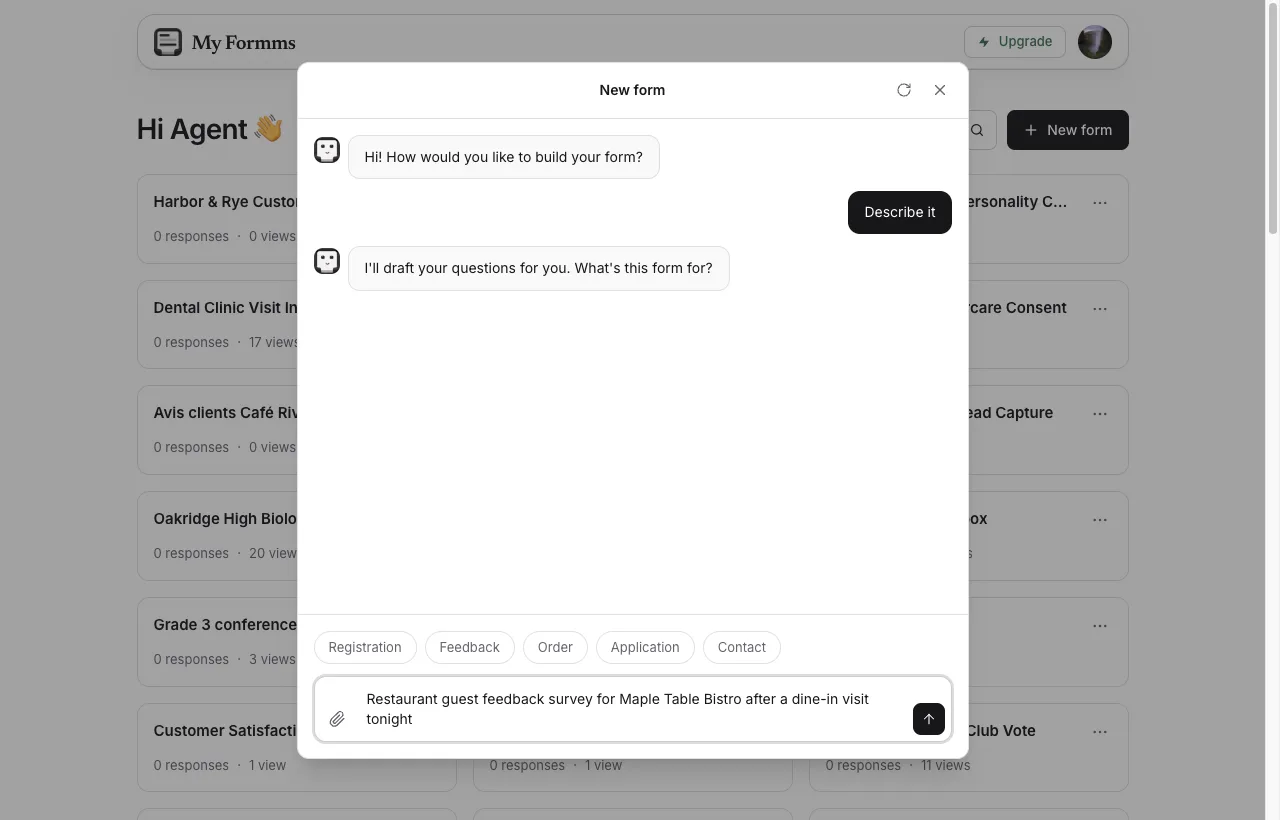
Name the restaurant, who answers, and the dining attributes you need.
2. Review the AI draft
Check the title, question types, and required marks. Click Build this form when it looks close.
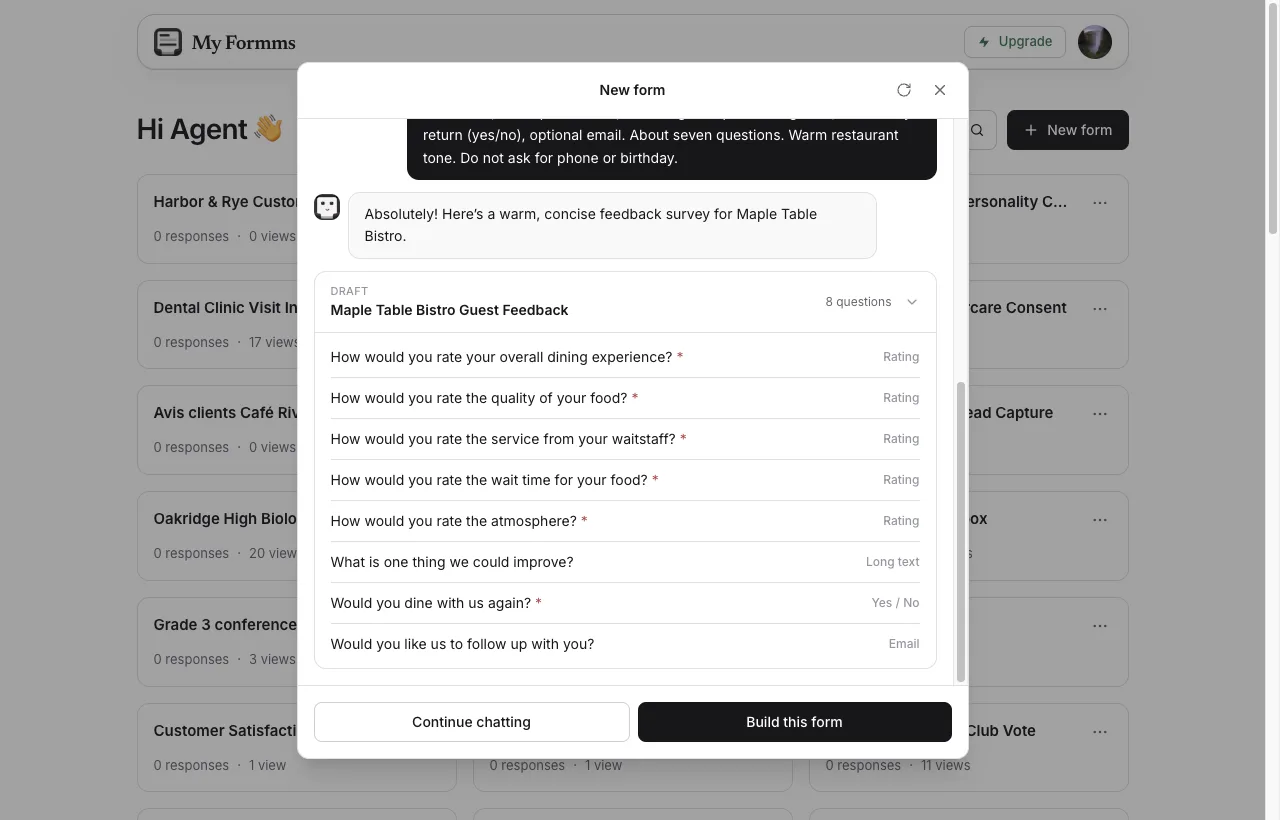
Confirm food, service, and wait-time ratings before you create the form.
3. Edit on Build
Change labels for your concept (bistro, steakhouse, neighborhood restaurant). Remove questions that do not serve tonight’s decision. Use Add a question if a gap is obvious.
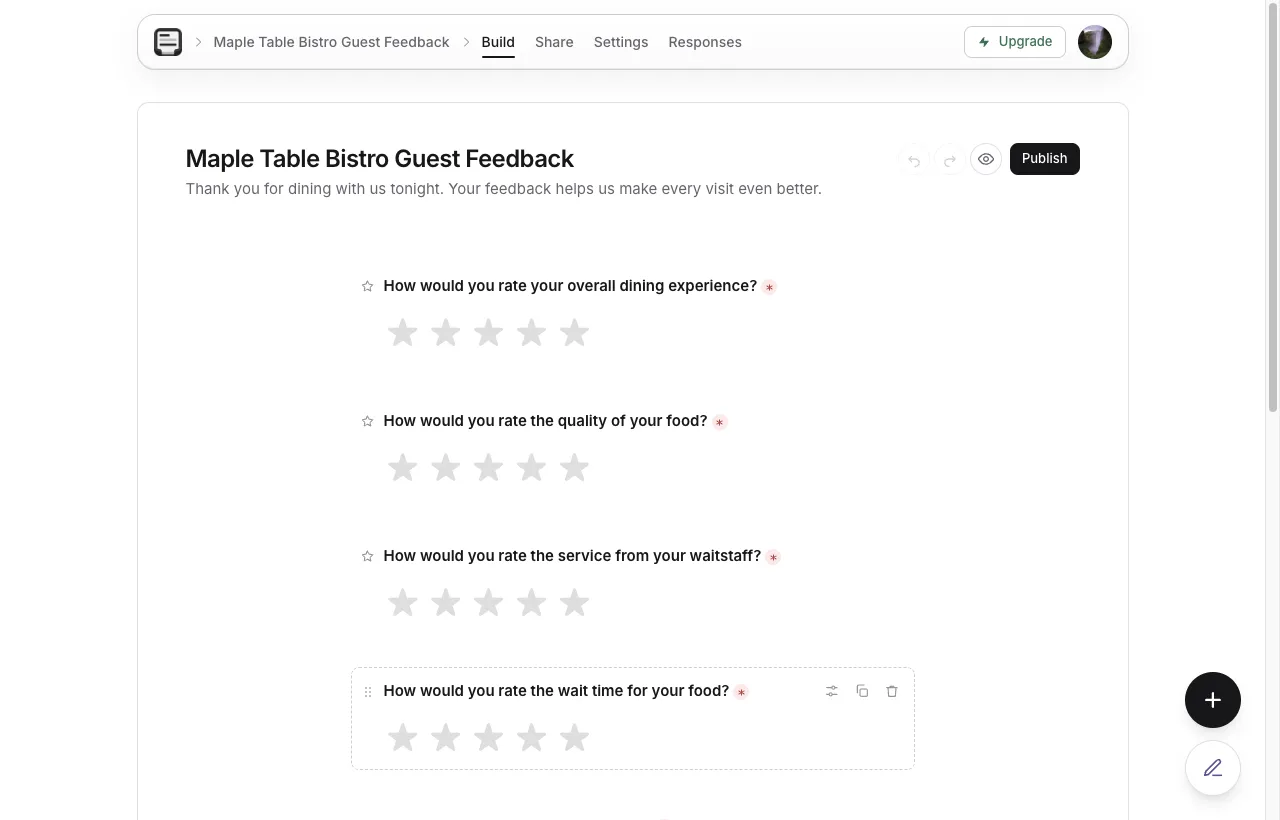
Use Add a question when you need another rating or open box.
4. Publish and share
Click Publish, open Share, then Link. Copy the form.ms URL. Download the QR code for table tents or check presenters.
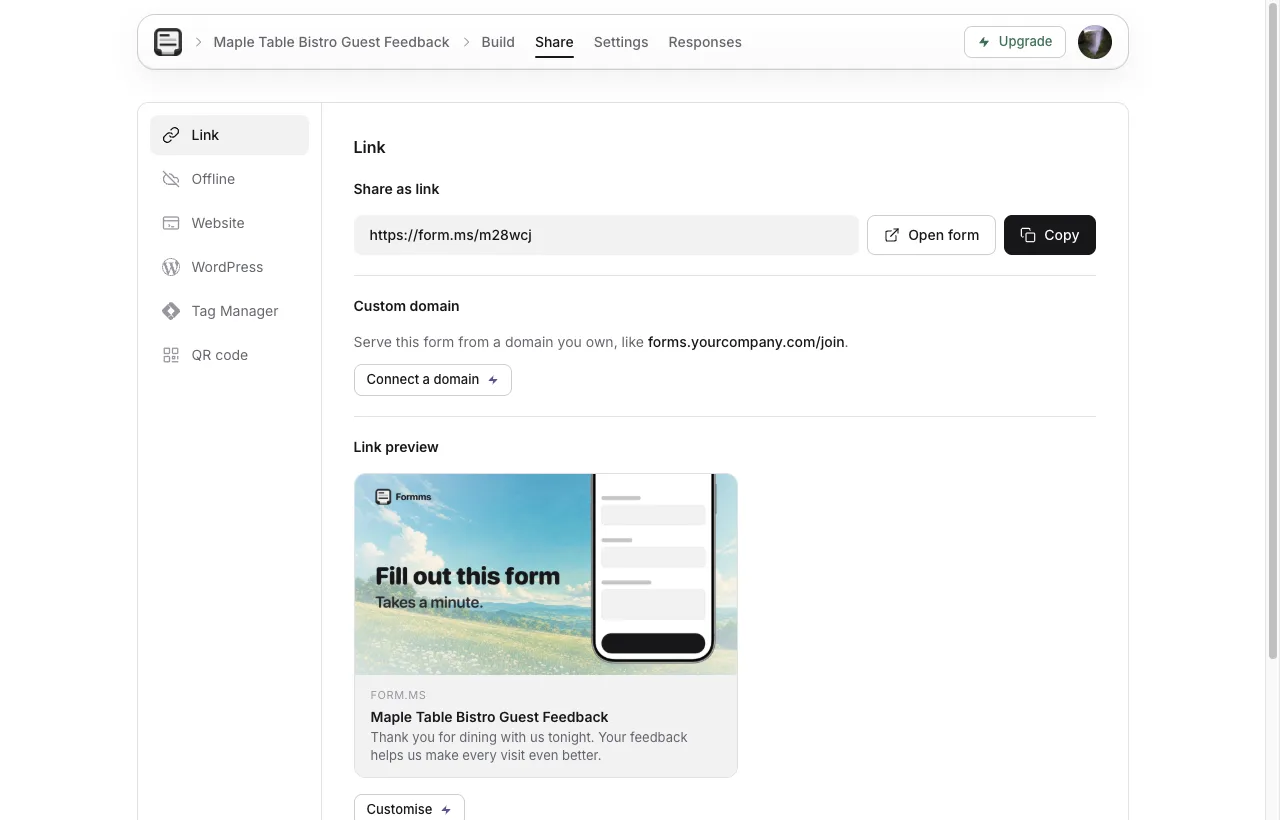
Guests open the link in a browser. They do not create a Formms account.
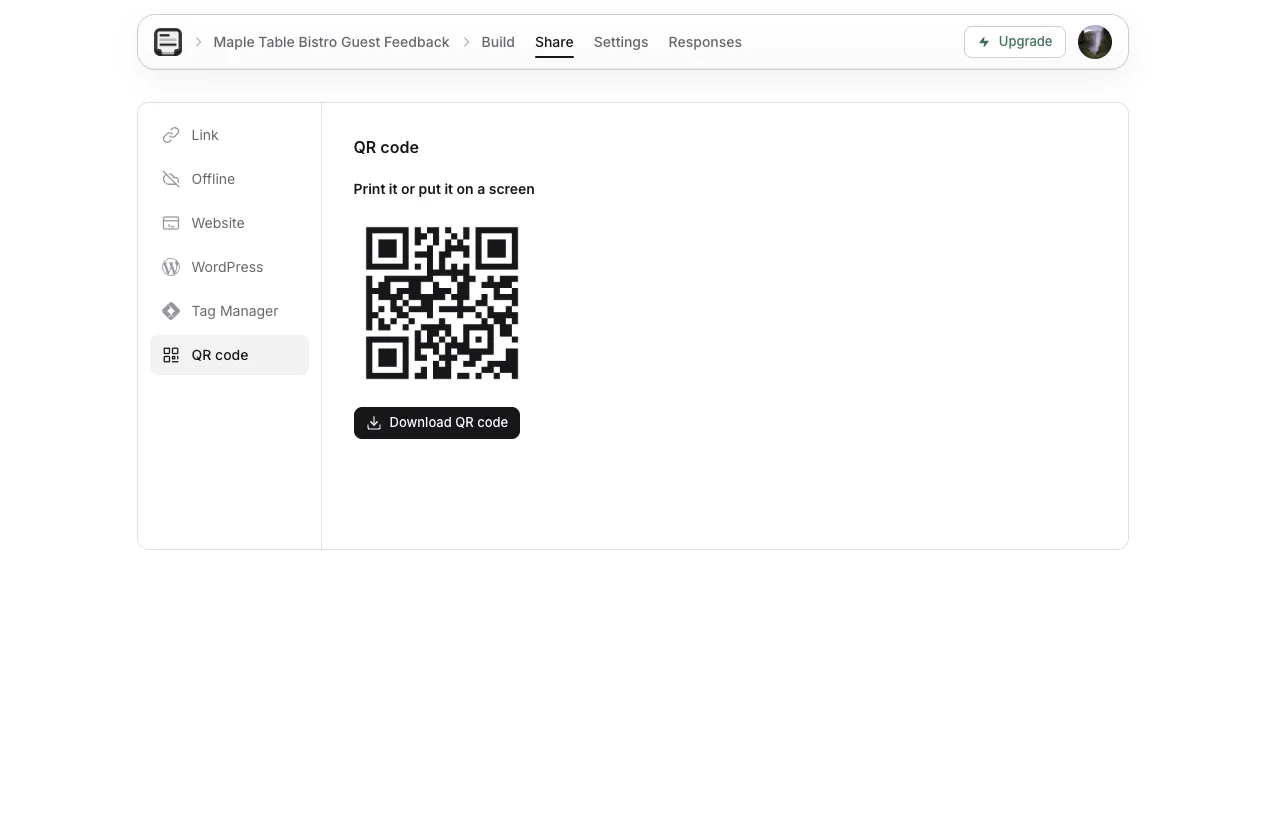
Print the QR large enough to scan in dim dining-room light.
5. Control the response window
Under Settings → Responses, leave Accept responses on during service weeks. Set a close date when you redesign the menu or finish a promo, so batches stay clean.
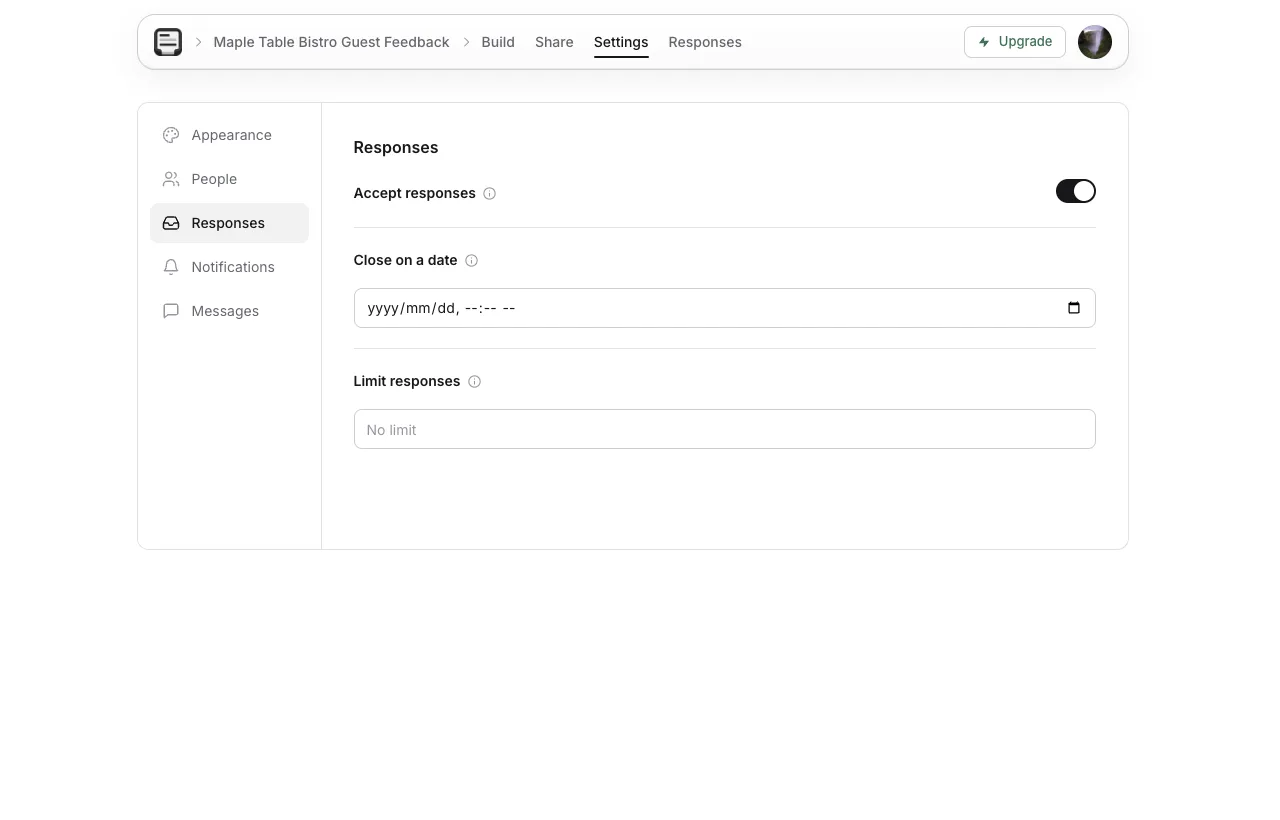
Close the survey when the feedback window ends.
6. Read responses after service
Open Responses as answers arrive. Export CSV when you want to compare weeks or locations. For unlimited free responses in more detail, see how to create a free form with unlimited responses.
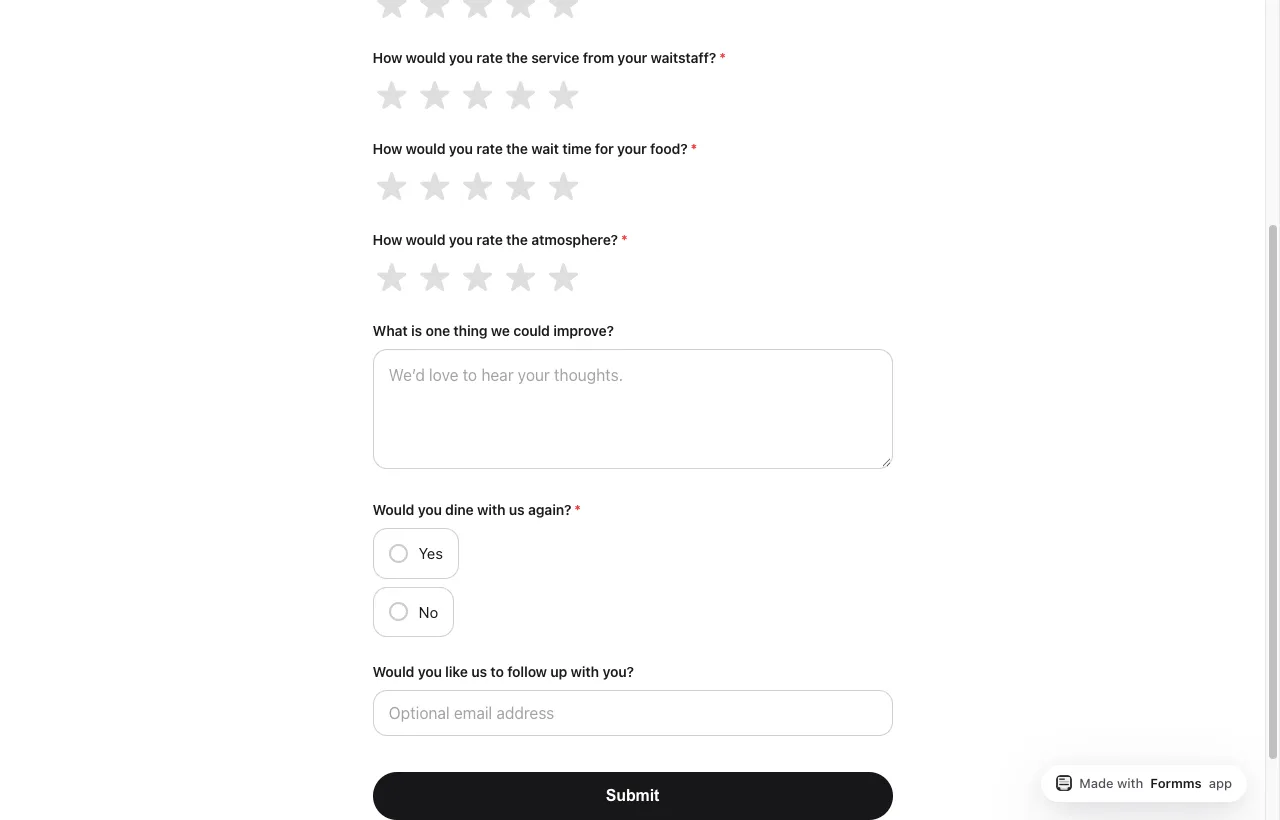
This is what guests see. Questions and Submit, not the builder.
A worked dine-in example from this workflow is live at form.ms/m28wcj (Maple Table Bistro guest pulse). Fill it once yourself before you print a QR for the dining room.
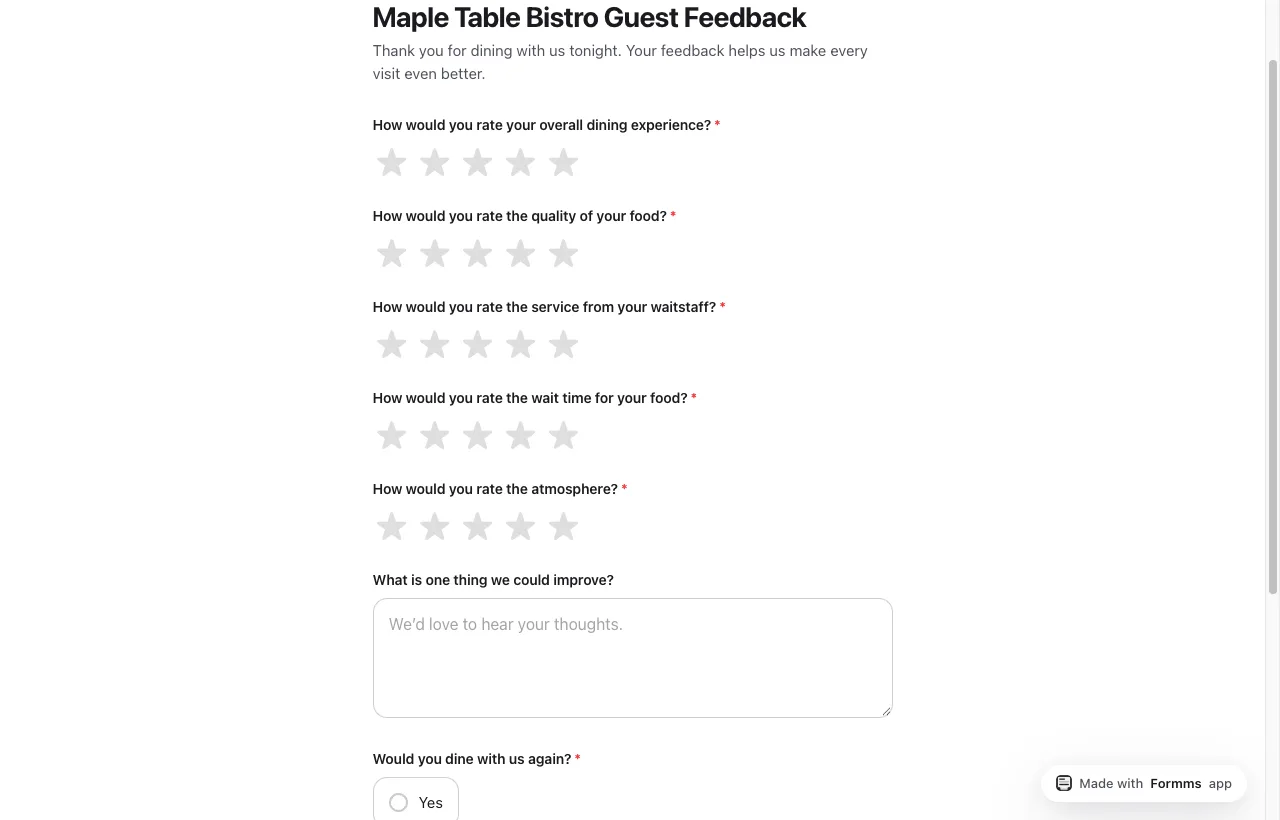
A short dining-room pulse guests can finish before they leave the table.
How to Analyze Restaurant Guest Feedback
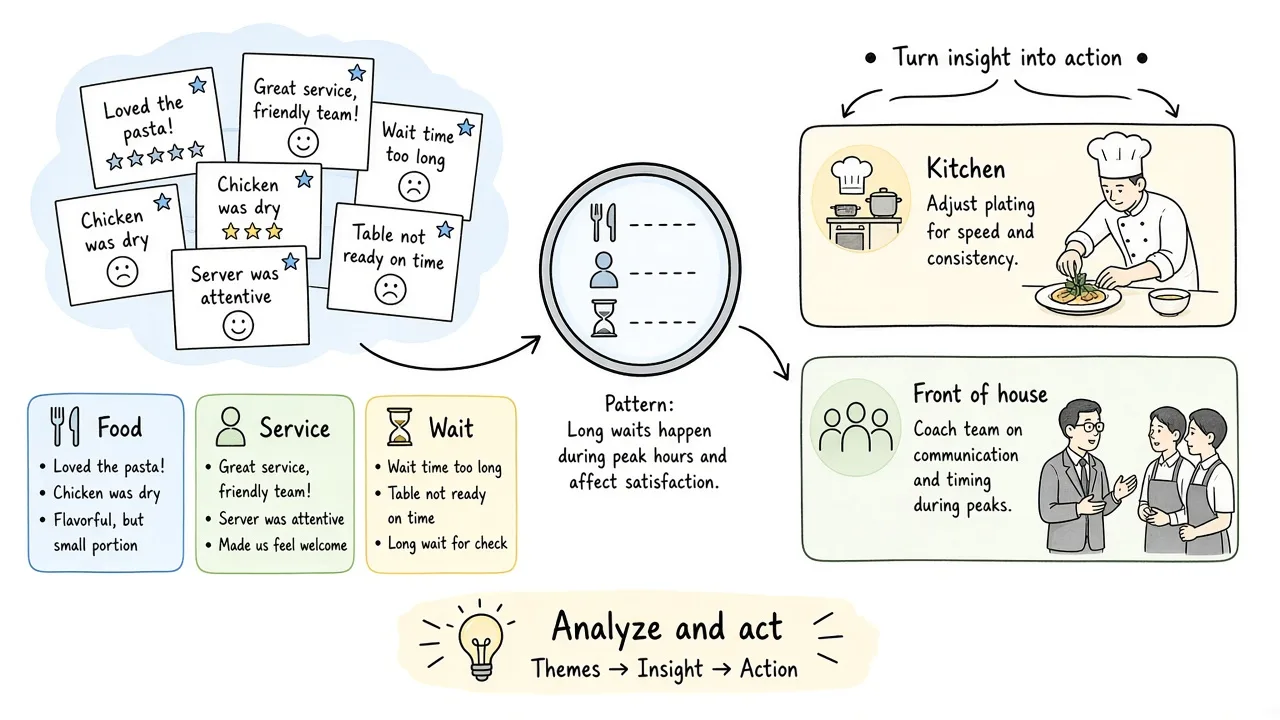
Look for patterns, assign owners, then change something measurable.
- Skim overall ratings by daypart (lunch vs dinner) and day of week.
- Split themes into food, service, timing, and atmosphere.
- Separate one-off comments from issues that repeat three or more times.
- Assign an owner: chef, FOH manager, host stand, or facilities.
- Pick one change for the next week (ticket time target, pre-shift note, menu tweak).
- Tell the team what guests said and what you are trying.
- Compare the next week’s scores on the same questions.
Not every complaint becomes a policy. Your job is to find signal, then act where you have leverage.
Open comments matter as much as the stars. Peer-reviewed research on restaurant customer satisfaction finds that food quality, service quality, and physical environment quality each relate positively to satisfaction, which is why splitting those themes in your weekly skim is worth the extra minute.
How to Automate Restaurant Feedback Loops
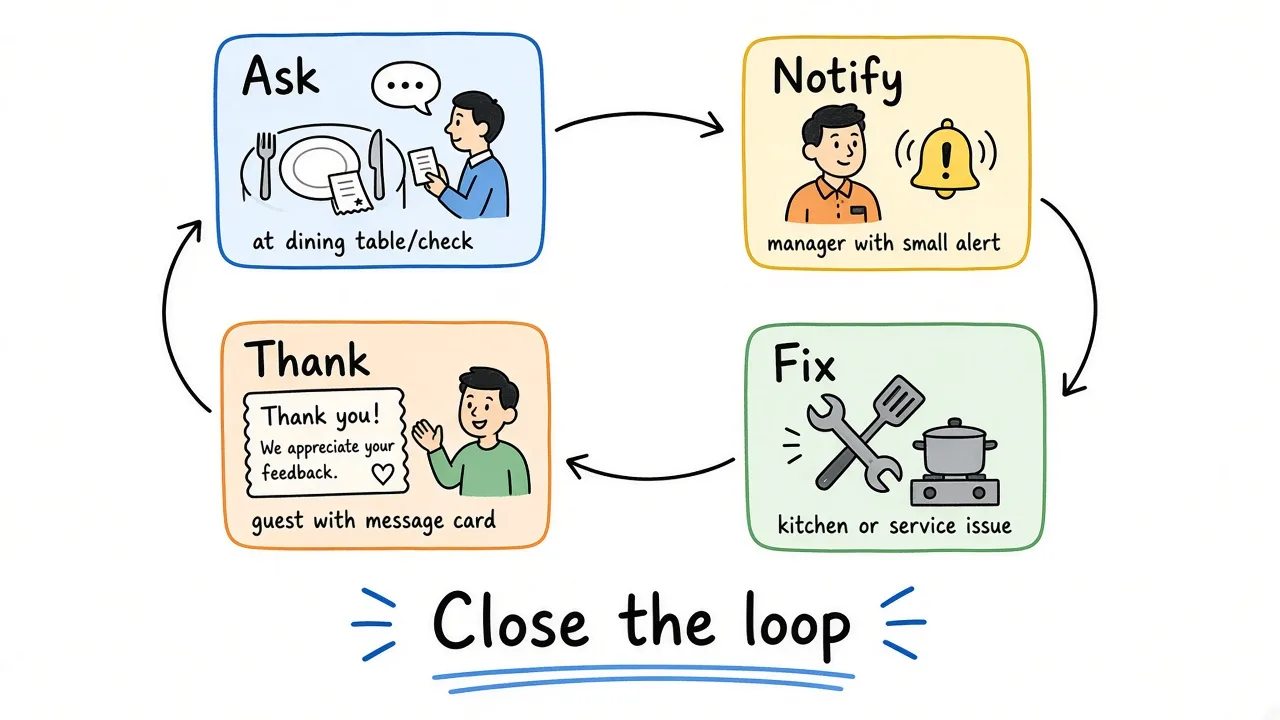
Automation is the loop repeating, not a chatbot replacing hospitality.
A practical loop for independent restaurants and small groups:
- Ask with a stable short form and QR on every check or table.
- Notify owners when responses arrive (phone notifications in Formms).
- Triage low scores within 24 hours when an email is optional and present.
- Fix one recurring theme in pre-shift or kitchen meeting.
- Thank guests who left contact info when you made a real change.
- Repeat the same core ratings so trends stay comparable.
You can automate distribution (always-on QR, post-visit SMS from your reservation tool) without automating judgment. Someone still has to read the “why.”
How to Give Good Feedback to a Restaurant
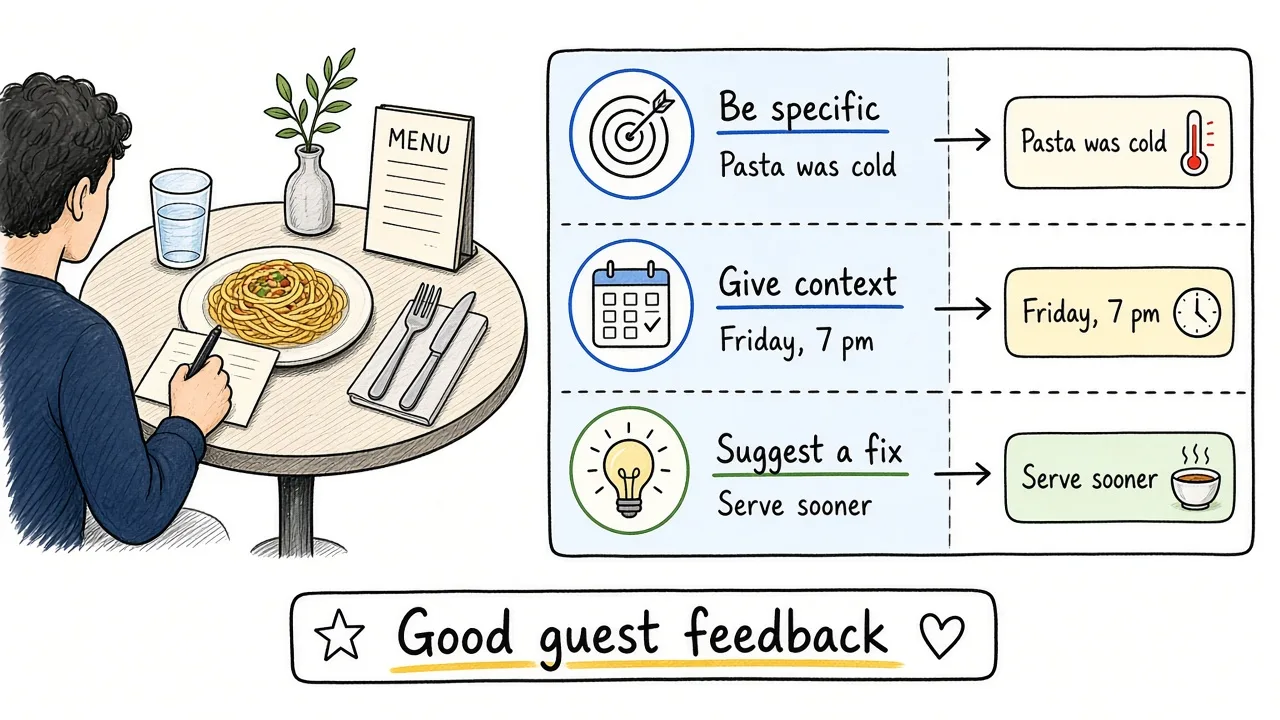
Specific, recent, and fair comments help kitchens and servers improve.
If you are a guest wondering how to give feedback to a restaurant:
- Be specific: dish name, course, time of visit, what happened.
- Separate food from service when both matter.
- Mention what went well, not only what failed.
- Give the restaurant a private channel first when the issue is fixable.
- Save public reviews for patterns that never improve, or for praise worth sharing.
Good guest feedback sounds like “The ribeye was excellent, but we waited about 35 minutes for mains on a quiet Tuesday” rather than “Terrible experience.”
Common Mistakes
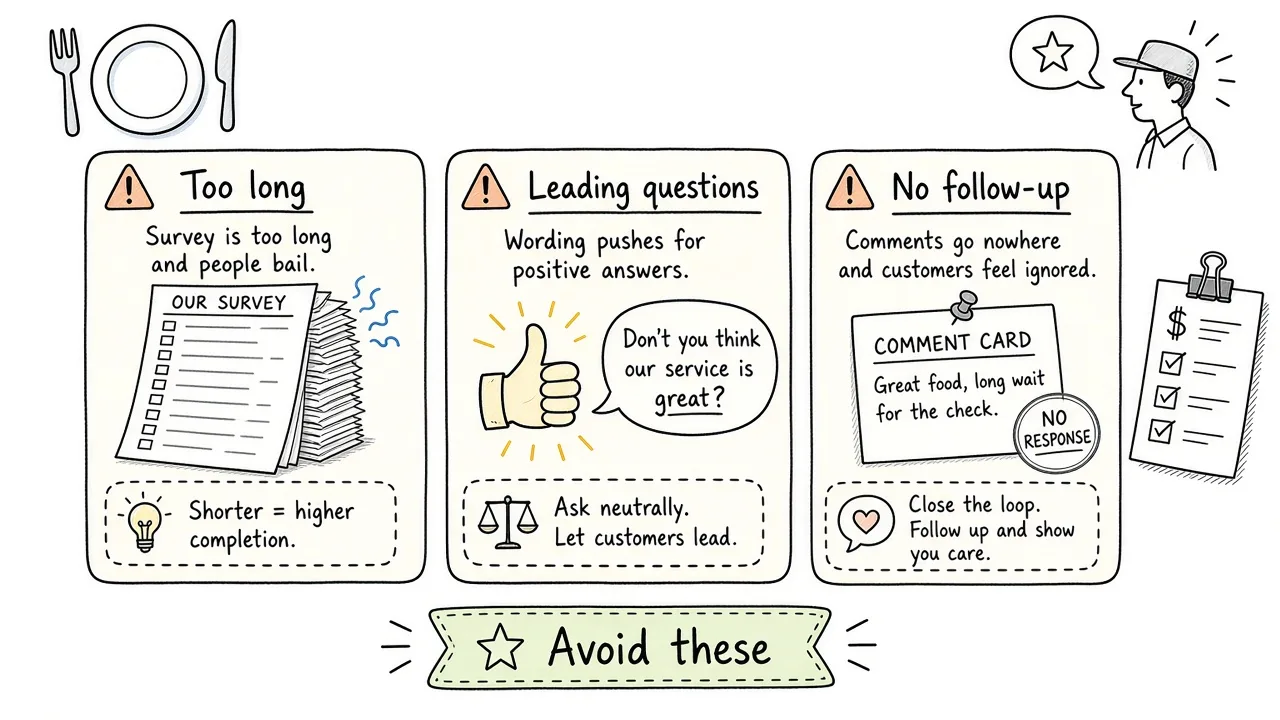
Long forms, leading wording, and no follow-through waste guest time.
- Asking fifteen questions after a long meal
- Leading wording (“How amazing was our excellent new menu?”)
- Mixing delivery, takeout, and dine-in in one survey without labeling the visit type
- Collecting phone numbers you will not call
- Reading scores and never telling the floor what to change
- Only chasing public reviews and ignoring private survey themes
Best Practices
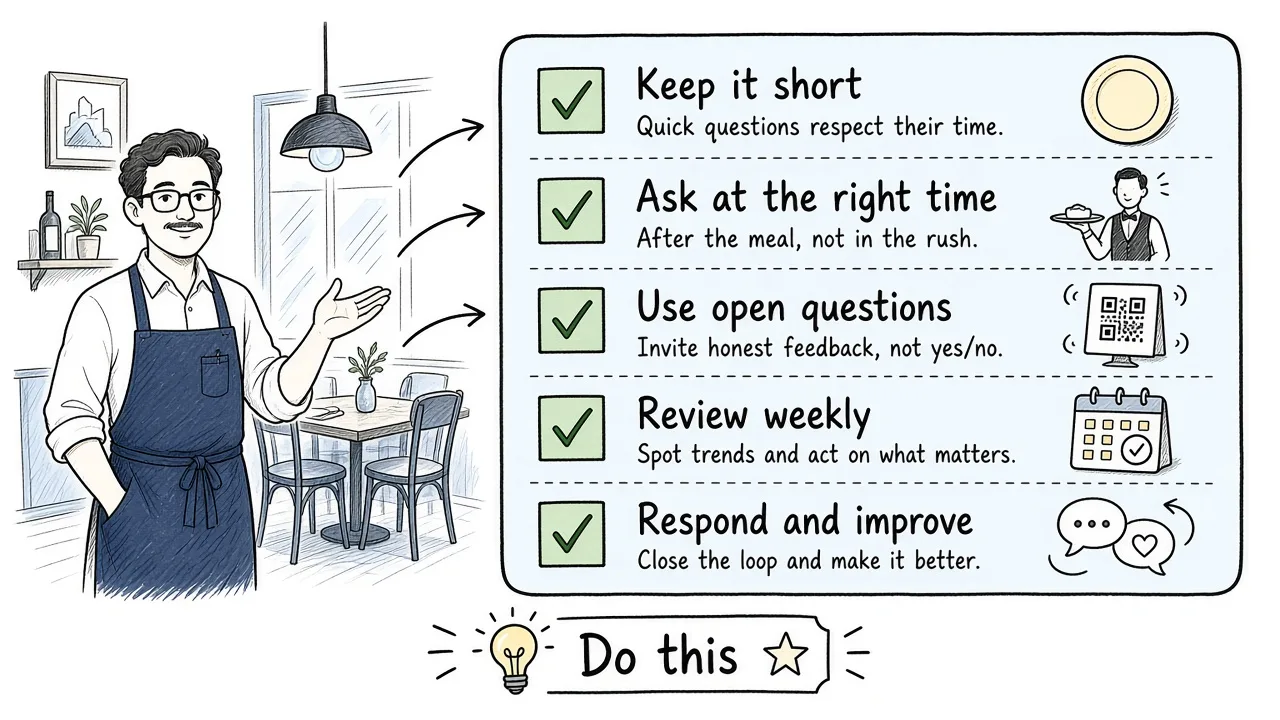
A short checklist beats a long survey you never analyze.
- Have a clear objective before you write questions.
- Keep each question to one idea.
- Ask about food and service separately.
- Include one open “what should we change” box.
- Make the path phone-first with a QR or short link.
- Train staff on a simple, optional ask.
- Review themes weekly with kitchen and FOH leads.
- Close the loop with guests and staff when something changes.
For satisfaction score math and broader CSAT habits, see customer satisfaction survey. For service-oriented question ideas beyond dining, see customer service survey questions.
Frequently Asked Questions
How do you get customer feedback in a restaurant?
Ask while the visit is fresh, keep the survey short, and make answering easy on a phone. A QR code on the check or table tent plus a five-to-seven question form is enough for most dining rooms. Follow up only when guests leave contact info and you can actually help.
How does a restaurant feedback system work?
You publish one short guest survey, share it through a stable channel (QR or link), collect responses in one inbox, review themes on a schedule, assign fixes to kitchen or floor leads, and optionally thank guests who left an email. The “system” is that loop repeating, not a particular brand of software.
Why is feedback important in a restaurant?
It surfaces food, service, timing, and atmosphere issues before they become public reviews, and it gives managers concrete coaching and prep-list changes. When guests are choosing dining visits carefully, small quality gaps matter more.
How should you ask for feedback from restaurant guests?
Use a brief, optional ask at a natural pause (with the check or after mains), explain that it takes about a minute, and point to a QR or short link. Do not pressure tables mid-conflict; offer a manager instead.
How do you take feedback from restaurant guests without slowing service?
Do not turn the survey into a spoken interview at every table. Use self-serve QR or post-visit links for routine pulses. Save longer conversations for recovery moments when something already went wrong.
How do you analyze restaurant guest feedback?
Group ratings and comments by food, service, timing, and atmosphere. Look for repeats across days. Assign owners and pick one change per week. Compare the same questions after the change.
How do you manage and integrate guest feedback into daily operations?
Put themes into pre-shift notes, ticket-time targets, and menu updates. Keep one owner for the survey inbox. Integrate with reservations or POS later if you need visit-type tags; start with a single form and a weekly review.
How can you automate restaurant feedback loops?
Keep the form and QR always on, turn on response notifications, triage low scores quickly when contact is available, and run a fixed weekly theme review. Automate distribution and alerts first. Keep humans on interpretation and hospitality recovery.
What is restaurant customer feedback?
It is what diners tell you about their visit, ideally captured in a structured way (ratings plus a short comment) so you can compare visits and act. It includes private surveys and public reviews; private, timely surveys are usually better for coaching and fixes.
How do you give good feedback to a restaurant?
Be specific about dishes, timing, and service, mention positives, and use a private channel for fixable issues. Public reviews are better for sustained patterns or clear praise.
How do I give feedback to a restaurant as a guest?
Use the restaurant’s survey link or QR if they offer one, ask for a manager for serious problems during the visit, or leave a detailed public review if the issue never improves. Specific beats vague either way.
Closing thoughts
Restaurant feedback works when three pieces stay aligned: a short phone form, an ask that respects a finished meal, and a habit of turning comments into kitchen and floor changes.
Write the decision in one sentence. Ask five honest questions about food, service, and timing. Share a QR guests can scan before they leave. Then tell your team what you heard.
If you want a ready starting point, open the restaurant feedback form template, or start from form.ms/dashboard with a restaurant guest prompt. The survey only helps if the answers can change what happens on the next seating.