
Blog / How-To Guides
Teacher Feedback: A Practical Guide for Schools
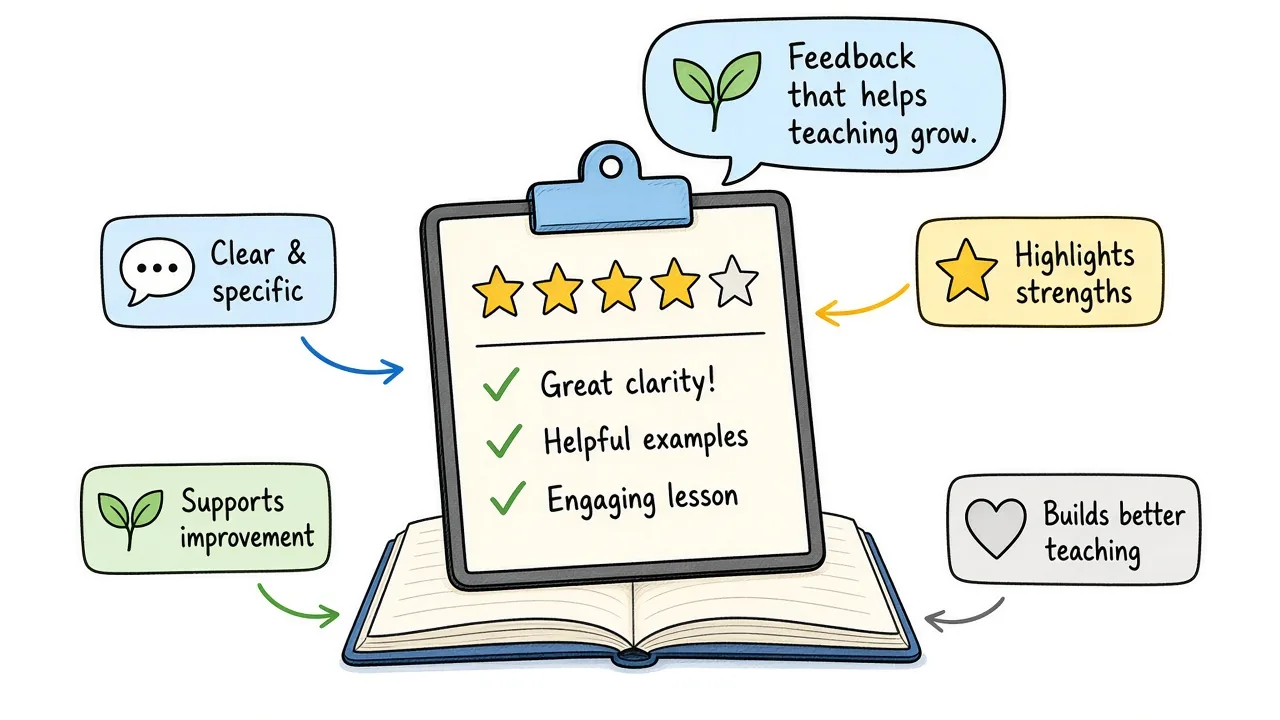
Context
Learn how to collect useful teacher feedback, write effective questions, and use survey results to improve teaching, support educators, and strengthen schools.
On this page
Schools hear opinions about teaching every day: in hallways, at conferences, in emails that arrive weeks late. What they often lack is a short, fair way to collect teacher feedback while a unit is still fresh, so coaches and teachers can act before the next term.
This guide covers what teacher feedback is, why it matters, what to measure, how students and parents can write useful comments, how teachers can respond, how teachers give feedback to students, and how to build a simple survey with a shareable link or QR code.
You can build everything from scratch, or start from a Formms teacher feedback form template once you know what you want to learn.
What Is Teacher Feedback?
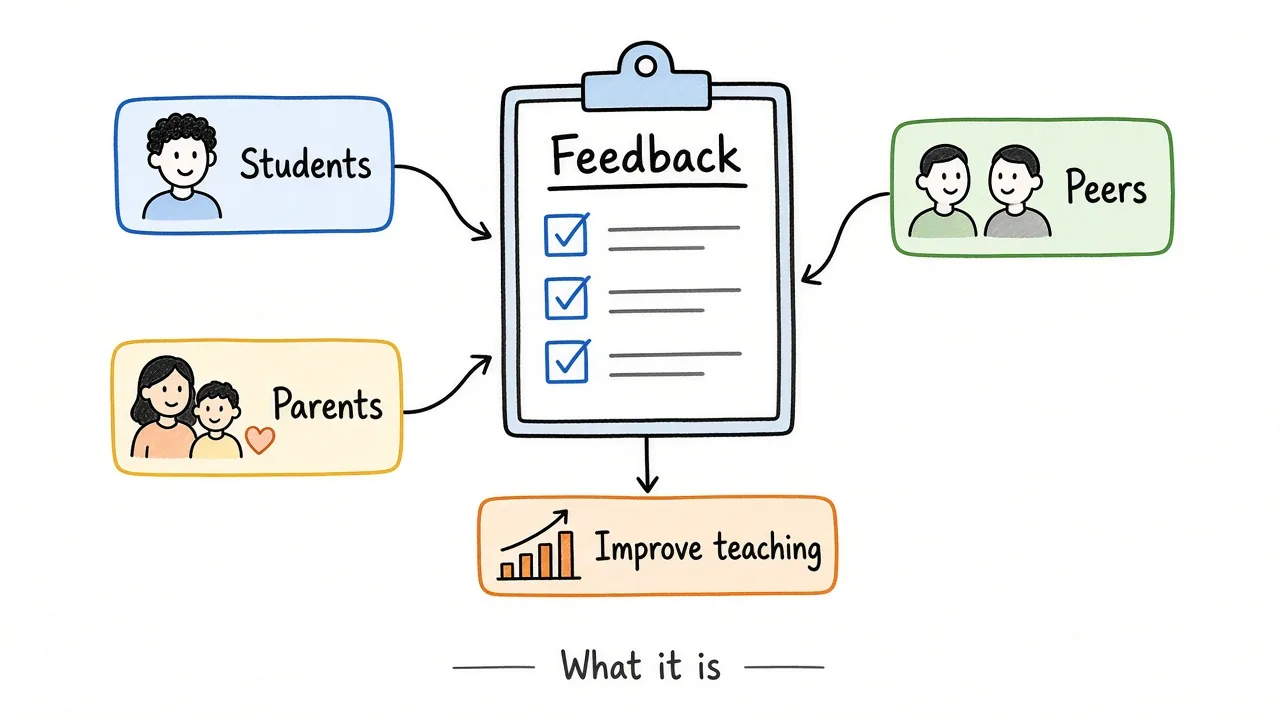
Teacher feedback gathers student, parent, and peer views so teaching can improve.
Teacher feedback is information about teaching and learning that helps someone improve. In schools that usually means two related jobs:
- Feedback about a teacher or class from students, parents, peers, or coaches (clarity, support, fairness, pace)
- Feedback from a teacher to a student on work, skills, or next steps
When people search “how to write feedback for a teacher,” they usually mean the first job: a short note or survey response about a class. When they search “how to give feedback as a teacher,” they mean the second.
Both matter. This guide focuses on collecting useful feedback about teaching, then briefly covers how teachers write feedback to students, because schools need both loops.
It is not a graded quiz. It is not a public review site. Used well, it is a private, structured signal that coaches and teachers can read together.
Why Is Teacher Feedback Important?
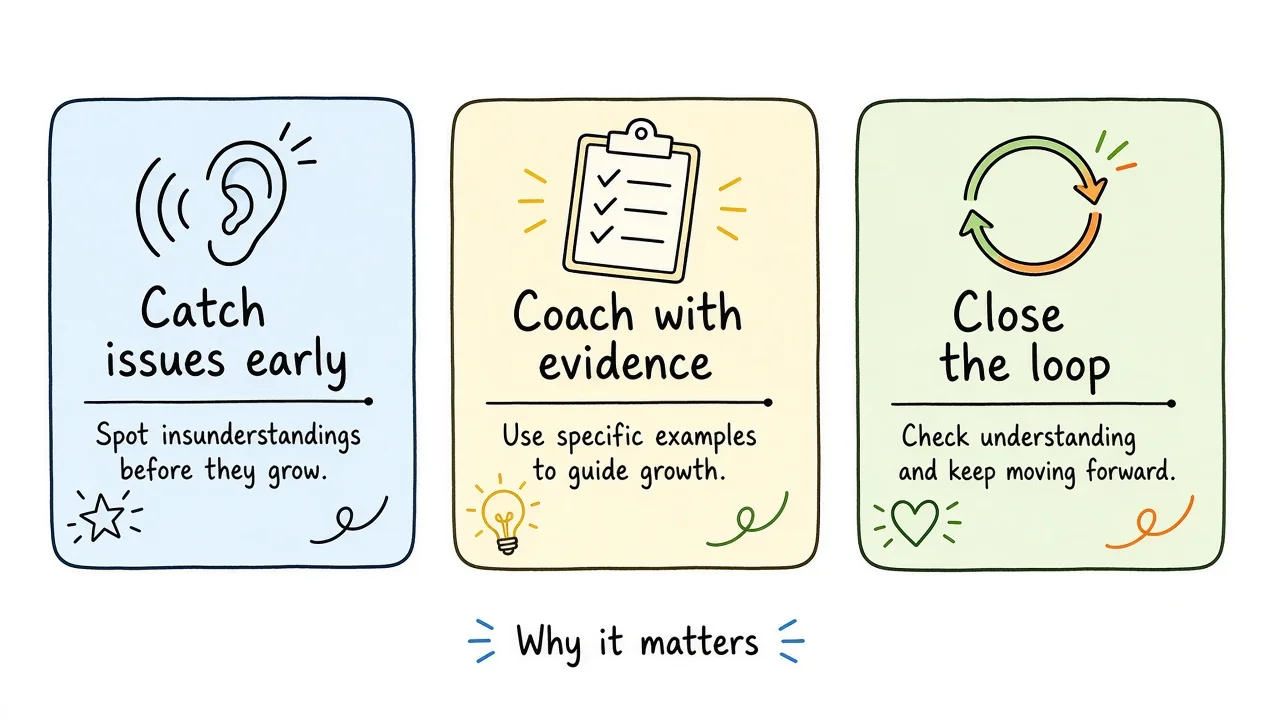
Fresh feedback helps schools catch issues early and coach with evidence.
Catch issues while you can still change the unit
If explanations feel rushed in week three, a mid-unit pulse is kinder than an end-of-year surprise. Students and parents can name what is confusing while there is still time to adjust.
Coach with evidence, not rumor
A comment like “we got examples before every practice set” is actionable. A hallway rumor that “Ms. X is mean” is not. Structured questions make patterns visible across a class.
Student surveys are already treated as a serious measure alongside observations. An IES study of Pittsburgh Public Schools found that student survey measures of teaching practices were positively correlated with observation and value-added measures, and that the three types of measures were complementary rather than interchangeable.
Support teachers without turning feedback into a scoreboard
Formative use (growth, coaching, shared reflection) builds trust. Publishing individual teacher scores in a staff meeting usually does the opposite. Keep the purpose clear before you send the link.
Show families and students that the school listens
When a class hears “you asked for more worked examples, so we added them,” the next survey is worth finishing. When nothing ever changes, response rates fall.
What Should a Teacher Feedback Survey Measure?
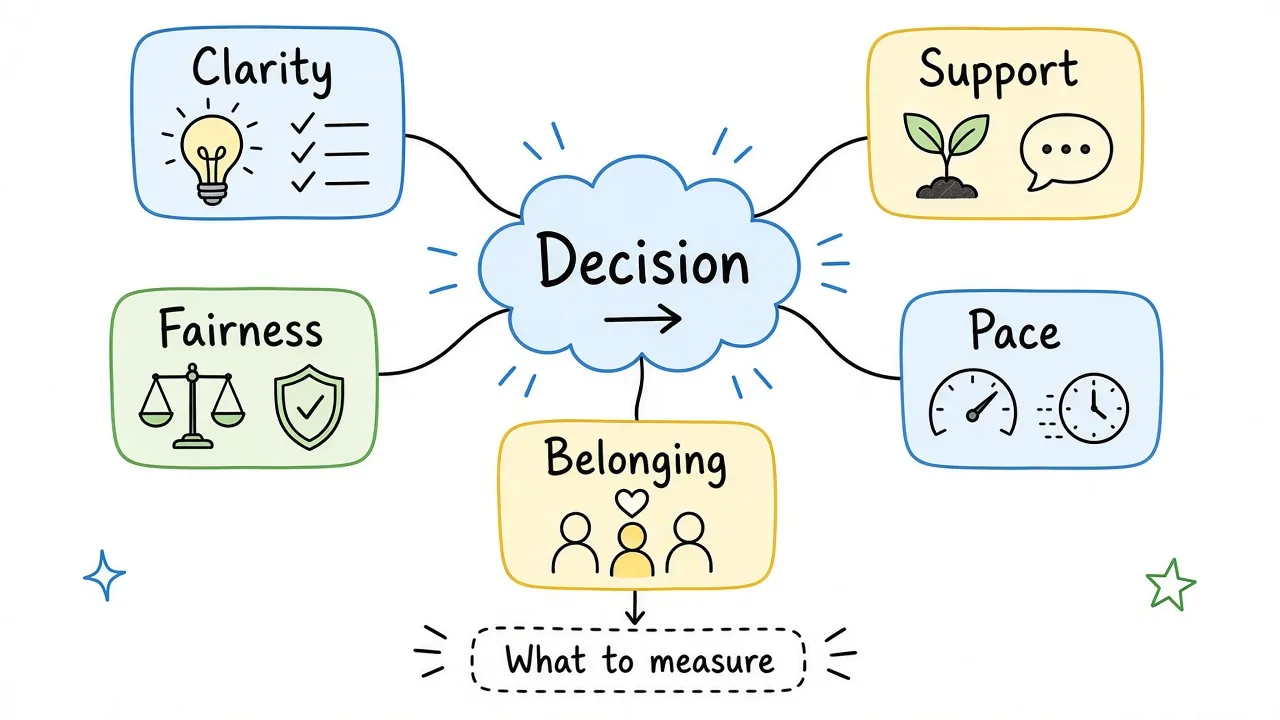
Measure only the few teaching attributes you can act on this term.
Do not try to measure everything in one form. Choose categories that match a coaching conversation you can have this month.
| Category | Example question focus |
|---|---|
| Overall experience | How was this class overall? |
| Clarity | Were explanations clear enough to try the work? |
| Support | Could students get help when stuck? |
| Fairness | Did expectations and grading feel fair? |
| Pace | Too slow, about right, or too fast? |
| Belonging | Did students feel respected in class? |
| One strength | What worked well? |
| One change | What should improve next? |
Keep the form short. Five to eight questions is usually enough for students after a unit. Parents need even fewer.
For a related classroom pulse that is owned by the teacher rather than the school, see the student survey guide and the student feedback form template.
How Schools Collect Teacher Feedback
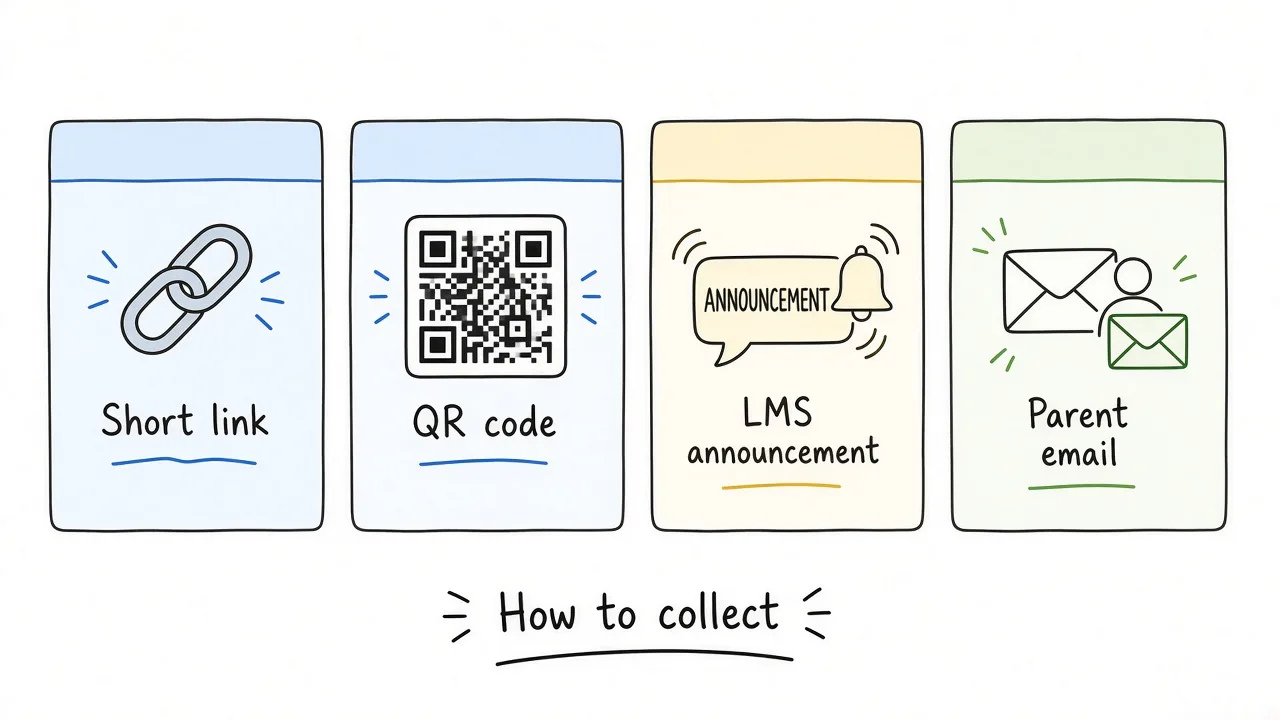
Pick one channel students and parents will actually open.
Common channels:
- A short link in an LMS announcement or email
- A QR code on the board in the last five minutes of class
- A parent newsletter link after conferences
- A peer or coach observation form after a visit (different job from a student pulse)
Anonymous or optional-name surveys usually get more honest answers from students. If your district requires named responses for a formal process, say so on the form and keep that process separate from a low-stakes mid-unit check.
If your school uses Canvas, Google Classroom, or another LMS, the survey still lives as a public URL. Paste the link into an announcement or module. “How to view teacher feedback on Canvas” usually means opening the grade comments or SpeedGrader notes your teacher left on an assignment, which is different from a school survey about teaching. For a survey about the class, share the form link in Canvas the same way you would share any external resource.
How to Write Good Teacher Feedback Questions
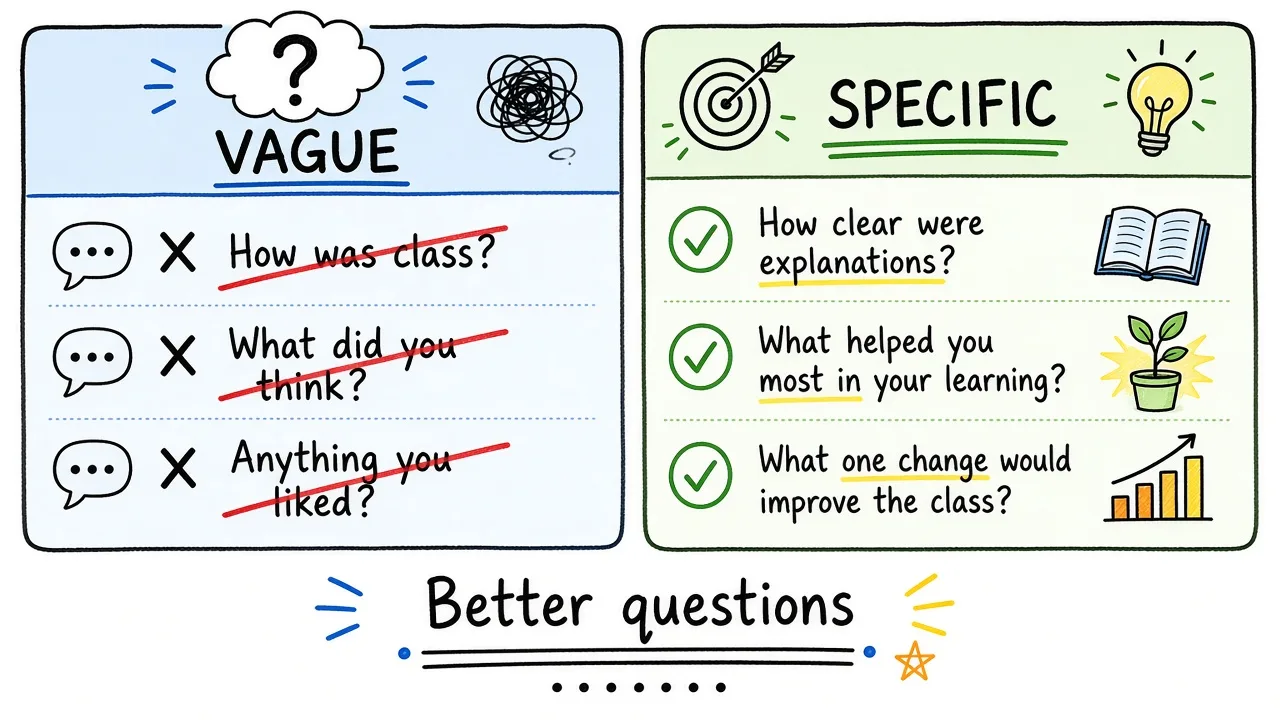
Specific questions beat vague ones when you want coaching-ready answers.
Prefer questions you can act on
Weak: “How was the teacher?”
Stronger: “How clear were the explanations this unit?”
Weak: “Any comments?”
Stronger: “What is one thing that would help the next unit?”
Mix a few ratings with one or two open boxes
Ratings show patterns across a class. Open text explains them. You rarely need both “what worked” and “what to improve” plus three more essays.
Keep language student-friendly
Write for the youngest grade that will answer. Avoid jargon like “pedagogy” or “differentiation” unless you are surveying teachers about peers.
Decide anonymity up front
Optional name is a good default for student and parent pulses. Required name belongs in formal processes with clear policy behind them.
How to Write Good Feedback for a Teacher
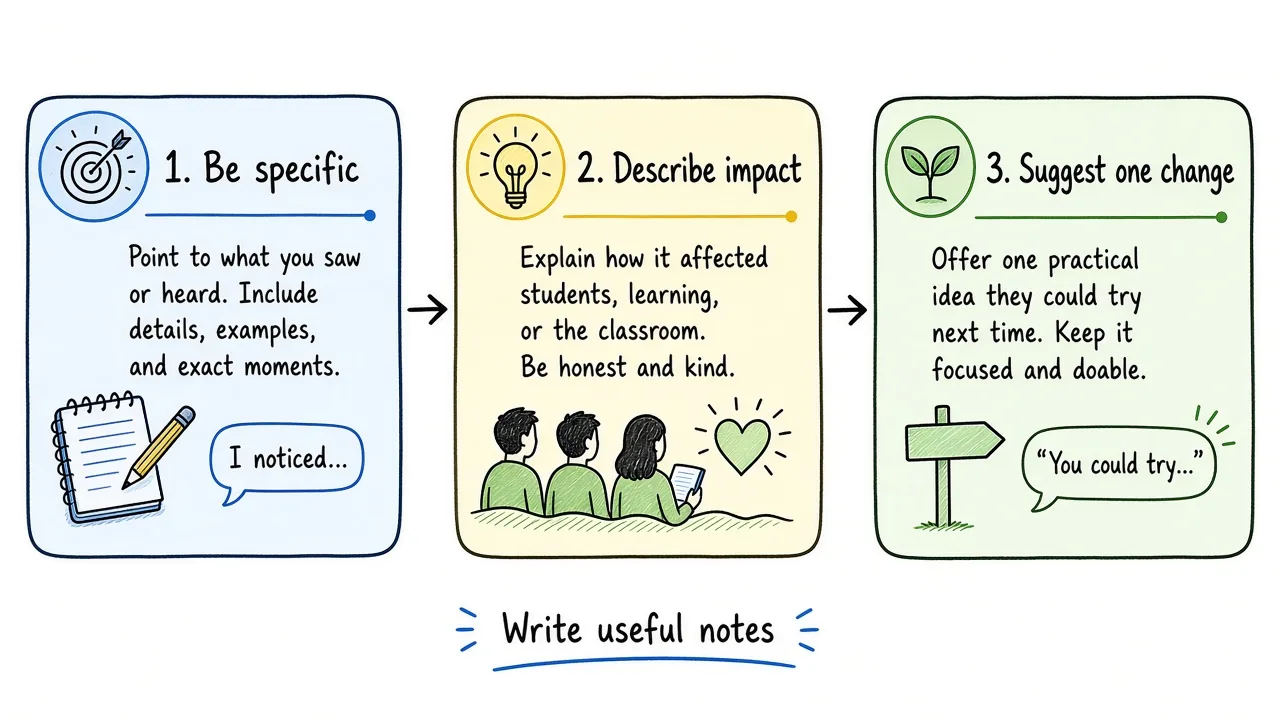
Useful notes are specific, describe the impact, and suggest one change.
Students, parents, and peers often ask the same question: what should I write?
Use this pattern:
- Be specific. Name a lesson, assignment, or habit.
- Describe the impact. What happened for learning or confidence?
- Suggest one change (or one thing to keep).
Examples students can use
- “The worked example before homework helped. I got stuck when we skipped straight to word problems.”
- “You check in when people look confused. The pace on Friday’s lab felt too fast.”
- “Group roles were clear. Instructions on the board were hard to read from the back.”
Positive feedback that still helps
Positive notes are useful when they name the practice, not only the person:
- “Clear examples before practice”
- “Fair deadlines with reminders”
- “Respectful tone when someone asks again”
Avoid empty praise (“best teacher ever”) if you want the school to learn anything.
Parent feedback to a teacher
Parents do not need a long letter. A short note works:
- Fact: “Maya spends more than two hours on math homework most nights.”
- Impact: “She is too tired for reading.”
- Ask: “Could we look at the load for this unit?”
Skip blame. Stick to what you observed at home and one clear request.
How to Respond to Teacher Feedback
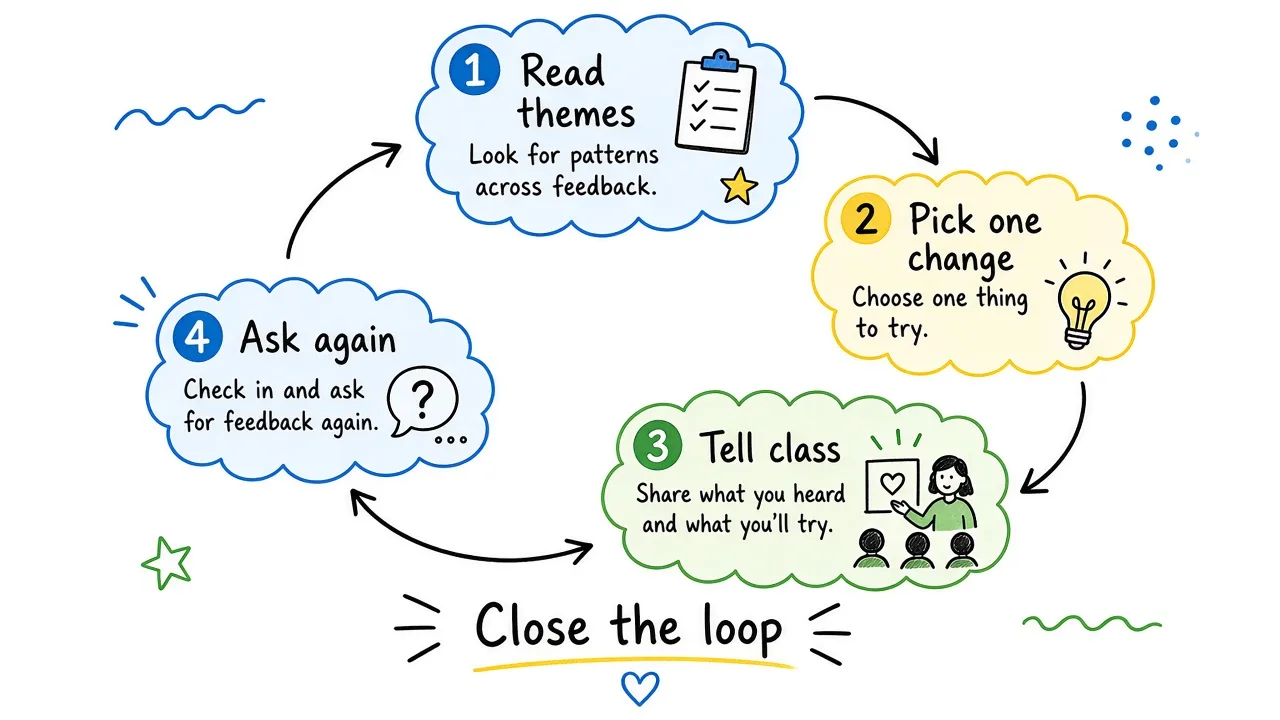
Responding well means picking one change and telling the class you heard them.
If you are a teacher reading survey results:
- Skim for themes, not for one sharp comment.
- Pick one change you can make in the next two weeks.
- Tell the class or parents what you heard and what you will try.
- Run a shorter pulse later to see if it helped.
If a comment is cruel or personal, set it aside. Coaching conversations should focus on practices, not attacks.
If you are a student thanking a teacher for feedback on your work, a short reply is enough: “Thanks for the note on my thesis. I revised the second paragraph.” You do not need a formal letter unless your school asks for one.
Federal evaluation work on educator feedback systems has found that timely performance feedback can support classroom practice and, in some cases, student learning gains. An IES impact evaluation of performance feedback for teachers and principals reported positive effects on some measures of teacher practice and principal leadership, and a Year 1 mathematics gain of about four weeks of learning in treatment schools. That study used formal observation and other measures, not only student surveys, but the lesson is the same: feedback helps when people receive it in time to use it.
How Teachers Give Feedback to Students
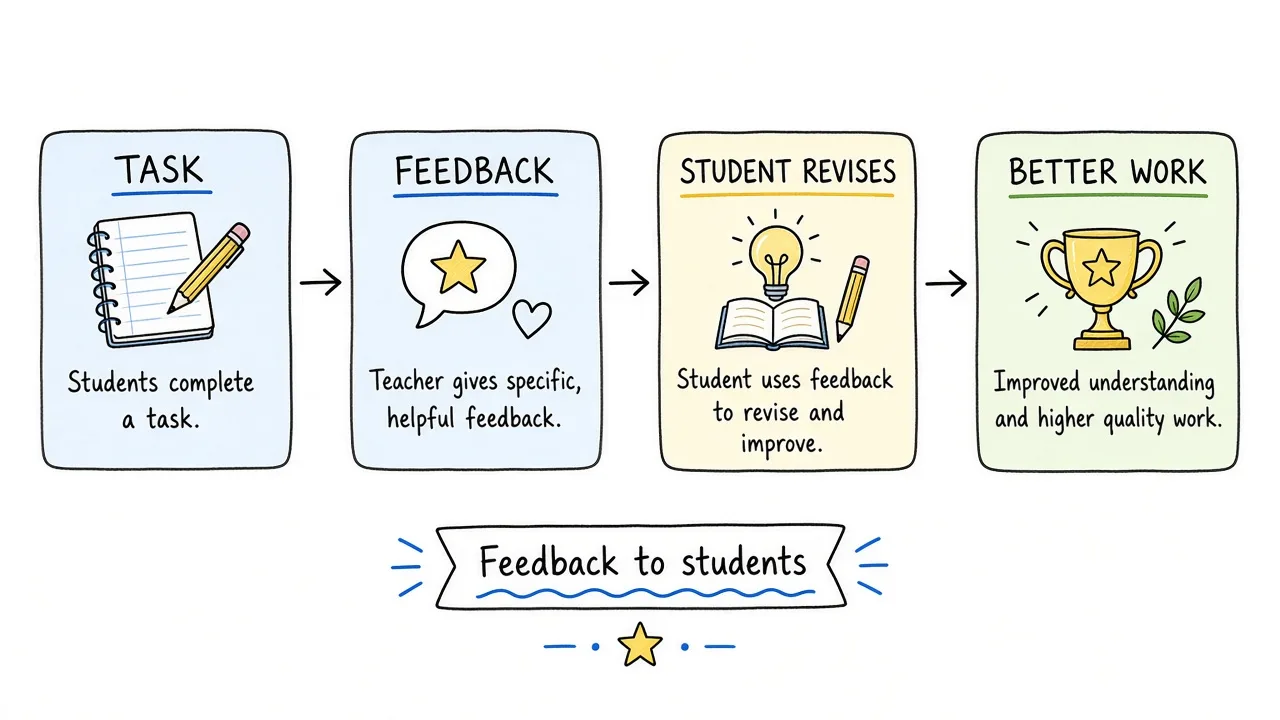
Feedback to students works best when learners have time to revise.
“How do you write feedback as a teacher?” is a different skill from collecting a class survey.
Practical habits:
- Focus on the task and next step, not the student’s character
- Be timely enough that students can revise
- Prefer one clear improvement over a wall of comments
- Build in time for students to use the feedback
For student teachers and mentors, the same rules apply: describe what you saw in the lesson, name one strength, name one next step, and schedule a short follow-up. Yoga teachers, tutors, and online instructors can use the same pattern after a session: what landed, what to change, optional name.
Schools that want a classroom exit ticket rather than a formal teacher evaluation form can adapt the student feedback form template or the guide on creating surveys with AI.
How to Create a Teacher Feedback Survey
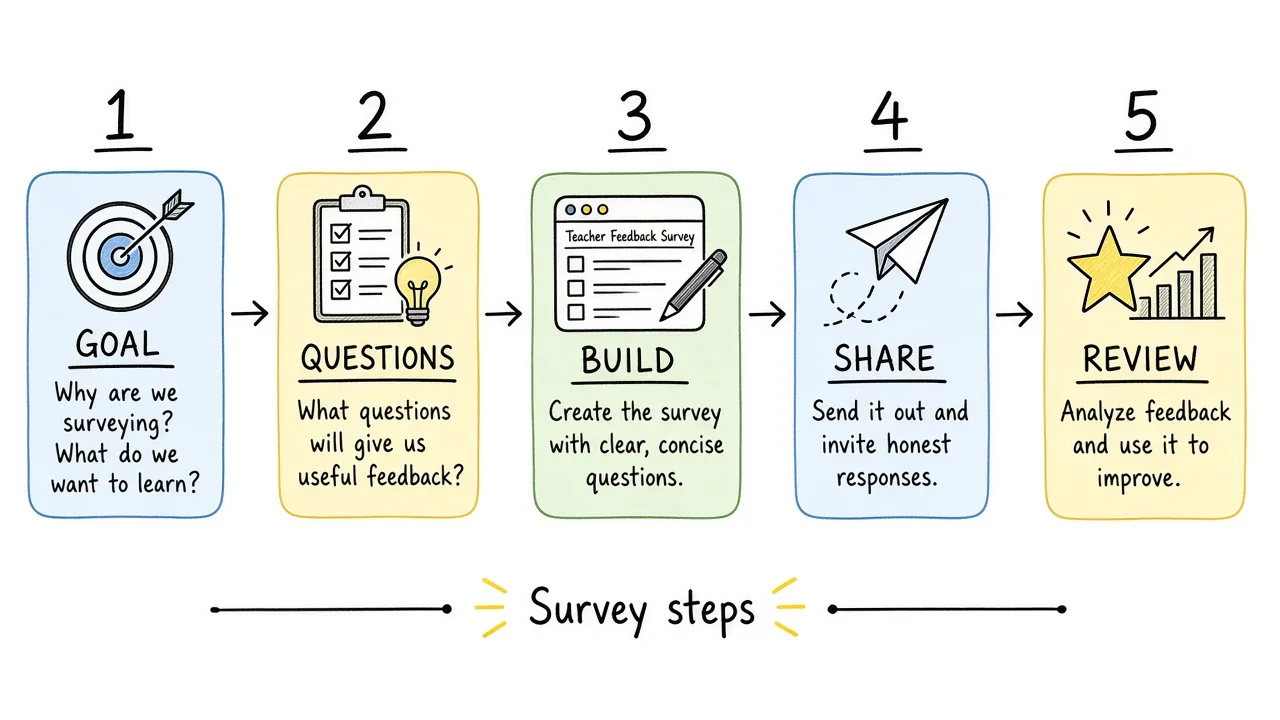
Goal, questions, build, share, review. Keep the path short.
You can use any form builder. The steps below show one path in Formms, including screenshots from a Willow Creek Middle School sample survey.
1. Start from a template or a blank form
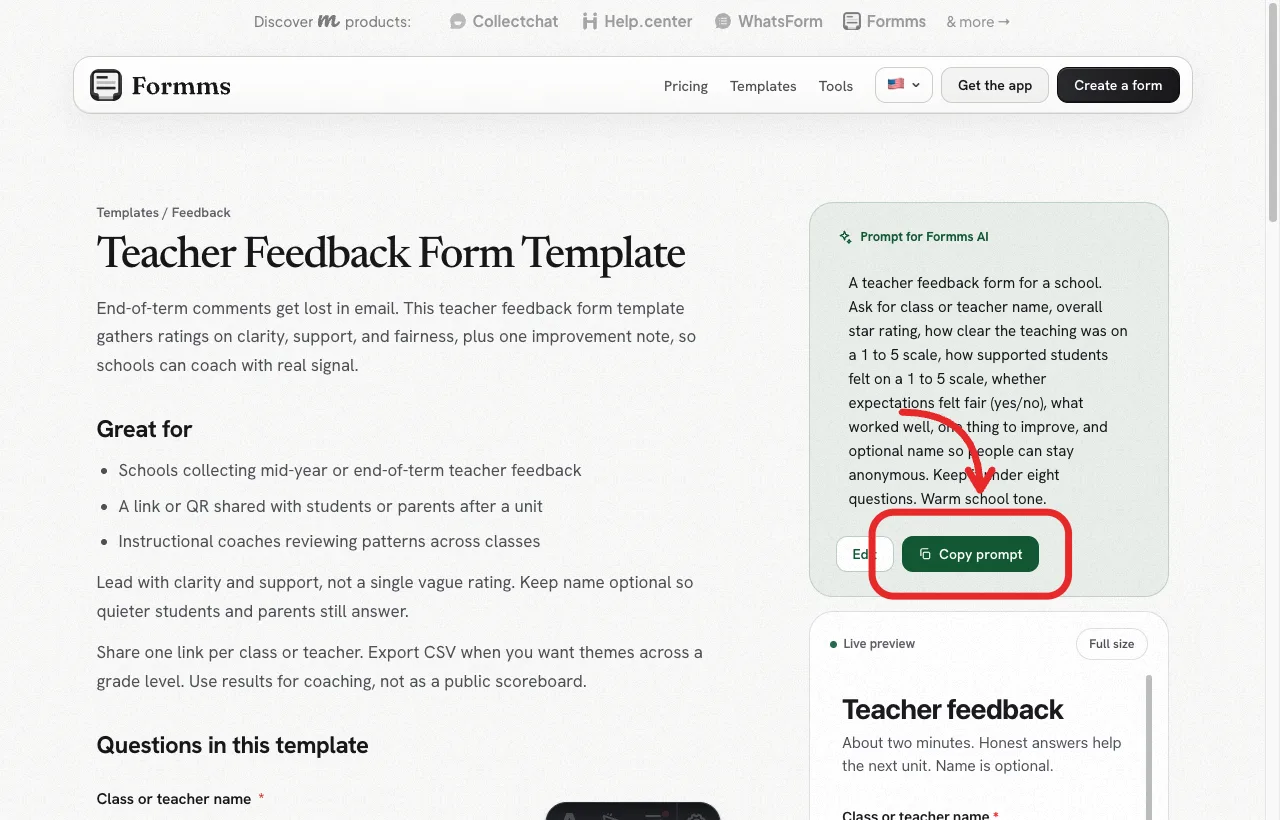
Start from the Formms teacher feedback form template, or copy the prompt into a new form.
2. Open New form and describe the survey
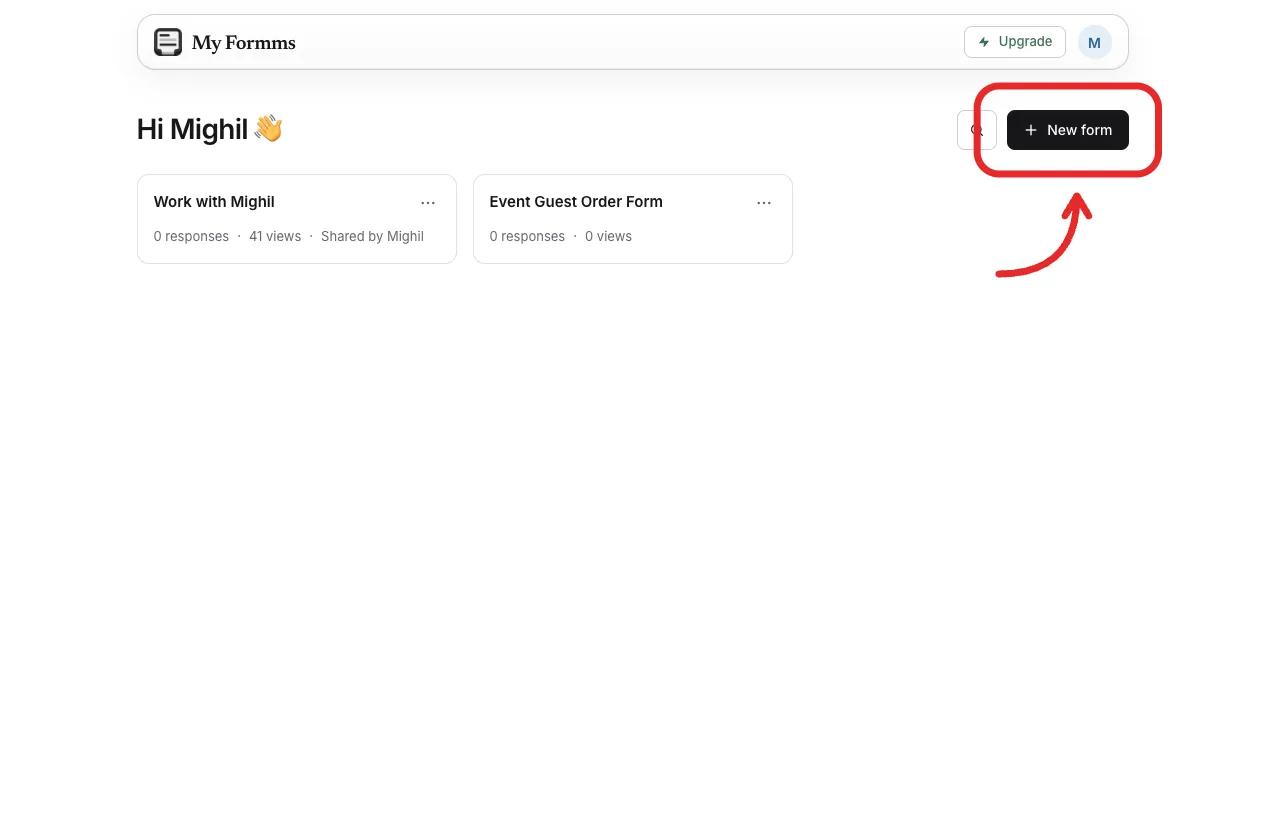
From the dashboard, open New form to start a blank form, import, or chat draft.
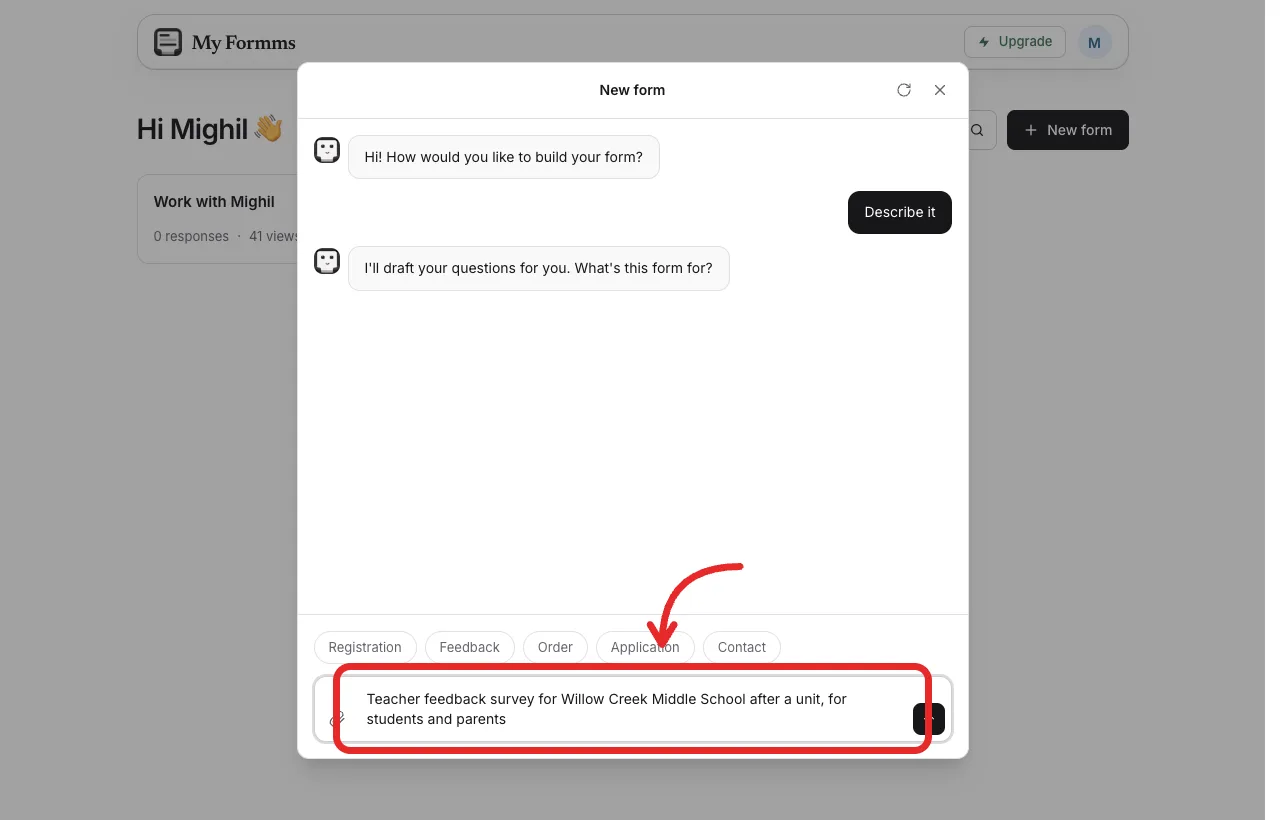
Describe the purpose in plain language: school, audience, and what to collect.
Example prompt:
Teacher feedback survey for Willow Creek Middle School after a unit, for students and parents. Collect class or teacher name, overall rating, clarity 1 to 5, support 1 to 5, whether expectations felt fair, what worked, one improvement, optional name.
3. Review the draft, then build
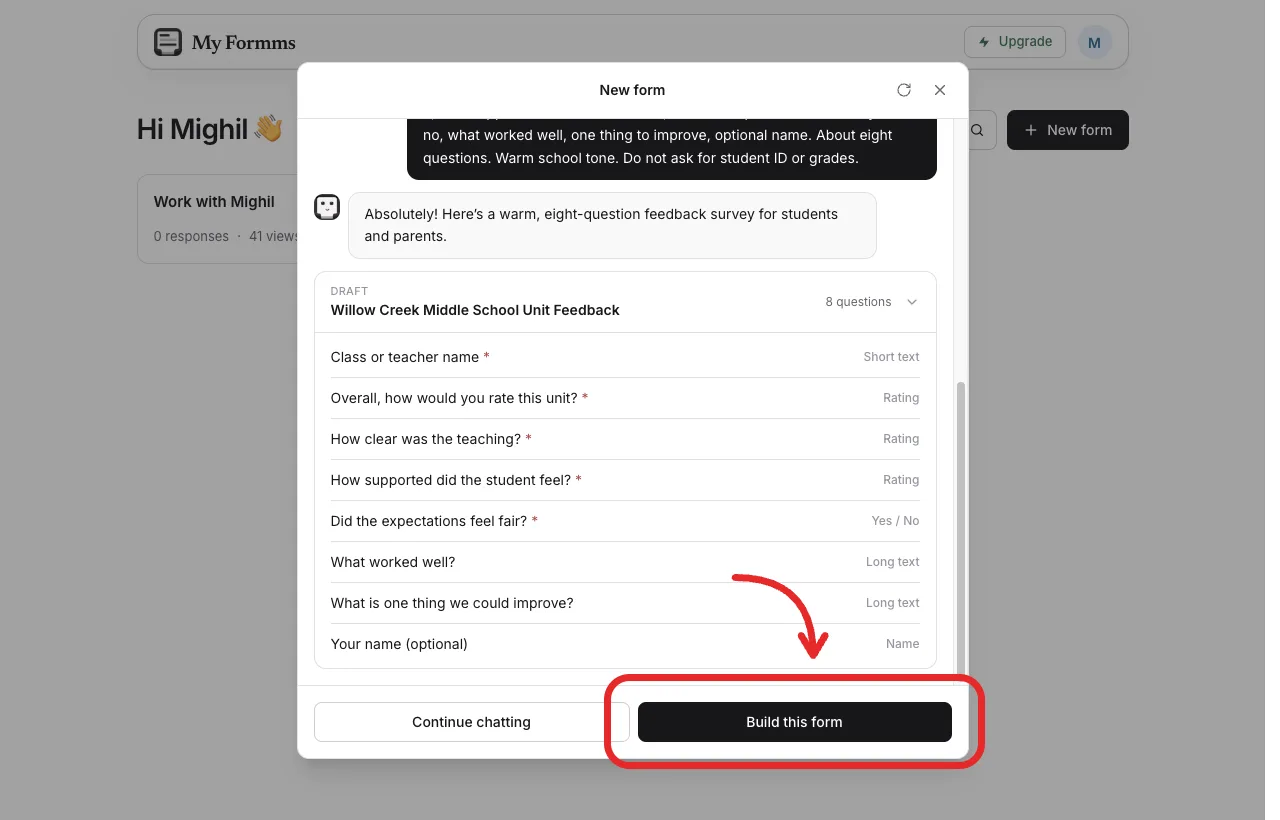
Check the draft questions, then choose Build this form when the list looks right.
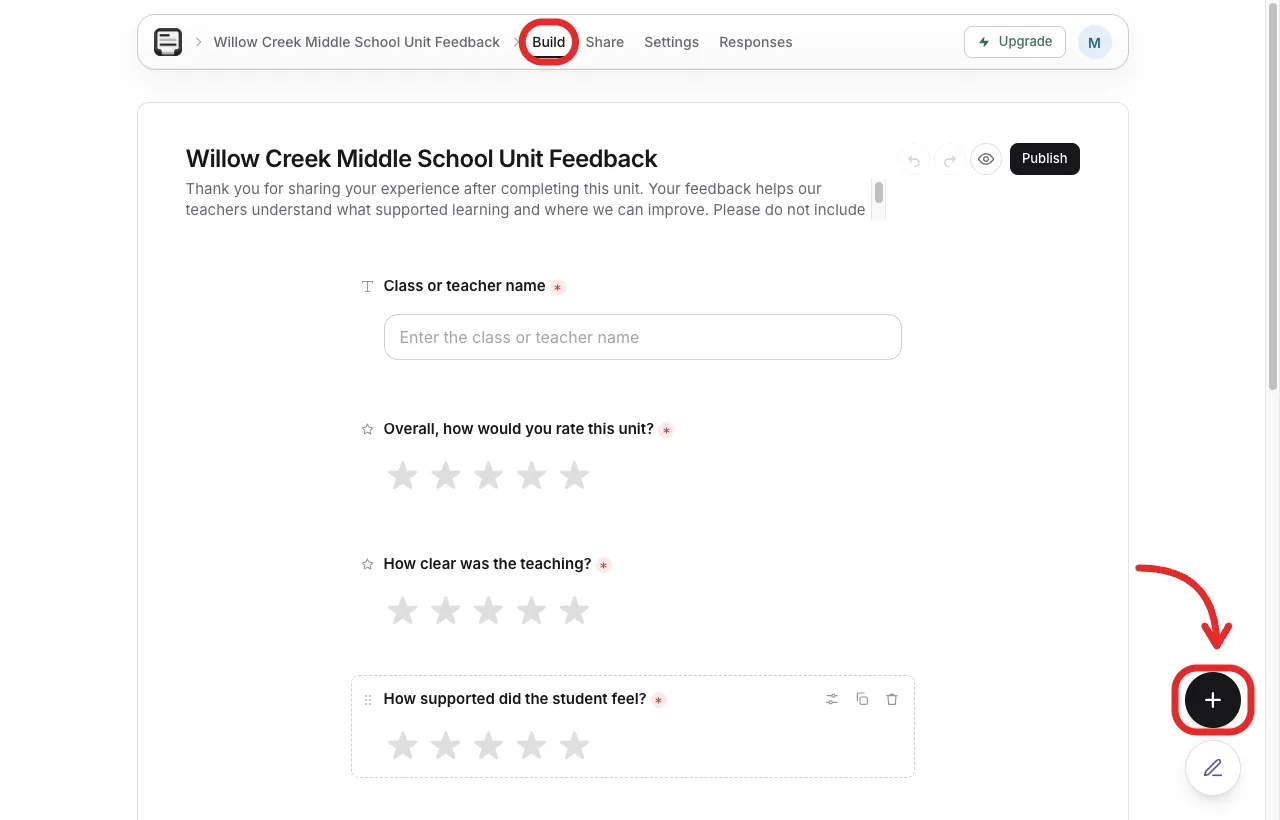
In Build, edit wording or add a question before you share the link.
4. Share a link or QR code
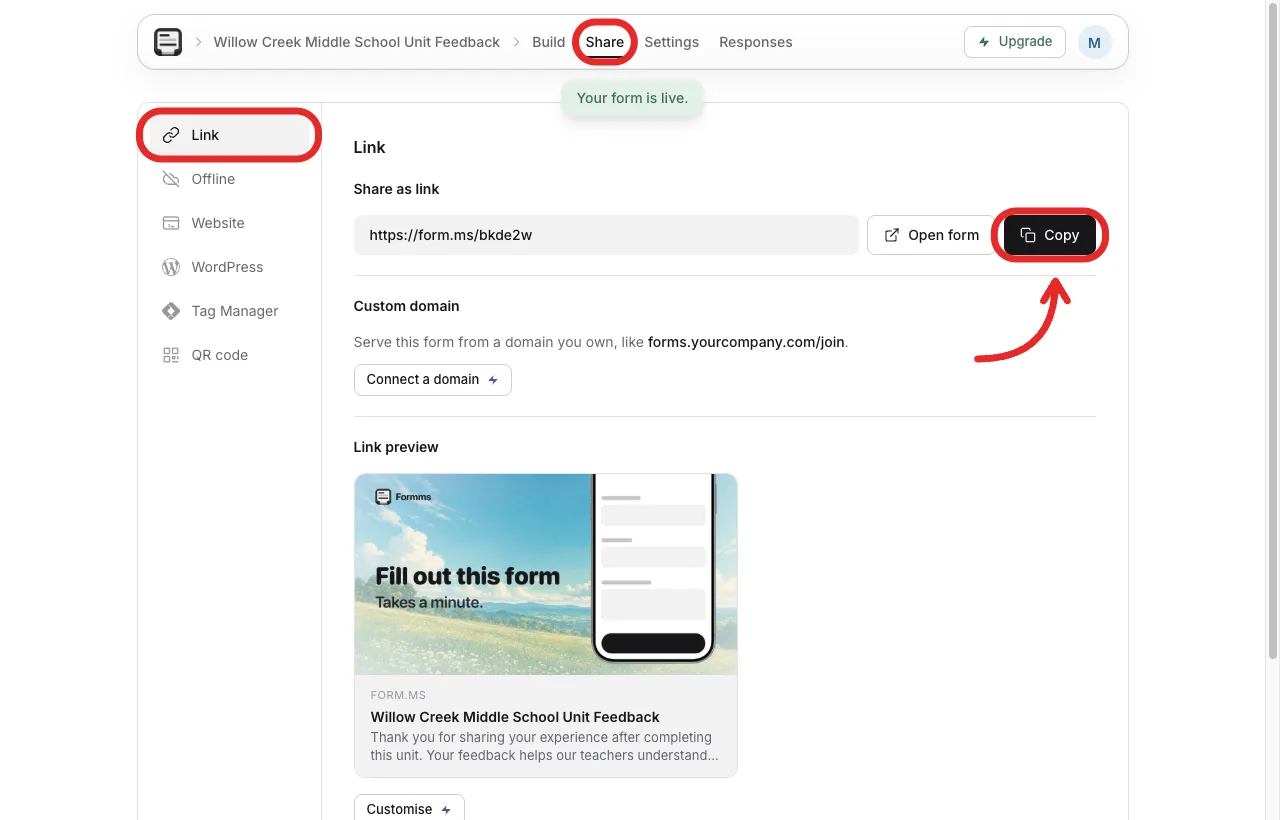
Copy the short link for LMS announcements, email, or a parent newsletter.
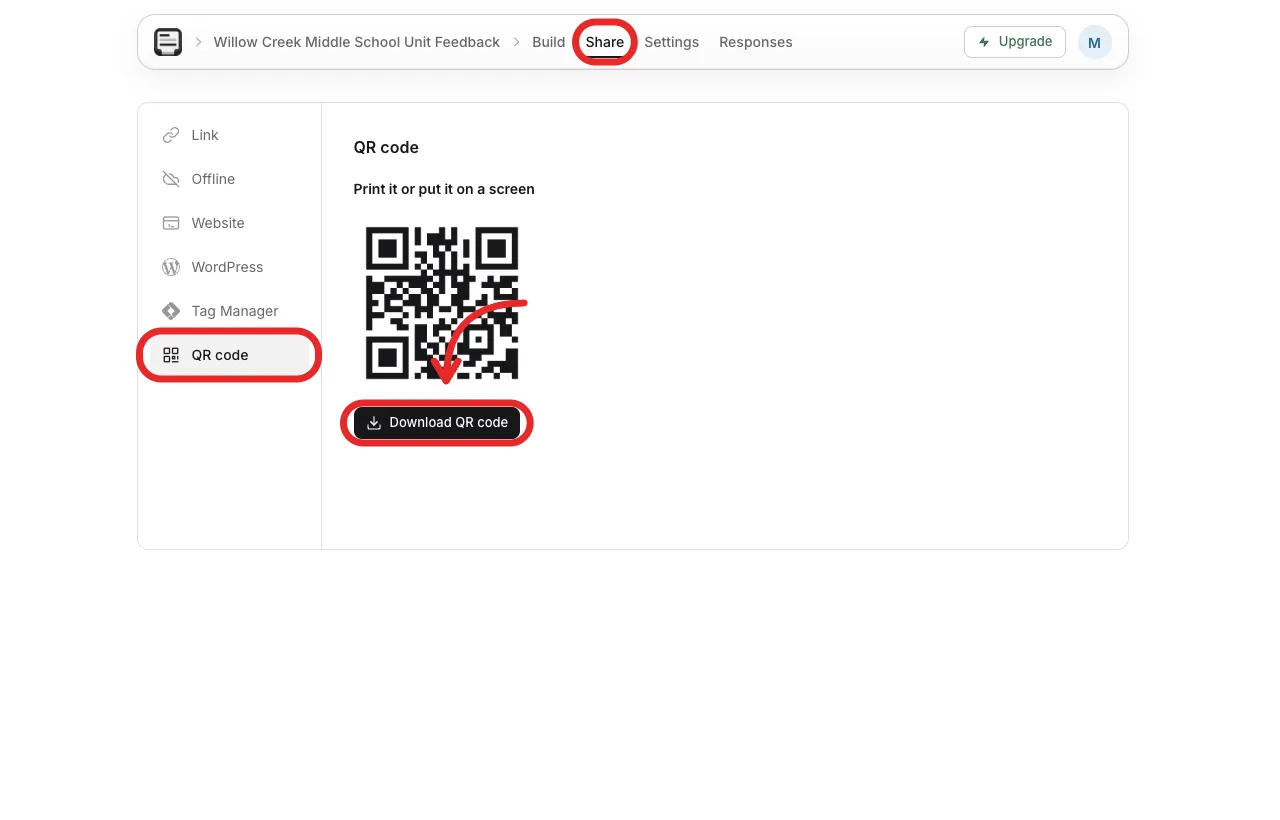
Download a QR code for the board in the last minutes of class.
5. Confirm responses are open, then preview the live form
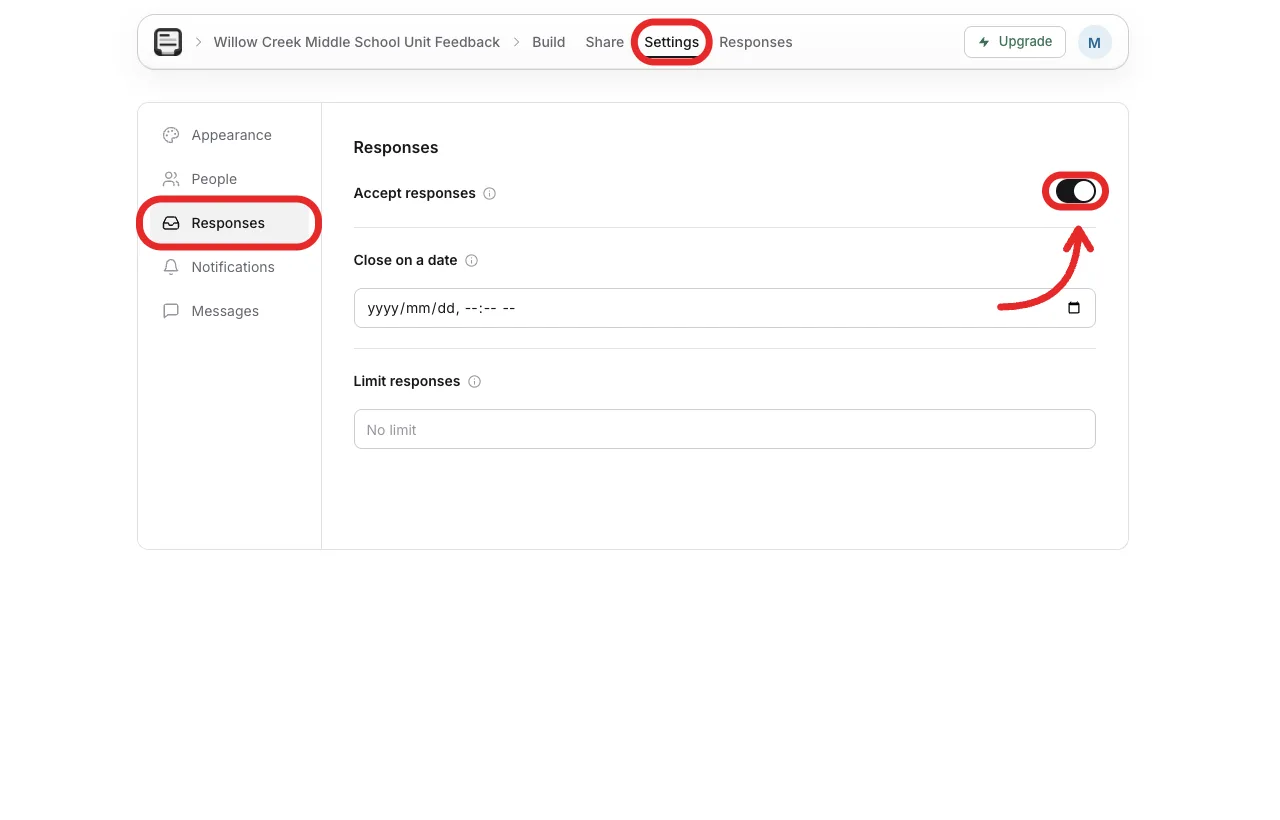
In Settings, confirm the form is accepting responses before you send it.
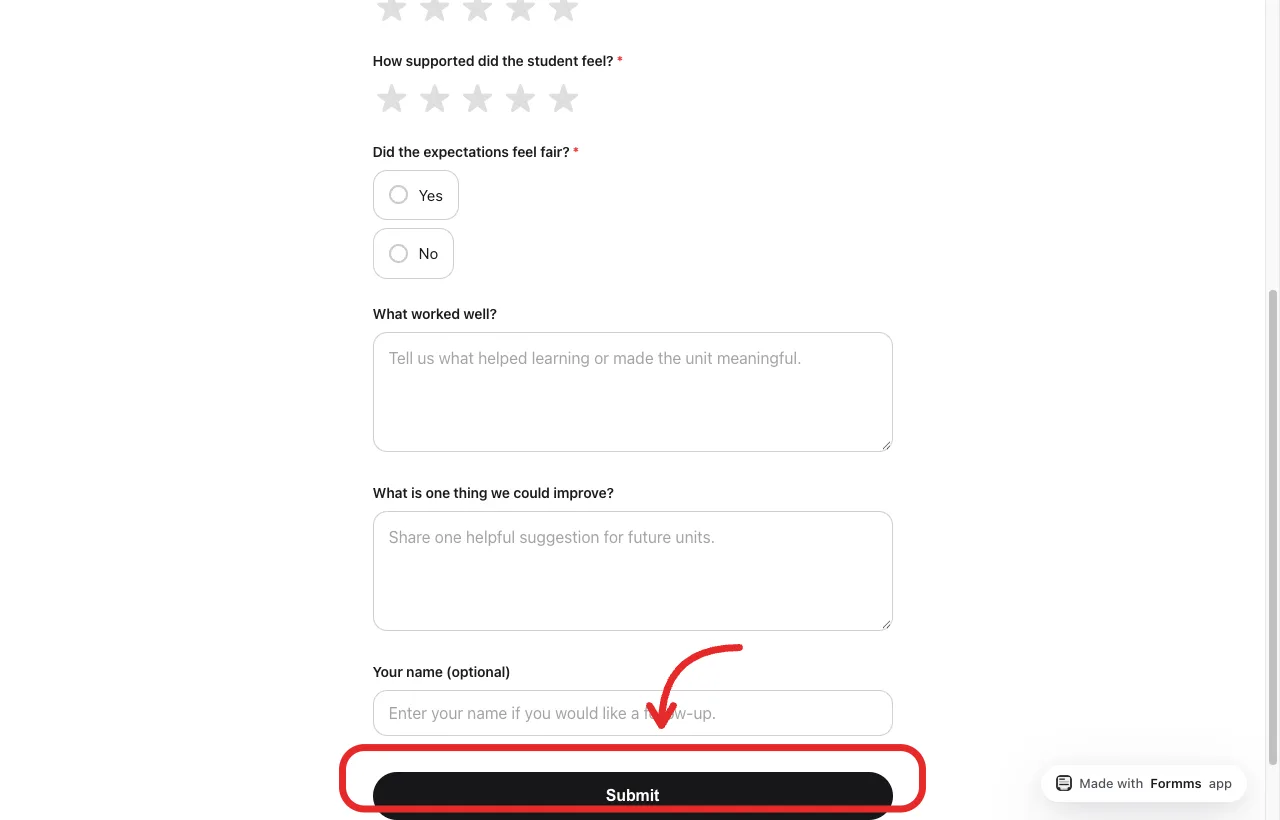
Open the public page and check that Submit works on a phone-sized window too.
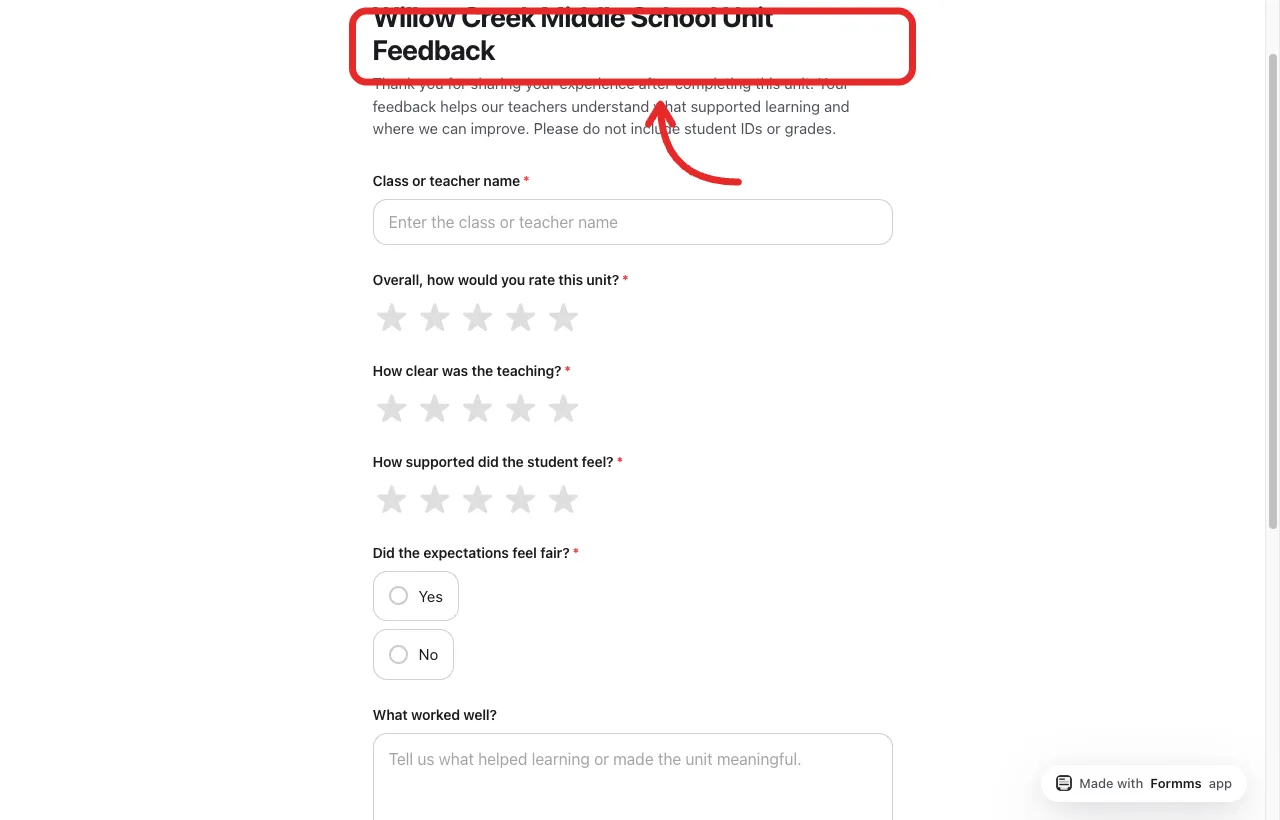
Preview the live questions the way a student or parent will see them.
Live sample from this walkthrough: form.ms/bkde2w.
How to Use the Results
Export or skim responses after a few days.
- Look at average ratings for clarity and support.
- Cluster open comments into two or three themes.
- Choose one coaching action.
- Tell the class what you will try.
- Archive the export for the next comparison.
Do not overfit to a single angry comment. Do not ignore a theme that appears ten times.
Parent Notes, Student Teachers, and Special Cases
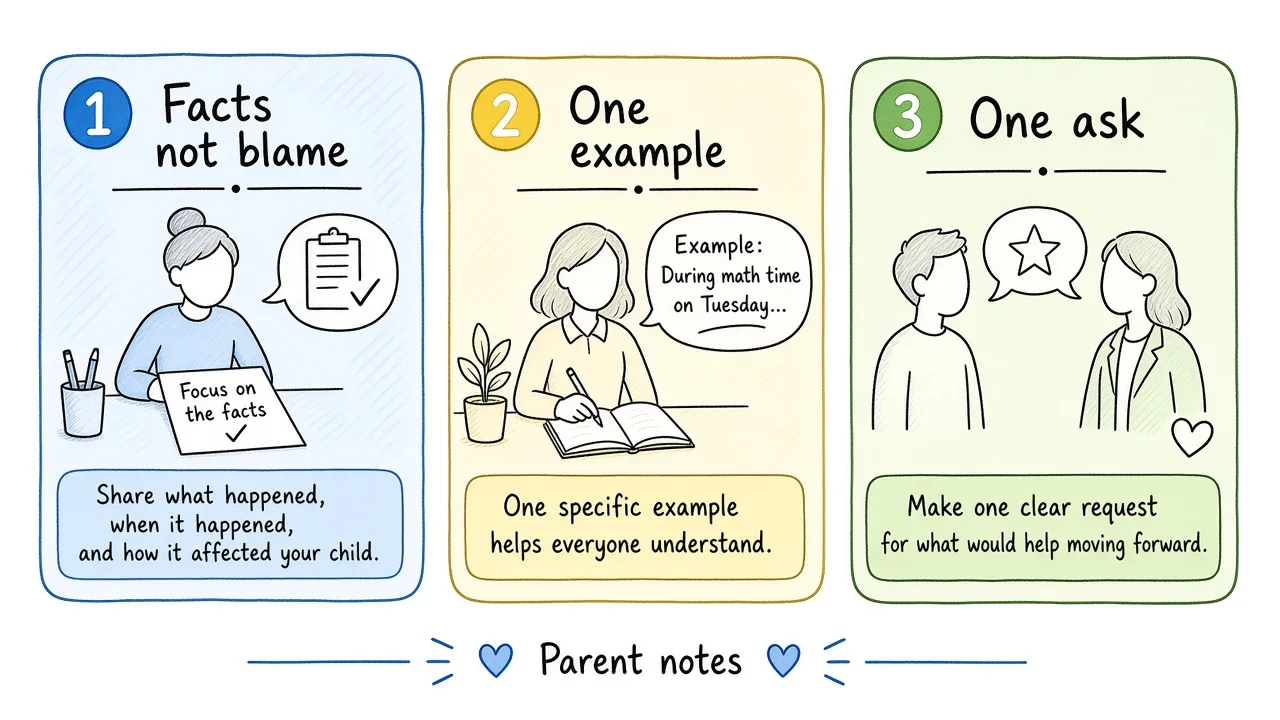
Parents can keep notes short: one fact, one impact, one ask.
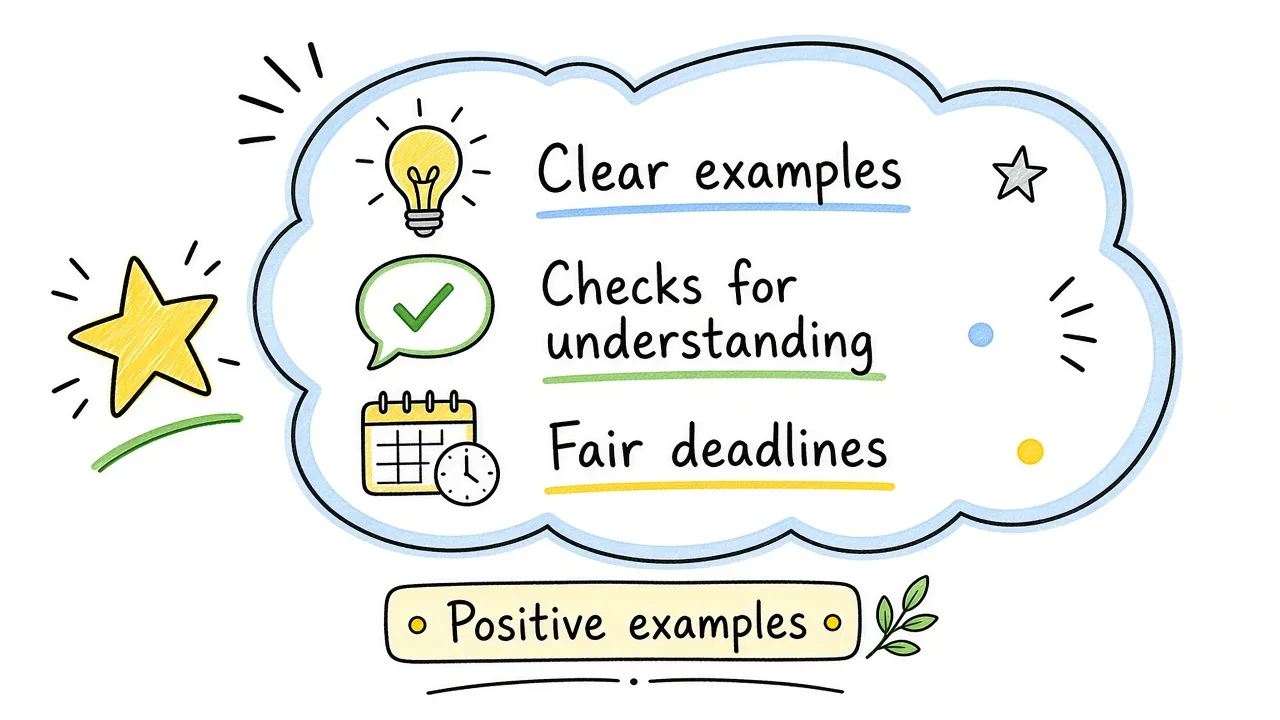
Positive feedback helps when it names the practice, not only the person.
- Parents: use the fact, impact, ask pattern above. A conference follow-up can be three sentences.
- Student teachers: mentors should describe observed moves, not personality. One strength, one next step.
- Online classes: ask about clarity of instructions, pace of live sessions, and how easy it was to get help.
- Language: write in the language your community actually uses. A Tamil or Spanish comment that is specific beats an English comment that says nothing. The form can accept any language in open text.
- PDF requests: you do not need a PDF worksheet to give good feedback. A short form link is easier to collect and sort. Export CSV later if your school needs a file.
- Speaking practice without a teacher: that is a different problem (recording tools, language partners). A teacher feedback survey will not replace a speaking coach.
Common Mistakes
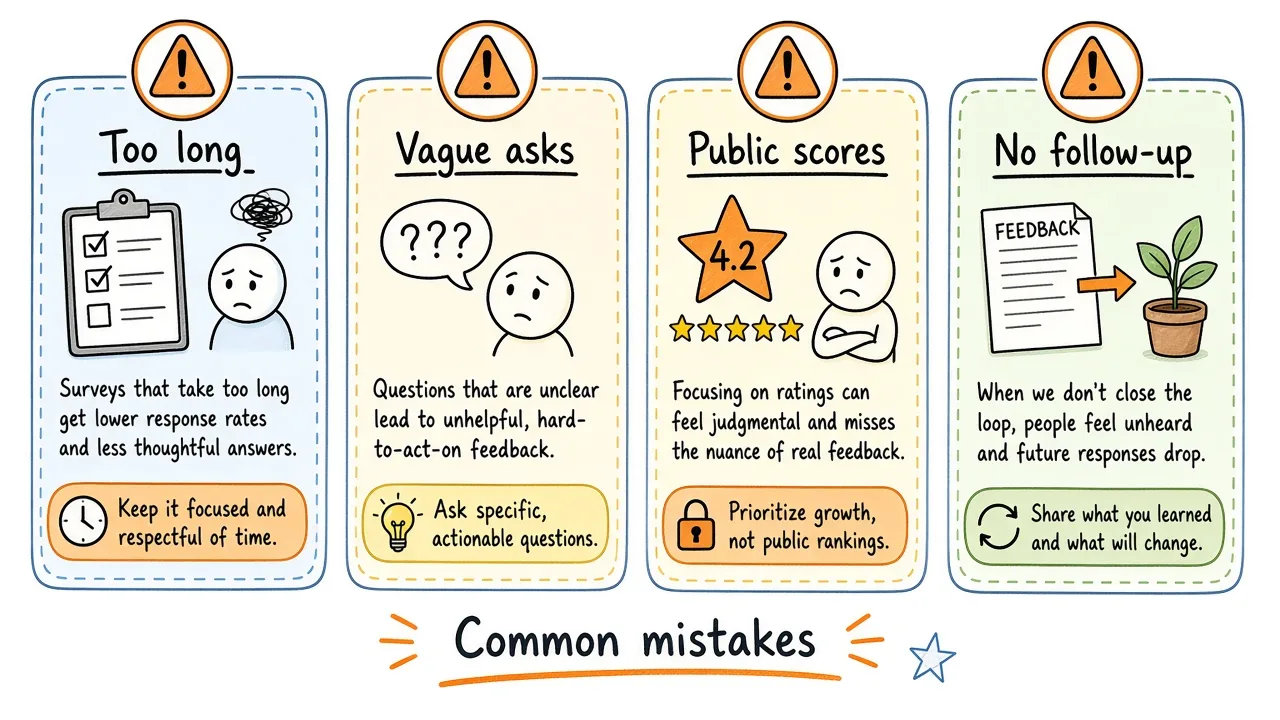
Long forms, vague asks, public scoreboards, and silence after the survey all weaken trust.
- Making the form longer than a few minutes
- Asking vague questions you cannot act on
- Using student pulses as a public ranking of teachers
- Collecting feedback and never telling anyone what changed
- Mixing a formal HR evaluation with a low-stakes classroom pulse in the same form
Frequently Asked Questions
What is teacher feedback?
It is information that helps improve teaching or learning. That includes surveys about a class, parent notes, peer coaching comments, and the comments teachers leave on student work.
Why is teacher feedback important?
It surfaces clarity, support, and fairness problems early, gives coaches evidence for growth conversations, and shows students and families that the school listens.
How do I write good feedback for a teacher?
Name a specific moment, describe the impact on learning, and suggest one change or one strength to keep. Short and concrete beats long and vague.
What should I write in feedback for a teacher?
One strength and one improvement is enough. Example: “Exit tickets helped me check my work. Directions for group roles were unclear on Tuesday.”
How can I give good feedback to my teacher?
Be honest, be kind, and be specific. Optional-name surveys make that easier if you are nervous.
How do I give feedback to my teacher as a parent?
Share what you see at home, how it affects your child, and one clear request. Avoid blame language.
How do you write positive feedback for a teacher?
Praise the practice: clear examples, fair deadlines, respectful tone. “Best teacher” alone does not help the next unit.
How do you respond to teacher feedback?
Find themes, pick one change, tell the class, and check again later. Ignore personal attacks; address patterns.
How do you give feedback to a student teacher?
Describe what you observed, name one strength, name one next step, and set a time to follow up.
How do teachers give feedback to students?
Focus on the work and the next step, give comments in time for revision, and avoid commenting on the student’s character.
How do I view teacher feedback on Canvas?
Open the assignment, then check the comment panel or SpeedGrader notes your teacher left. That is feedback on your work. A school survey about teaching is usually a separate link shared in an announcement.
How do I create a form for teacher feedback?
Decide the goal, write five to eight clear questions, build the form in any builder, share a link or QR, and close the loop after you read results. A template speeds up the first draft.
Conclusion
Useful teacher feedback is short, specific, and tied to a decision a school can make. Measure a few teaching attributes, invite honest notes from students and parents, protect teachers from public scoreboarding, and always close the loop.
Build the survey once, reuse the same core questions next term, and let the results coach the next unit rather than sit in an unread folder.